When you use an AI, you usually just see a simple, blank text box. It looks exactly like a Google search bar, so most people use it like one. But this is a huge mistake.
To get great results, you need to know what a prompt really is. A prompt is not a search query. It is the steering wheel you use to drive the AI.
1 A Prompt is Not a Search Query
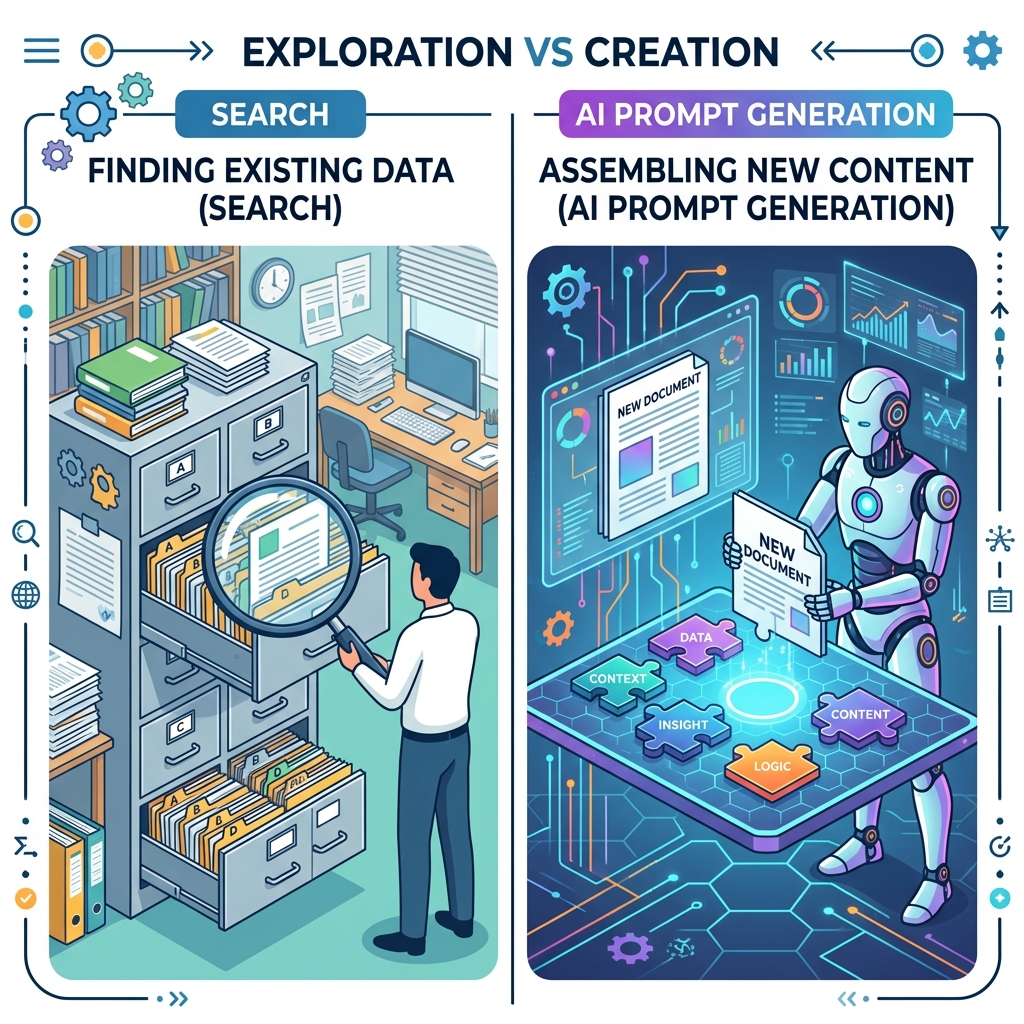
When you type "Best Italian restaurants near me" into Google, it looks for a webpage that matches your words and gives you a link. It just finds existing information.
But when you type "Write an email to my boss" into ChatGPT, it is not looking up a pre-written email. It is creating a brand-new email from scratch, word by word.
Because the AI is creating something entirely new, a short prompt like "Write an email" gives it too much freedom to guess. It might write a serious resignation letter, or a funny joke. Vague inputs lead to bad, confusing outputs.
2 The Pieces of a Good Prompt
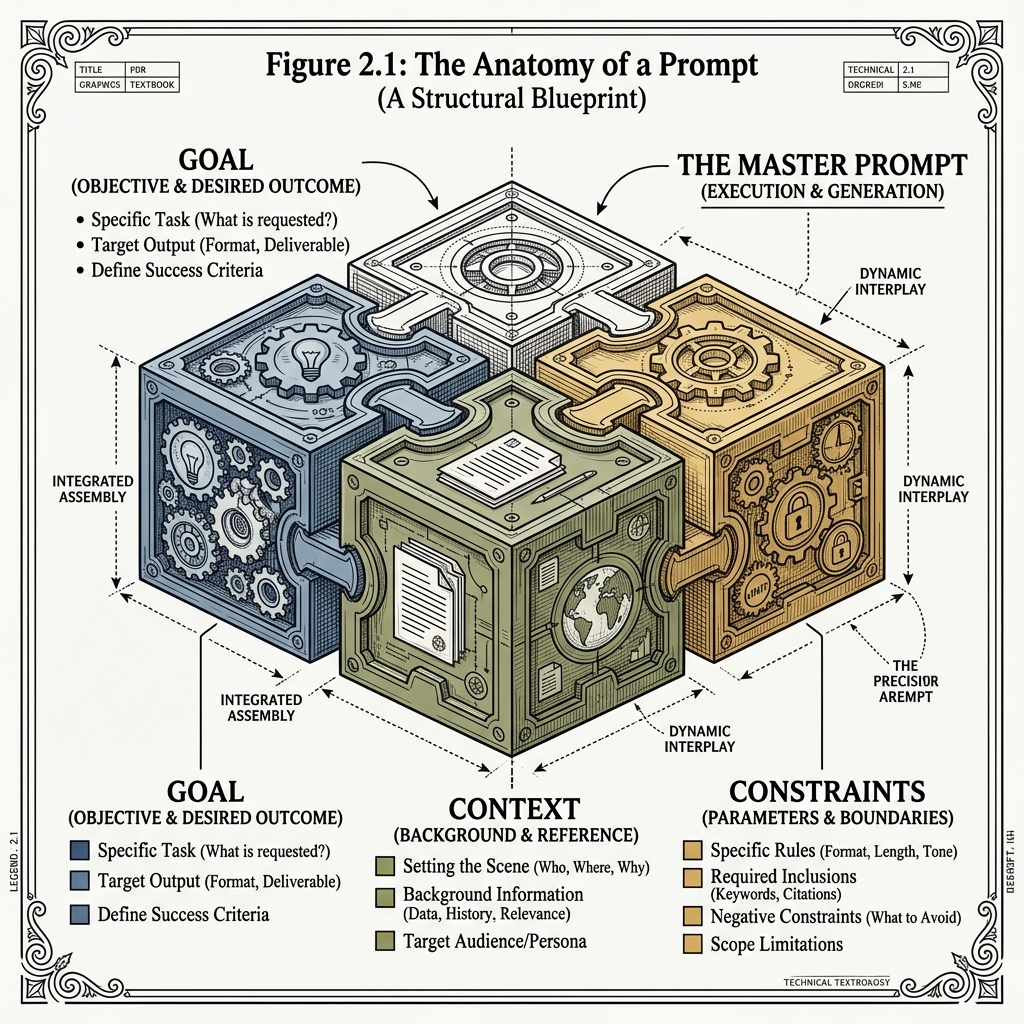
A great prompt doesn't just ask a question. It gives the AI strict rules to follow. The more rules you give, the better your output will be.
A professional prompt usually has these four pieces:
- Role: Who should the AI pretend to be? (Example: "Act as an expert marketing writer...")
- Context: What is the background story? (Example: "...we are launching a new eco-friendly water bottle today...")
- Task: What exactly do you want it to do? (Example: "...write a short email for our customers...")
- Format: How should the answer look? (Example: "...use a catchy subject line and three bullet points.")
3 The Hidden Layer: System Prompts
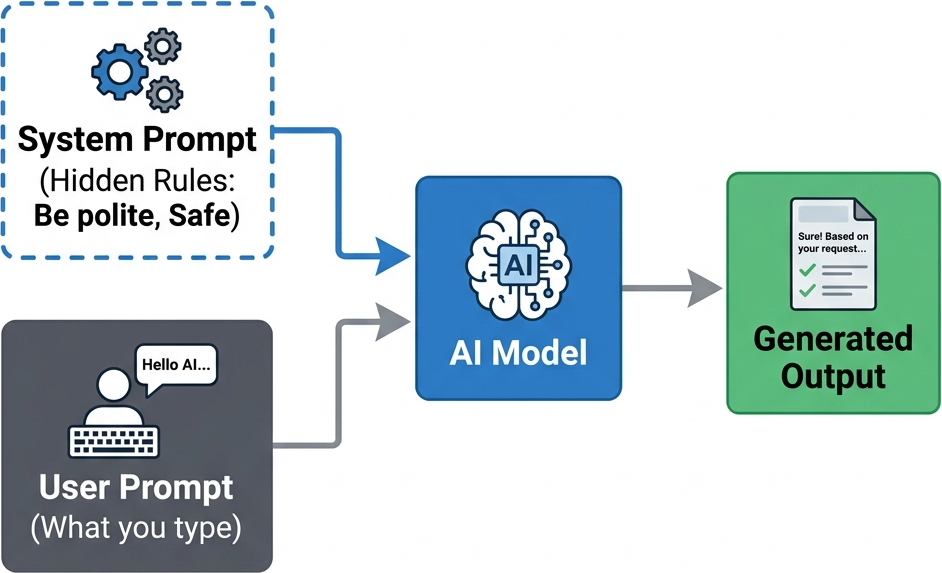
When you open an AI tool, it might look like a blank slate, but it isn't. Before you even type a single word, the AI has already been given a hidden set of rules called a System Prompt.
What is a System Prompt?
Companies like Google or OpenAI write System Prompts to give the AI its personality and safety rules. A hidden system prompt might say:
"You are a helpful AI. Do not use bad words. Do not give medical advice."
When you type your User Prompt, the AI combines it with the hidden System Prompt before giving you an answer.
4 Stopping Hallucinations
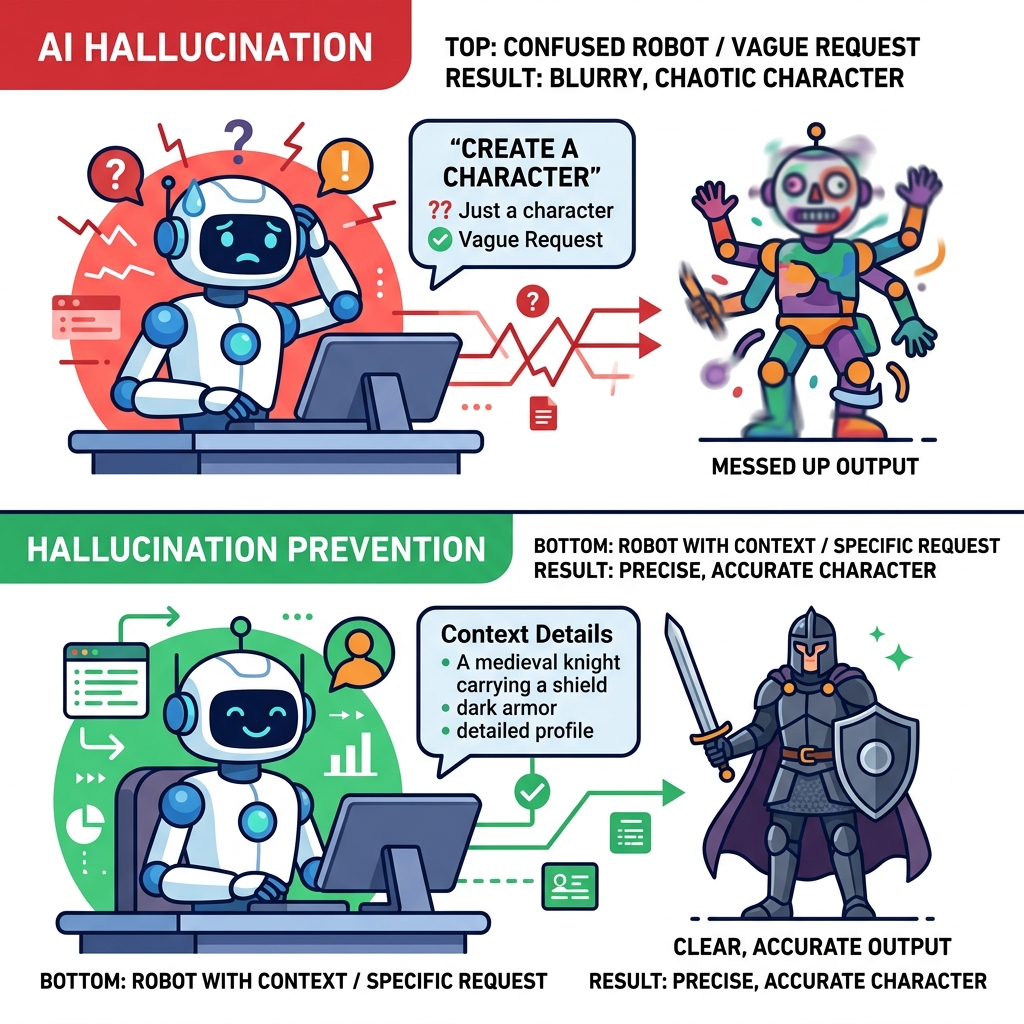
Understanding how prompts work helps you stop the AI's biggest problem: Hallucinations (when the AI makes up fake facts).
If you don't give the AI enough context, it will try to guess the answer based on things it read on the internet. If you say "Write a bio for John Smith," it will mix together the lives of thousands of different John Smiths and invent a fake person.
To stop hallucinations, you must give the AI very specific details in your prompt. Tell it exactly who John Smith is, so it doesn't have to guess.
💡 Summary: A prompt is not a search query; it is a set of rules. A good prompt includes a Role, Context, Task, and Format. Giving clear rules stops the AI from guessing and making mistakes.
📌 Deep Dive: Understanding This Concept
As Generative AI systems become more complex, mastering the underlying principles of This Concept is essential for developers. Proper implementation in this area ensures that your AI applications remain scalable, performant, and secure when deployed to production environments.