📌 Building a Custom Tool
We know that LLMs can use tools like "Web Search" or "Calculator", but the true power of AI agents unlocks when you give them access to your company's internal data.
To build a custom tool, you don't need to retrain the AI. You just need to build a wrapper around your existing code.
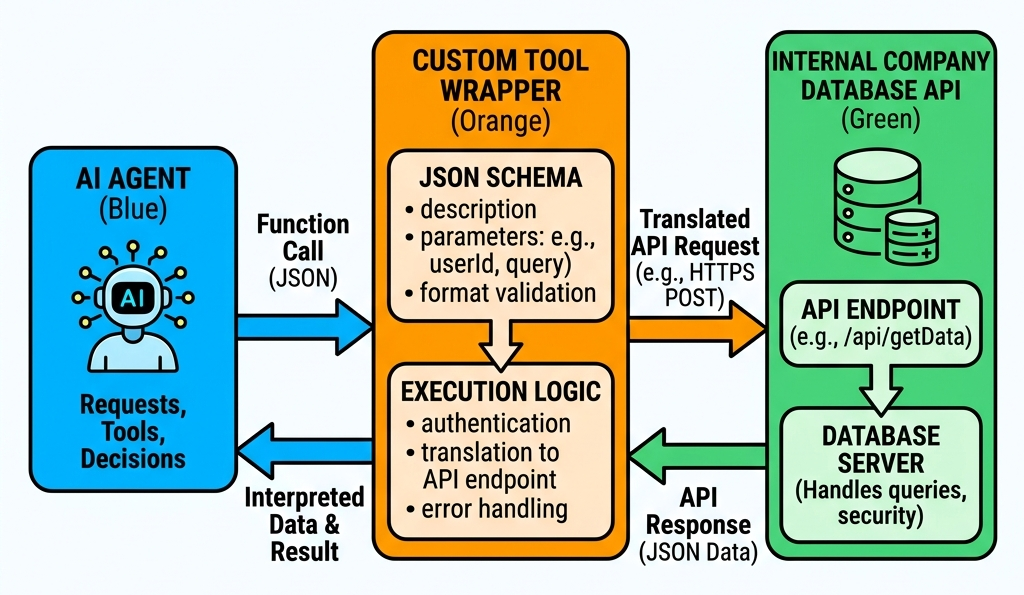
The Wrapper consists of two things:
- A JSON Schema: A description you send to the LLM so it knows the tool exists and what arguments it requires (e.g.,
get_customer_data(customer_id: string)). - Execution Logic: The standard Python or JavaScript code in your app that actually queries your SQL database when the LLM asks for it.
📌 The Problem: Tool Fragmentation
Building a custom tool sounds easy, but it created a massive problem in the AI industry. OpenAI has one way of defining tools. Anthropic has another. IDEs like Cursor or plugins like GitHub Copilot have entirely different architectures.
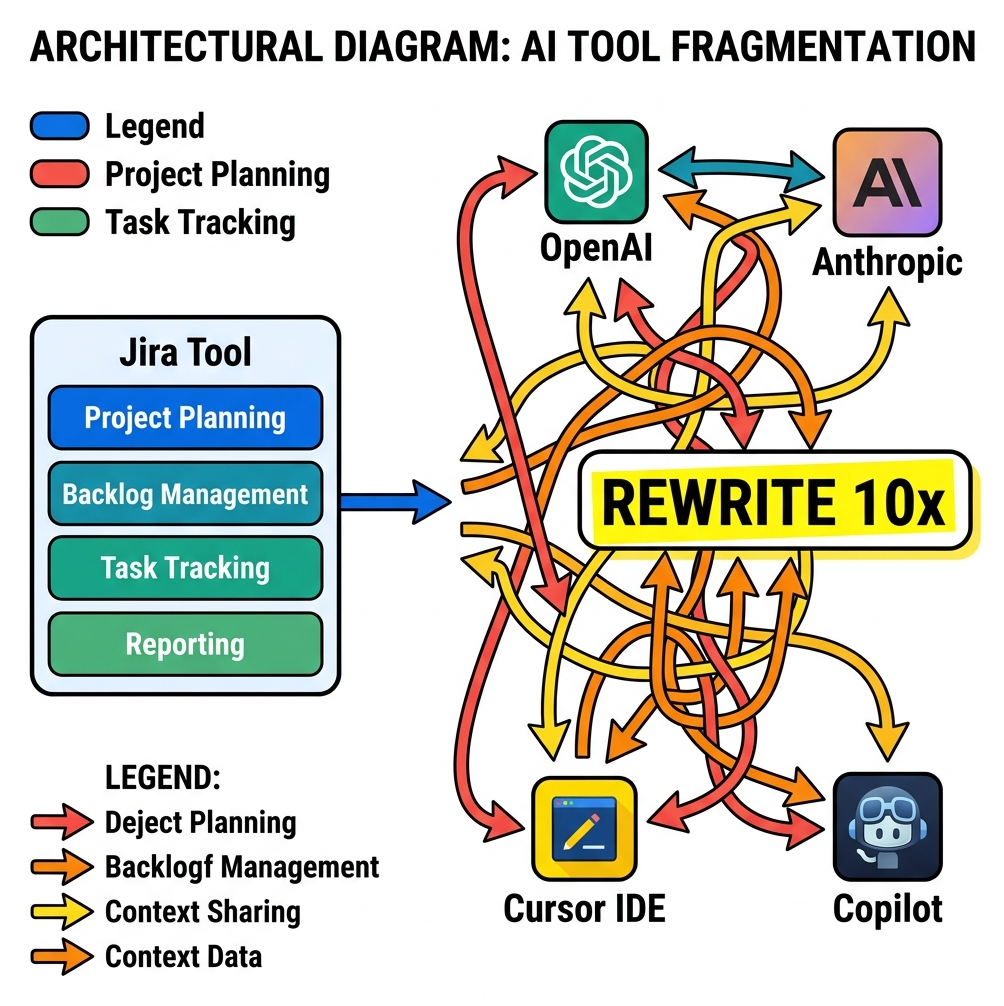
If a developer built a custom tool to read their Jira tickets, they had to rewrite the "Wrapper" code 10 different times to make it work across all the different AI assistants and frameworks.
📌 The Solution: Model Context Protocol (MCP)
To solve this fragmentation, Anthropic open-sourced the Model Context Protocol (MCP). Think of MCP as the "USB-C port" for AI agents.
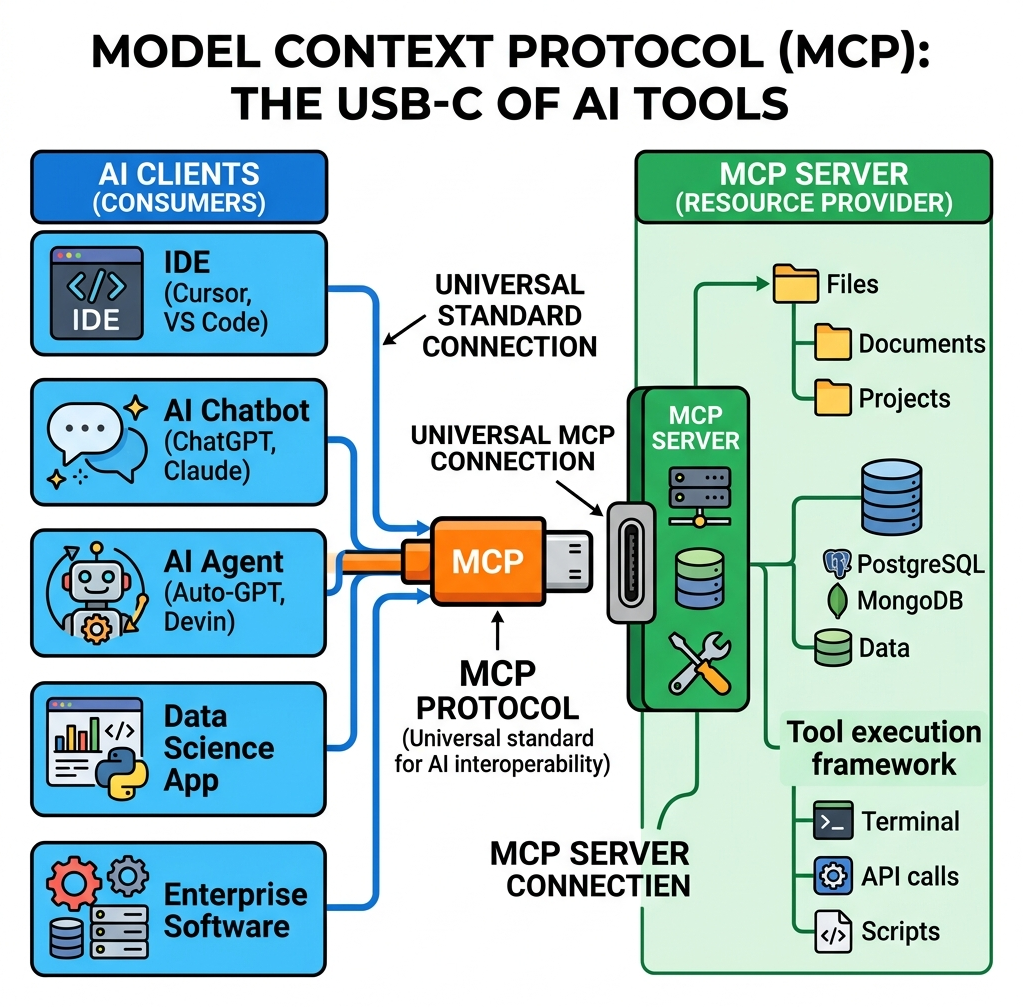
- MCP Server: A lightweight server that exposes your tools and data (e.g., a Jira MCP Server). You only write this once.
- MCP Client: The AI application (like Claude Desktop, Cursor IDE, or your custom agent).
Because they use the same standard protocol, any MCP Client can connect to any MCP Server instantly. You can plug a SQLite MCP Server into Claude Desktop, and Claude can instantly start querying your database without you having to write a single line of custom wrapper code.
Quick Knowledge Check
Test what you just learned about MCP
Question 1 of 1
What is the primary purpose of the Model Context Protocol (MCP)?
Loading results...