npm (Node Package Manager) is the default package manager for Node.js. It helps you install, manage, and share reusable code packages (modules) for your JavaScript projects.
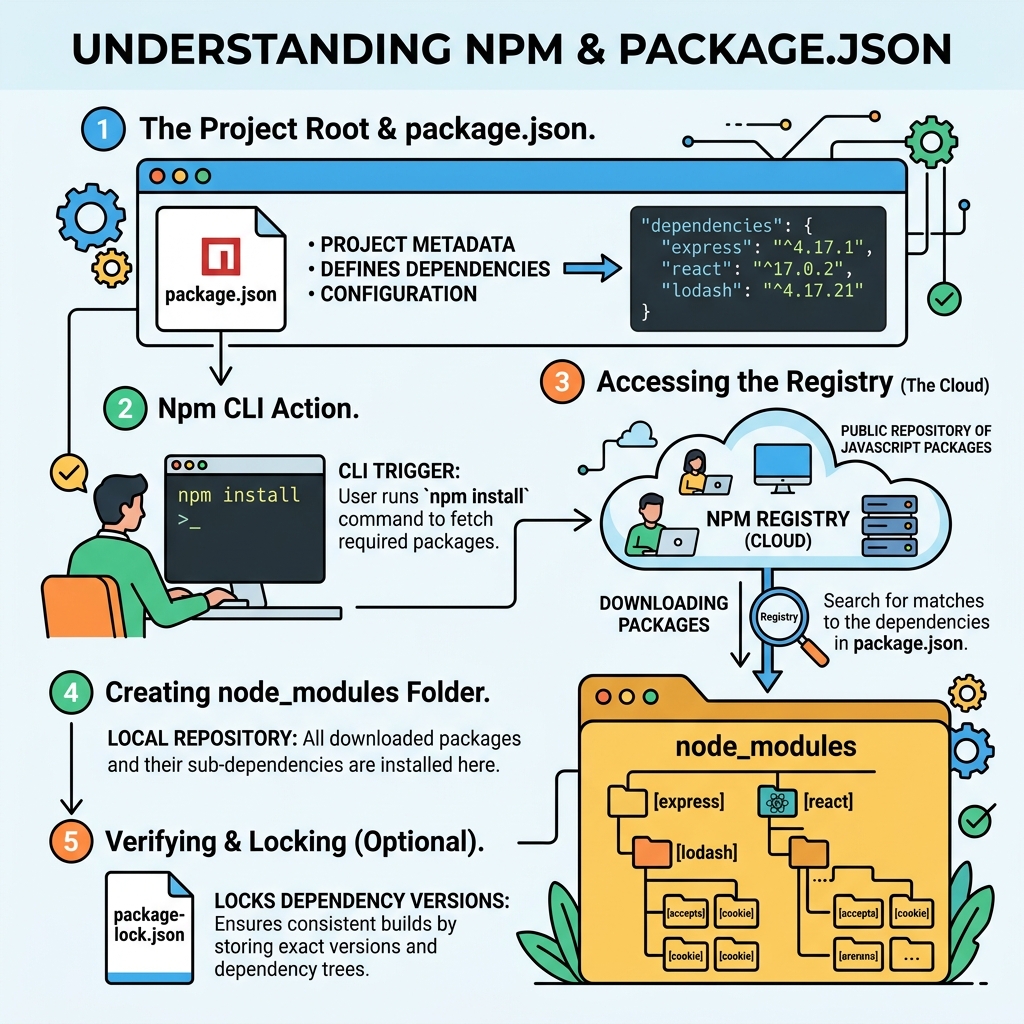
💡 What is package.json?
A package.json file is a manifest that records metadata about your project and its dependencies. It allows npm to track and manage packages your project needs.
Why Use npm?
- Install third-party libraries easily.
- Manage project dependencies and their versions.
- Run scripts to automate tasks.
- Publish your own packages to share with others.
Creating a package.json
Run the command below in your project folder to create package.json interactively:
📌 Deep Dive: Initializing package.json
npm initOr add -y to generate with defaults:
📌 Deep Dive: Quick package.json generation
npm init -yKey Fields in package.json
| Field | Description |
|---|---|
name | Project or package name |
version | Project version |
description | Brief summary of the project |
main | Entry point file (e.g., index.js) |
scripts | Commands to automate tasks (e.g., start, test) |
dependencies | Libraries required to run the project |
devDependencies | Libraries only needed during development |
author | Project author information |
license | Project license type |
Installing Packages
Add packages to your project with:
📌 Deep Dive: Installing a package
npm install lodashThis installs lodash and adds it to dependencies in package.json.
To install a package only for development (e.g., testing libraries):
📌 Deep Dive: Installing a devDependency
npm install --save-dev jestRunning Scripts from package.json
Scripts automate commands in your project. Example:
📌 Deep Dive: Adding and running a script
{
  "scripts": {
    "start": "node index.js",
    "test": "jest"
  }
}
Run scripts with:
npm run start
npm test
⚠️ Important:
Always commit your package.json and package-lock.json files to version control. Do NOT commit node_modules folder.
Summary
- npm is the package manager used to install and manage JavaScript packages.
package.jsondefines project metadata, dependencies, and scripts.- Use
npm installto add packages and updatepackage.json. - Scripts in
package.jsonhelp run common tasks easily.
Quick Knowledge Check
Test what you just learned
Question 1 of 2
What command creates a package.json file interactively?
Question 2 of 2
Which field in package.json lists packages needed only during development?
Loading results...