Arrays are ordered collections of values in JavaScript. They can hold multiple items of any type, including numbers, strings, objects, or even other arrays.
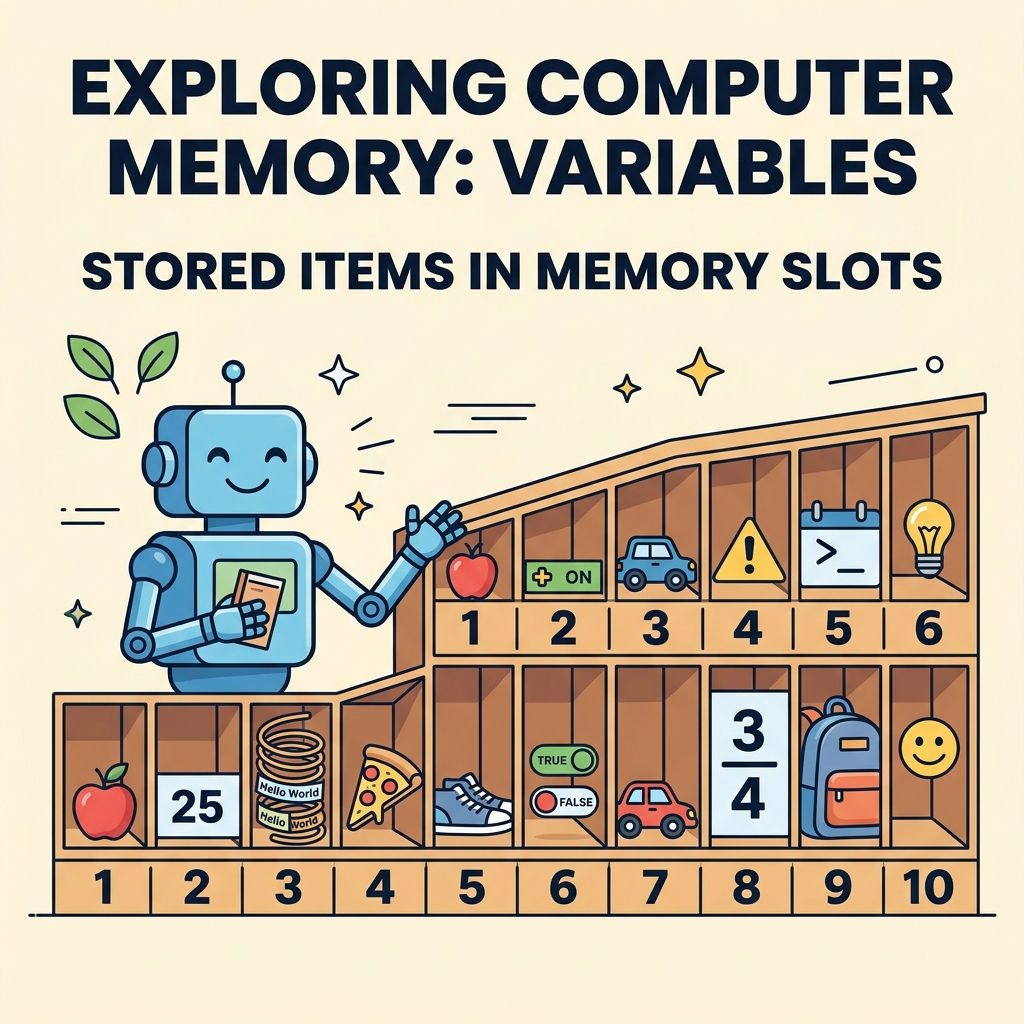
💡 What is an Array?
An array groups multiple values under a single variable name, accessible by their index positions starting from 0.
Creating Arrays
let arr = [];— creates an empty arraylet fruits = ['Apple', 'Banana', 'Cherry'];— array with initial valueslet mixed = [1, 'two', true];— arrays can hold mixed types
Accessing Array Elements
Use square brackets with an index to access an element:
📌 Deep Dive: Accessing Elements
const fruits = ['Apple', 'Banana', 'Cherry'];
console.log(fruits[0]); // Apple
console.log(fruits[2]); // CherryCherry
Common Array Properties and Methods
| Property/Method | Description |
|---|---|
length | Returns the number of elements in the array |
push(value) | Adds one or more elements to the end |
pop() | Removes and returns the last element |
shift() | Removes and returns the first element |
unshift(value) | Adds elements to the start |
indexOf(value) | Returns the index of the first occurrence of a value, or -1 if not found |
Modifying Arrays
Arrays are mutable, so you can change elements by index or add/remove items:
📌 Deep Dive: Modifying Arrays
const colors = ['Red', 'Green', 'Blue'];
colors[1] = 'Yellow'; // Change 'Green' to 'Yellow'
colors.push('Purple'); // Add 'Purple' to the end
console.log(colors);⚠️ Remember
Array indices start at 0, so the first element is at array[0] not array[1].
Arrays vs Objects
Arrays are meant for ordered lists accessed by numeric index, while objects store unordered key-value pairs.
Arrays vs Objects
Feature Arrays Objects Storage Ordered list of values Key-value pairs Access By numeric index By key (string or symbol) Use Case Lists, collections Named properties, records Example ['a', 'b', 'c']{a: 1, b: 2}
Multidimensional Arrays
Arrays can contain other arrays, creating a grid or matrix structure:
📌 Deep Dive: Multidimensional Arrays
JAVASCRIPT
const grid = [
[1, 2],
[3, 4]
];
console.log(grid[0][1]); // 2
console.log(grid[1][0]); // 3
Output2
3
💡 Index Out of Bounds
Accessing an index that does not exist returns undefined without an error.
Summary
- Arrays hold ordered collections accessible by zero-based indexes.
- They can store any data type and are mutable.
- Common methods include
push, pop, and length.
- Arrays are ideal for lists, while objects are better for named properties.
Quick Knowledge Check
Test what you just learned
Question 1 of 2
What is the index of the first element in a JavaScript array?
Question 2 of 2
Which method adds an element to the end of an array?
0/2Loading results...