Creating a simple server in JavaScript typically involves using Node.js and its built-in http module. This allows you to listen for incoming requests and send responses, forming the basis for web applications and APIs.
💡 Core Concept
A server listens on a specific port and handles client requests by sending back responses. Node.js simplifies this with the http module.
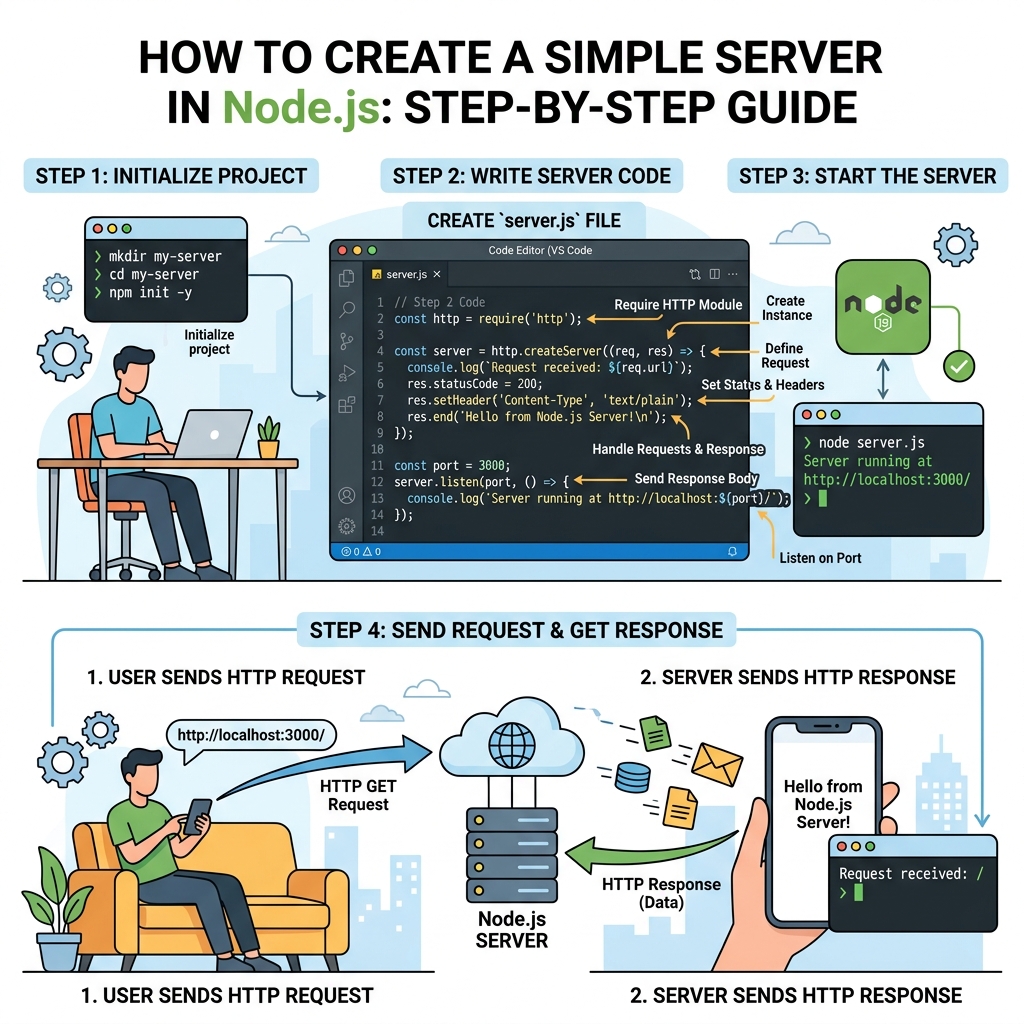
Here are the essential steps to create a very basic HTTP server:
- Import the
httpmodule. - Create a server using
http.createServer(), providing a callback to handle requests. - Make the server listen on a specified port (e.g., 3000).
📌 Deep Dive: Basic HTTP Server
const http = require('http');

const server = http.createServer((req, res) => {
  res.statusCode = 200;
  res.setHeader('Content-Type', 'text/plain');
  res.end('Hello, world!');
});

server.listen(3000, () => {
  console.log('Server running at http://localhost:3000/');
});Explanation of the key parts:
http.createServer()creates the server and accepts a callback withreq(request) andres(response) objects.res.statusCode = 200;sets the HTTP status code to OK.res.setHeader()defines the type of content being sent.res.end()sends the response body and signals that the response is complete.server.listen(3000)starts the server on port 3000.
⚠️ Important
Make sure Node.js is installed on your machine to run this code. Save your code in a file (e.g., server.js) and run it with node server.js.
| Method | Purpose |
|---|---|
http.createServer() | Creates a new HTTP server instance |
server.listen(port, callback) | Starts the server on the specified port |
res.statusCode | Sets the HTTP response status code |
res.setHeader(name, value) | Sets HTTP response headers |
res.end([data]) | Sends the response to the client and ends it |
💡 Tips for Next Steps
Once comfortable with this, try sending HTML content, handling different URLs, or using frameworks like Express.js for more features.
Quick Knowledge Check
Test what you just learned
Question 1 of 2
Which Node.js module is used to create a simple HTTP server?
Question 2 of 2
What method starts the server and listens on a specific port?
Loading results...