Linting is the automated process of analyzing your JavaScript code to find potential errors, stylistic issues, and enforce coding standards before running the code. ESLint is the most popular linting tool for JavaScript, helping maintain clean and consistent code.
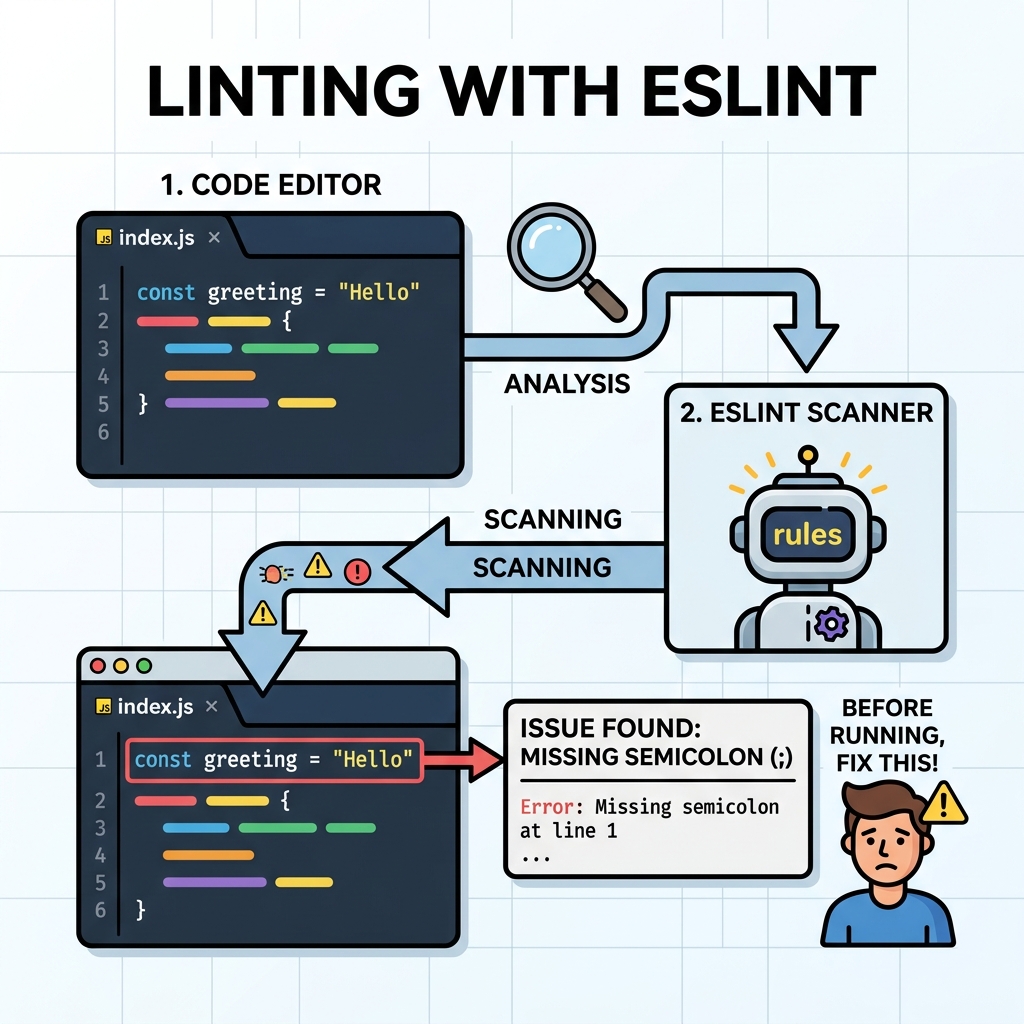
💡 What is ESLint?
ESLint is a pluggable linting utility for JavaScript and JSX that identifies problematic patterns or code that doesn’t adhere to defined style guidelines.
Why Use ESLint?
- Catch common coding errors early (e.g., undefined variables, unused imports).
- Enforce consistent coding style across your team.
- Prevent bugs by warning about suspicious code patterns.
- Integrate with code editors and build tools for real-time feedback.
Basic Setup
Install ESLint via npm:
📌 Deep Dive: Installing ESLint
npm install eslint --save-devInitialize a configuration file interactively:
📌 Deep Dive: ESLint Initialization
npx eslint --init💡 ESLint Configuration
ESLint uses configuration files (like .eslintrc.json) to define rules, environments, and plugins. You can customize which checks ESLint performs.
Example ESLint Rule
The no-unused-vars rule warns when variables are declared but never used:
📌 Deep Dive: Unused Variable Warning
const x = 5;
function greet() {
  const name = "World";
  console.log("Hello!");
}
greet();Common ESLint Usage
- Command line:
npx eslint yourfile.js - Fixing problems automatically:
npx eslint yourfile.js --fix - Editor Integration: Many editors like VSCode support ESLint plugins for inline linting.
⚠️ ESLint Does Not Run Your Code
ESLint only analyzes source code statically. It cannot catch runtime errors or logic bugs that require code execution.
| Severity | Effect |
|---|---|
| off / 0 | Turn the rule off |
| warn / 1 | Show a warning but do not fail code |
| error / 2 | Treat rule violations as errors (fail build) |
Summary
- ESLint helps maintain code quality by detecting errors and enforcing style.
- It is highly configurable via rules and plugins.
- Integrate ESLint early in your development workflow for best results.
Quick Knowledge Check
Test what you just learned
Question 1 of 2
What is the primary purpose of ESLint?
Question 2 of 2
Which ESLint command automatically fixes fixable issues in your code?
Loading results...