In JavaScript, understanding how to work with types and interfaces is key to writing clear, maintainable code, especially when using TypeScript or JSDoc annotations. While JavaScript itself is dynamically typed, TypeScript introduces static typing features including interfaces and types.
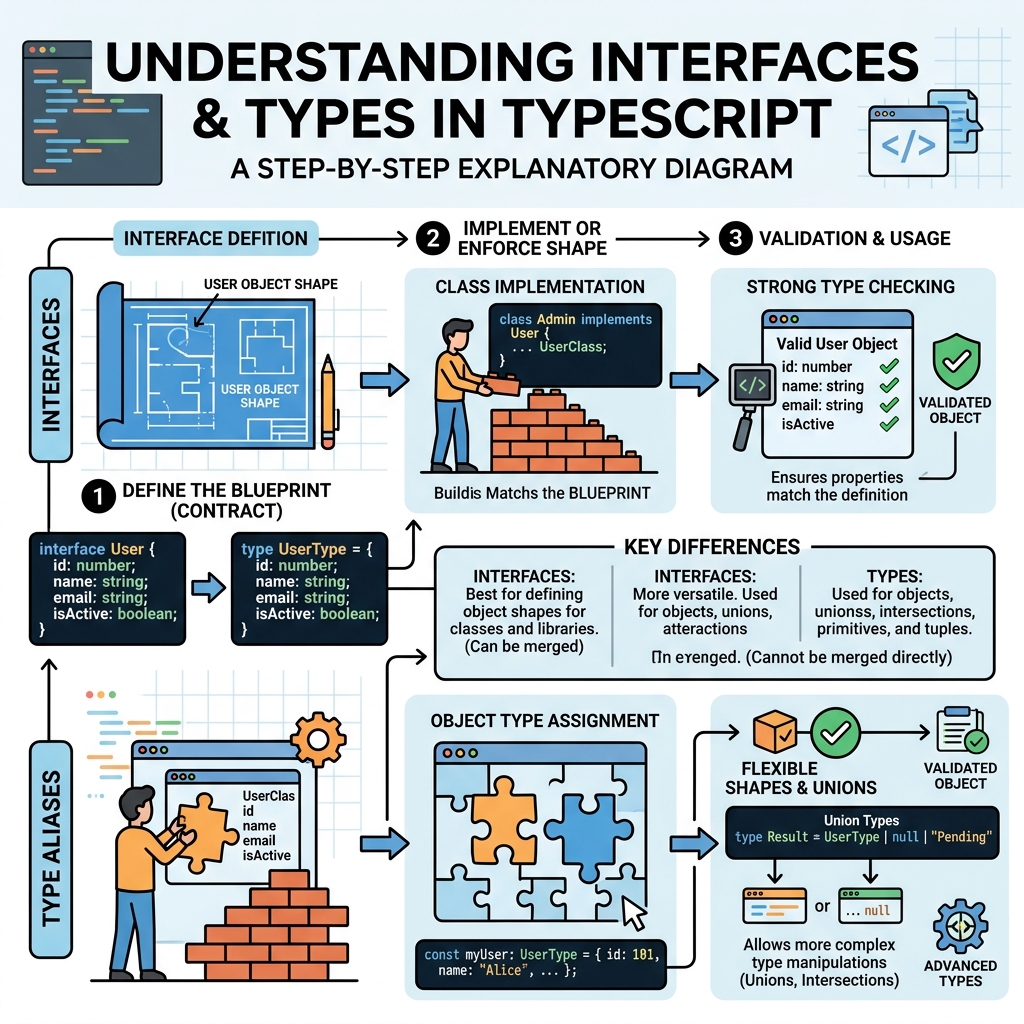
💡 What Are Types?
Types define the shape and kind of data a variable can hold, such as string, number, or complex objects.
💡 What Are Interfaces?
Interfaces describe the structure that an object should have, specifying properties and their types. They act as contracts for objects.
Types vs Interfaces: Key Differences
| Feature | Type | Interface |
|---|---|---|
| Can describe primitives, unions, tuples | Yes | No |
| Can be extended (merged) | Yes (via intersection) | Yes (declaration merging) |
| Used to define object shape | Yes | Yes |
| Can describe function signatures | Yes | Yes |
| Declaration merging possible | No | Yes |
Defining an Interface
Interfaces specify object properties and types explicitly:
📌 Deep Dive: Interface Example
interface Person {
  name: string;
  age: number;
  greet(): void;
}

const user: Person = {
  name: "Alice",
  age: 30,
  greet() {
    console.log("Hello!");
  }
};
Defining a Type Alias
Type aliases can define object shapes but also unions, primitives, and tuples:
📌 Deep Dive: Type Alias Example
type Point = {
  x: number;
  y: number;
};

type ID = string | number; // union type

const p: Point = { x: 10, y: 20 };
const userId: ID = "abc123";
⚠️ Use Interfaces for Object Shapes
Prefer interfaces when defining object shapes, as they are extendable and support declaration merging, which is useful in larger codebases.
Extending Interfaces and Types
Both interfaces and types can be combined to create new types.
📌 Deep Dive: Extending
// Interface extension
interface Animal {
  name: string;
}

interface Dog extends Animal {
  breed: string;
}

const myDog: Dog = { name: "Buddy", breed: "Golden Retriever" };

// Type intersection
type Cat = {
  name: string;
};

type CatInfo = Cat & { age: number };

const myCat: CatInfo = { name: "Whiskers", age: 3 };
💡 Interfaces Can Merge
Multiple interface declarations with the same name are merged automatically by TypeScript, enabling flexible extension.
Summary
- Types are versatile aliases for any type, including primitives and unions.
- Interfaces are primarily for describing object shapes and support merging.
- Use interfaces for defining object contracts and types for other abstractions.
- Both support extension—interfaces via
extends, types via intersection (&).
Quick Knowledge Check
Test what you just learned
Question 1 of 2
Which feature is unique to interfaces compared to type aliases?
Question 2 of 2
How do you combine two types to form a new type?
Loading results...