Functions in TypeScript work similarly to JavaScript but with added type annotations to help catch errors early and improve code clarity. You explicitly define the types of parameters and return values.
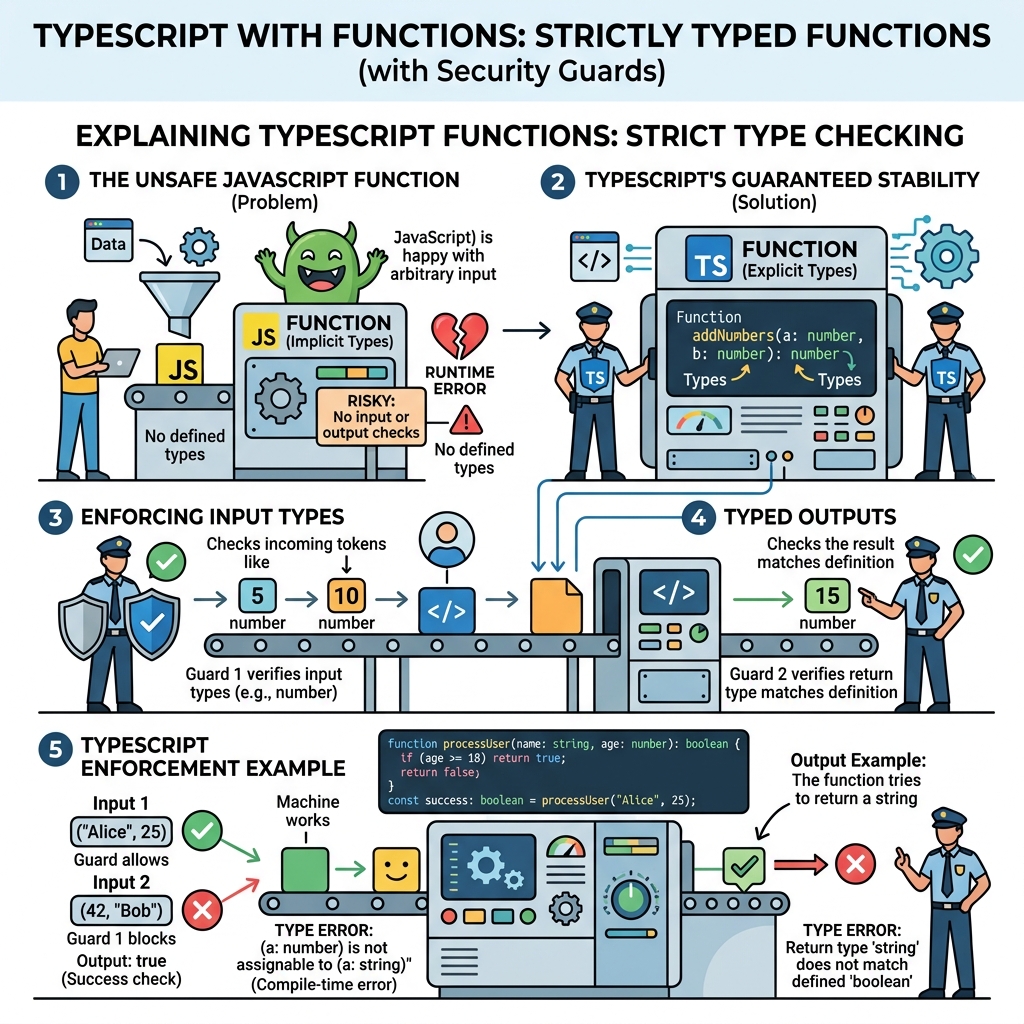
💡 Why use types with functions?
Type annotations prevent passing unexpected arguments and clarify what a function expects and returns, making your code safer and easier to maintain.
Function Parameter and Return Types
Specify the type of each parameter inside parentheses and the return type after the parameter list, separated by a colon.
📌 Deep Dive: Typed Function Declaration
function greet(name: string): string {
  return "Hello, " + name;
}Optional and Default Parameters
?marks a parameter as optional (can be omitted).- Default values can be assigned directly in the parameter list.
📌 Deep Dive: Optional and Default Parameters
function multiply(a: number, b?: number): number {
  return a * (b ?? 1);
}

function power(base: number, exponent: number = 2): number {
  return base ** exponent;
}power(3); // 9
Function Types as Variables
You can declare variables with function types to specify the signature they must follow.
📌 Deep Dive: Function Type Variables
let formatter: (value: number) => string;

formatter = (num) => num.toFixed(2);

console.log(formatter(3.14159)); // "3.14"Arrow Functions with Types
Arrow functions also support parameter and return type annotations.
📌 Deep Dive: Typed Arrow Functions
const divide = (x: number, y: number): number => {
  return x / y;
};
Rest Parameters
TypeScript supports rest parameters with explicit array types.
📌 Deep Dive: Rest Parameters
function sum(...nums: number[]): number {
  return nums.reduce((total, n) => total + n, 0);
}Function Overloading
TypeScript allows multiple function signatures for a single implementation to handle different argument types.
📌 Deep Dive: Function Overloads
function combine(a: string, b: string): string;
function combine(a: number, b: number): number;
function combine(a: any, b: any): any {
  if (typeof a === "string" && typeof b === "string") {
    return a + b;
  }
  if (typeof a === "number" && typeof b === "number") {
    return a + b;
  }
}combine(10, 20); // 30
⚠️ Important!
Type annotations are erased during compilation and do not affect runtime performance. They exist only during development.
| Feature | Syntax Example |
|---|---|
| Function Declaration | function fn(a: number): number |
| Arrow Function | const fn = (a: number): number => a * 2 |
| Optional Parameter | function fn(a: number, b?: string) |
| Default Parameter | function fn(a: number, b: string = "default") |
| Rest Parameters | function fn(...args: number[]) |
Quick Knowledge Check
Test what you just learned
Question 1 of 2
How do you specify that a function parameter is optional in TypeScript?
Question 2 of 2
What will be the return type of this function?function add(a: number, b: number): number { return a + b; }
Loading results...