JavaScript is flexible but this flexibility can lead to unexpected behavior. Understanding common pitfalls helps you write more reliable code.
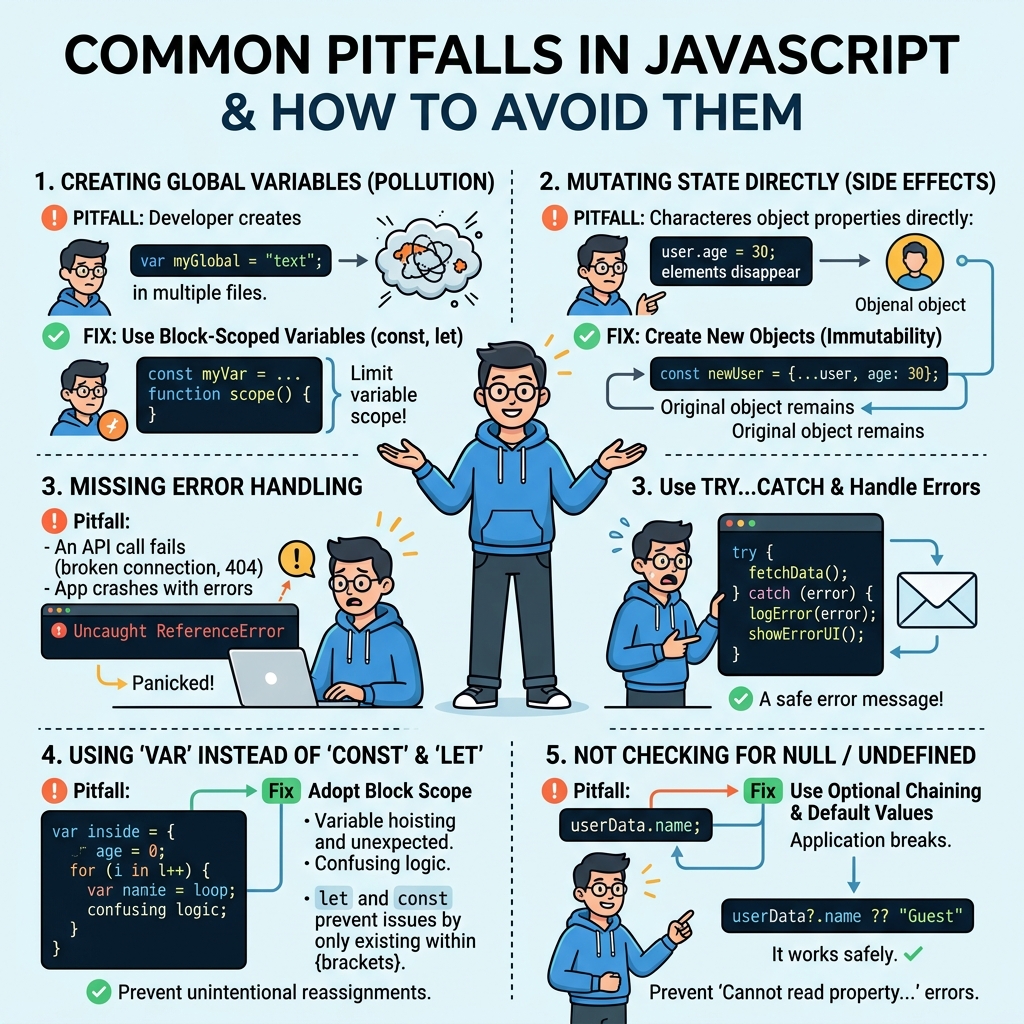
⚠️ Misunderstanding Variable Scope
Using var can cause variables to leak outside blocks due to function scope. Prefer let and const which are block scoped.
| Keyword | Scope |
|---|---|
| var | Function scoped |
| let / const | Block scoped |
⚠️ Implicit Type Coercion
JavaScript automatically converts types in expressions, which can lead to unexpected results.
| Expression | Result |
|---|---|
| '5' + 2 | '52' (string concatenation) |
| '5' - 2 | 3 (number subtraction) |
| 0 == false | true (loose equality) |
| 0 === false | false (strict equality) |
💡 Use Strict Equality
Always use === and !== to avoid unexpected coercion in comparisons.
📌 Deep Dive: Equality Operators
console.log(0 == false);   // true
console.log(0 === false);  // false
console.log('' == 0);      // true
console.log('' === 0);     // false
false
true
false
⚠️ Forgetting to Declare Variables
Assigning a value to an undeclared variable creates a global variable, which can cause bugs and conflicts.
💡 Always Declare Variables
Use let, const, or var to declare variables explicitly.
⚠️ Using == Instead of ===
The loose equality operator (==) performs type coercion, which can cause unexpected true results. Use strict equality (===) instead.
⚠️ Floating Point Precision Errors
JavaScript uses floating point arithmetic that can lead to precision issues with decimals.
📌 Deep Dive: Floating Point Precision
console.log(0.1 + 0.2 === 0.3);  // false
console.log(0.1 + 0.2);            // 0.30000000000000004
0.30000000000000004
💡 Workaround for Decimal Precision
Use rounding or libraries like decimal.js for precise decimal calculations.
⚠️ Misusing Asynchronous Code
Forgetting that JavaScript runs asynchronously can cause logic errors, especially with callbacks, promises, or async/await.
- Don't assume code executes in order when asynchronous functions are involved.
- Use
async/awaitor proper promise chaining to handle async operations.
💡 Always Handle Async Properly
Use try/catch with async/await or .catch() with promises to handle errors.
⚠️ Modifying Objects or Arrays Directly
Mutating objects or arrays can lead to bugs especially in state management (e.g., React). Prefer creating new copies when updating.
| Action | Effect |
|---|---|
| Directly changing array elements | Mutates original array |
| Using spread operator [...arr] | Creates new array copy |
💡 Prefer Immutability
Immutable updates prevent unintended side effects and improve predictability.
⚠️ Incorrect Use of this Keyword
this depends on the calling context; arrow functions do not have their own this and inherit it from the surrounding scope.
💡 Understand this Binding
Use arrow functions for lexical this or use bind, call, or apply to explicitly set this.
⚠️ Off-by-One Errors in Loops
Incorrect loop conditions can cause extra iterations or miss elements.
- Often loops should run while
i < array.length, not ≤ - Double check start and end indices carefully.
💡 Always Test Loop Boundaries
Careful attention prevents subtle bugs.
Quick Knowledge Check
Test what you just learned
Question 1 of 2
Which equality operator should you prefer to avoid unexpected type coercion?
Question 2 of 2
What problem can occur when you use var inside a block?
Loading results...