Writing efficient JavaScript improves user experience by reducing load times and making interactions smoother. Focus on these practical tips to enhance your code performance.
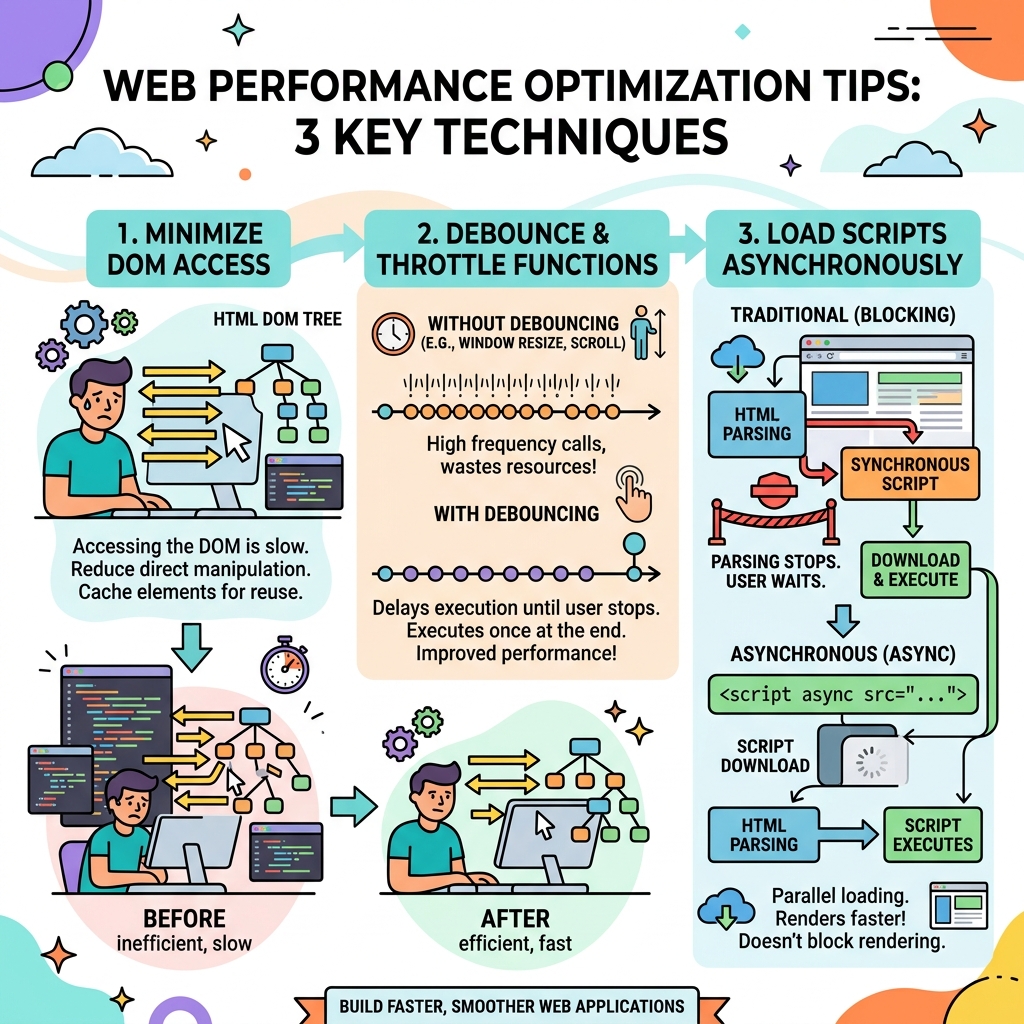
💡 Minimize DOM Access
Accessing and manipulating the DOM is slow. Cache references to DOM elements and batch DOM updates whenever possible.
- Cache DOM elements: Store elements in variables instead of repeatedly querying with
document.querySelector. - Batch updates: Modify the DOM in one go rather than multiple times in loops.
💡 Use Efficient Loops
Prefer simple loops like for over higher-order functions if performance is critical.
| Loop Type | Use Case |
|---|---|
| for loop | Fast, great for large iterations with simple logic |
| forEach | Cleaner syntax, slightly slower, ideal for readability |
| map/filter | Creates new arrays, use only when needed |
💡 Avoid Memory Leaks
Remove event listeners and references to DOM elements when not needed to prevent memory buildup.
- Use
removeEventListenerto clean up event handlers. - Nullify variables that hold large objects if they are no longer used.
💡 Debounce and Throttle Expensive Operations
Limit how often costly functions (like resize, scroll handlers) run using debounce or throttle techniques.
📌 Deep Dive: Simple Debounce Function
function debounce(fn, delay) {
  let timeoutId;
  return function(...args) {
    clearTimeout(timeoutId);
    timeoutId = setTimeout(() => fn.apply(this, args), delay);
  };
}
⚠️ Avoid Premature Optimization
Focus first on clear, maintainable code. Optimize critical bottlenecks identified by profiling tools.
💡 Use Modern JavaScript Features
Features like requestAnimationFrame for animations and async/await for asynchronous code can improve responsiveness and performance.
requestAnimationFrame(callback)schedules updates just before repaint, optimizing animation smoothness.async/awaitmakes asynchronous code easier to read and handle without blocking the main thread.
💡 Minimize Reflows and Repaints
Changing layout-related styles triggers costly reflows. Batch style changes and use CSS classes instead of inline styles.
⚠️ Be Careful with Large Libraries
Only include libraries you need. Large dependencies can slow down load and execution times.
Quick Knowledge Check
Test what you just learned
Question 1 of 2
What is a recommended way to improve performance when handling frequent scroll events?
Question 2 of 2
Why should you batch DOM updates instead of updating the DOM repeatedly in a loop?
Loading results...