📌 The Anatomy of a Vector Record
We know that Vector Databases store embeddings so we can search by meaning. But how is the data actually formatted inside the database?
In a traditional SQL database, you have columns (ID, Name, Age). In a Vector Database, a single "record" usually consists of exactly three parts:
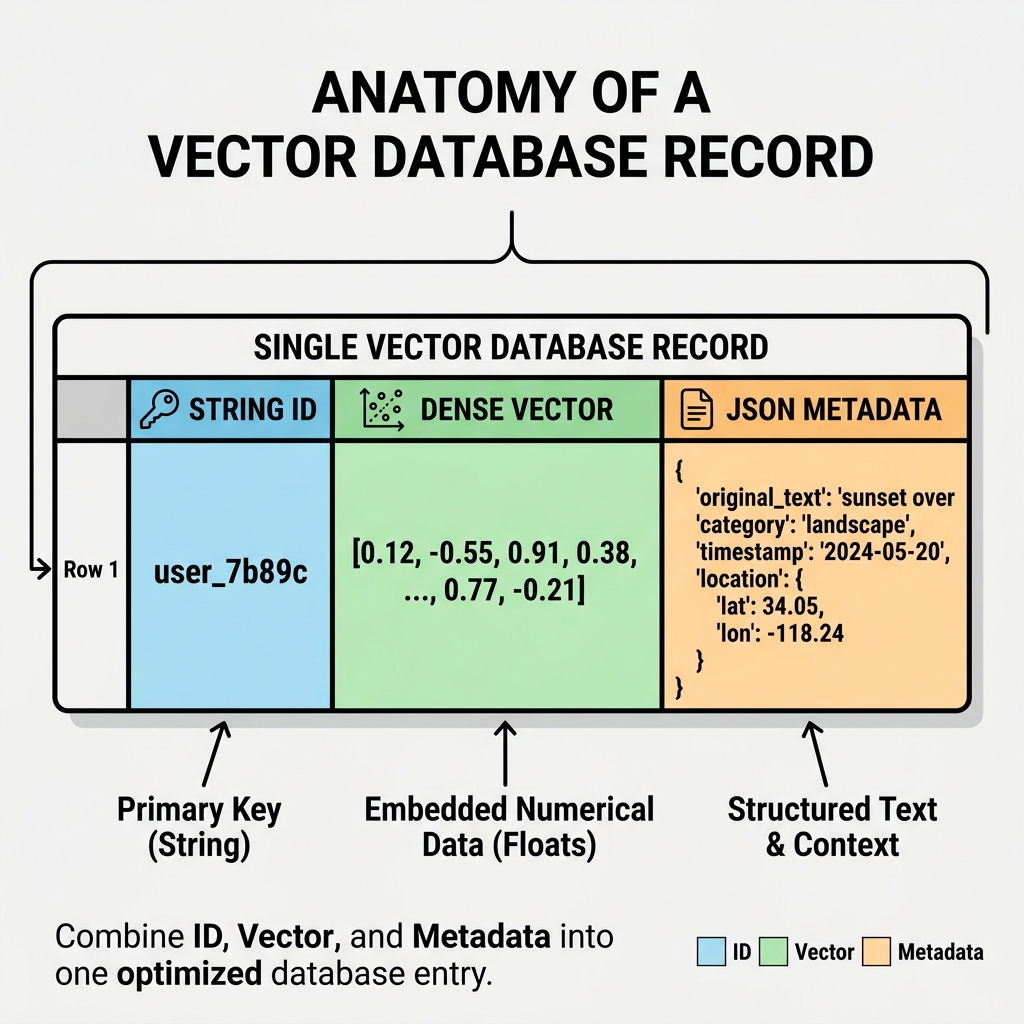
- ID: A unique string or number (e.g.,
"doc_8923"). - The Vector: The actual dense array of floats generated by your embedding model (e.g.,
[0.12, -0.45, 0.88...]). - Metadata: A standard JSON object containing traditional information about the vector (e.g.,
{"author": "Jane", "year": 2024, "category": "finance"}). Note: Some databases also store the original raw text inside this metadata!
📌 Metadata Filtering (Hybrid Search)
Vectors are incredible at finding semantic meaning, but they are terrible at hard logical rules.
Imagine a user asks your AI: "Show me financial reports about AI companies, but ONLY from the year 2024."
If you only use a vector search, the database might return a highly relevant report from 2022, because the semantic meaning is identical. The vector math doesn't understand the hard "2024" cutoff rule.
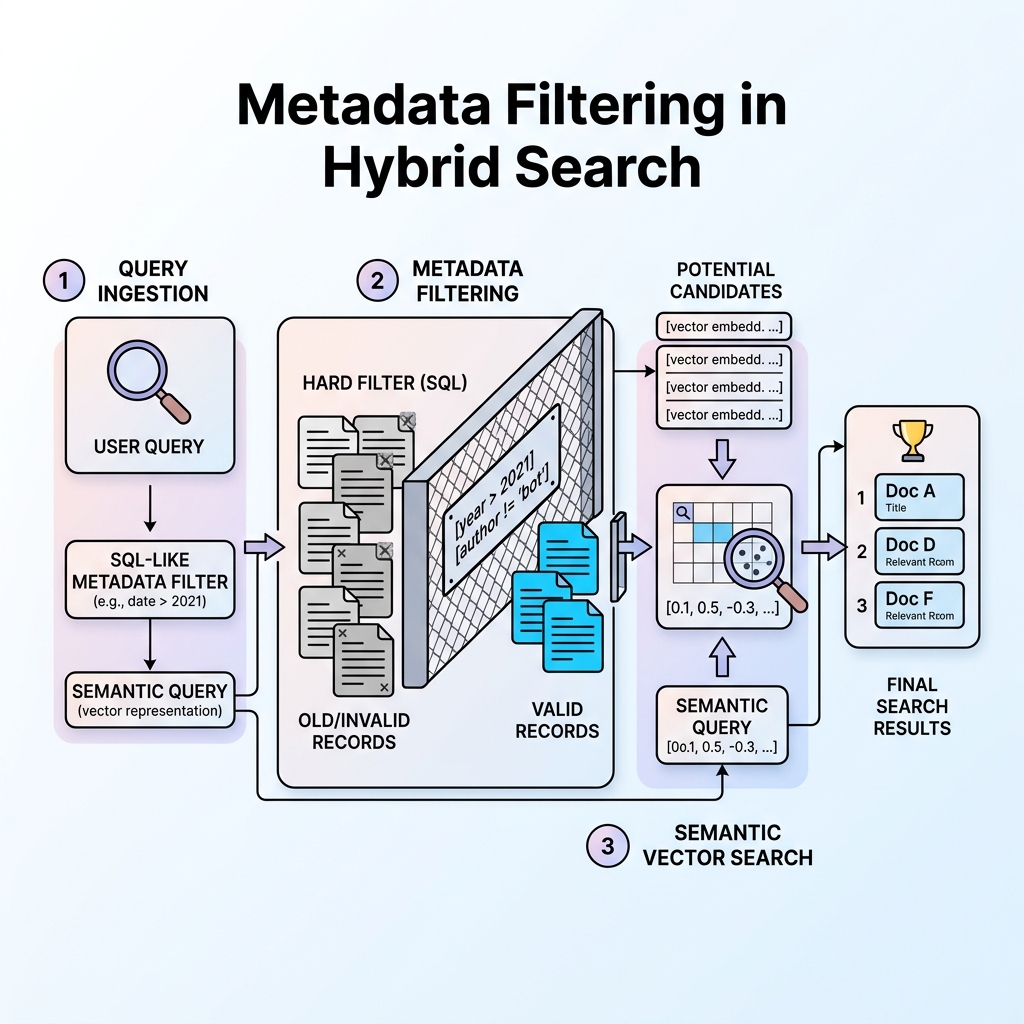
The Solution: Modern Vector Databases use a process called Metadata Filtering. Before it even looks at the vectors, the database uses traditional SQL-like logic to filter the JSON metadata (e.g., year == 2024). It drops all older documents, and then runs the Approximate Nearest Neighbor (ANN) vector search only on the remaining 2024 documents. This is the secret to building highly accurate enterprise search.
📌 The Leading Vector Databases Today
If you are building an AI app, which database should you choose? Here are the three main categories dominating the industry today:
- Pinecone: The most popular fully-managed SaaS option. You don't have to manage any servers or infrastructure. It is incredibly easy to set up and scales automatically, making it the go-to for many startups.
- Milvus & Qdrant: High-performance, open-source options. These are incredibly fast and can be self-hosted on your own servers, which is mandatory for enterprise companies that cannot send private data to a third-party cloud.
- pgvector: The pragmatic choice. This is simply a free plugin for PostgreSQL. If your app already runs on a standard Postgres database, you can install this plugin and instantly give your existing database full vector search capabilities without needing to manage a completely separate infrastructure!
Quick Knowledge Check
Test what you just learned about Metadata Filtering
Question 1 of 1
Why is "Metadata Filtering" essential for building a reliable AI search application?
Loading results...