Testing your JavaScript code is essential for building reliable, maintainable, and bug-free applications. It helps catch errors early and ensures your code behaves as expected.
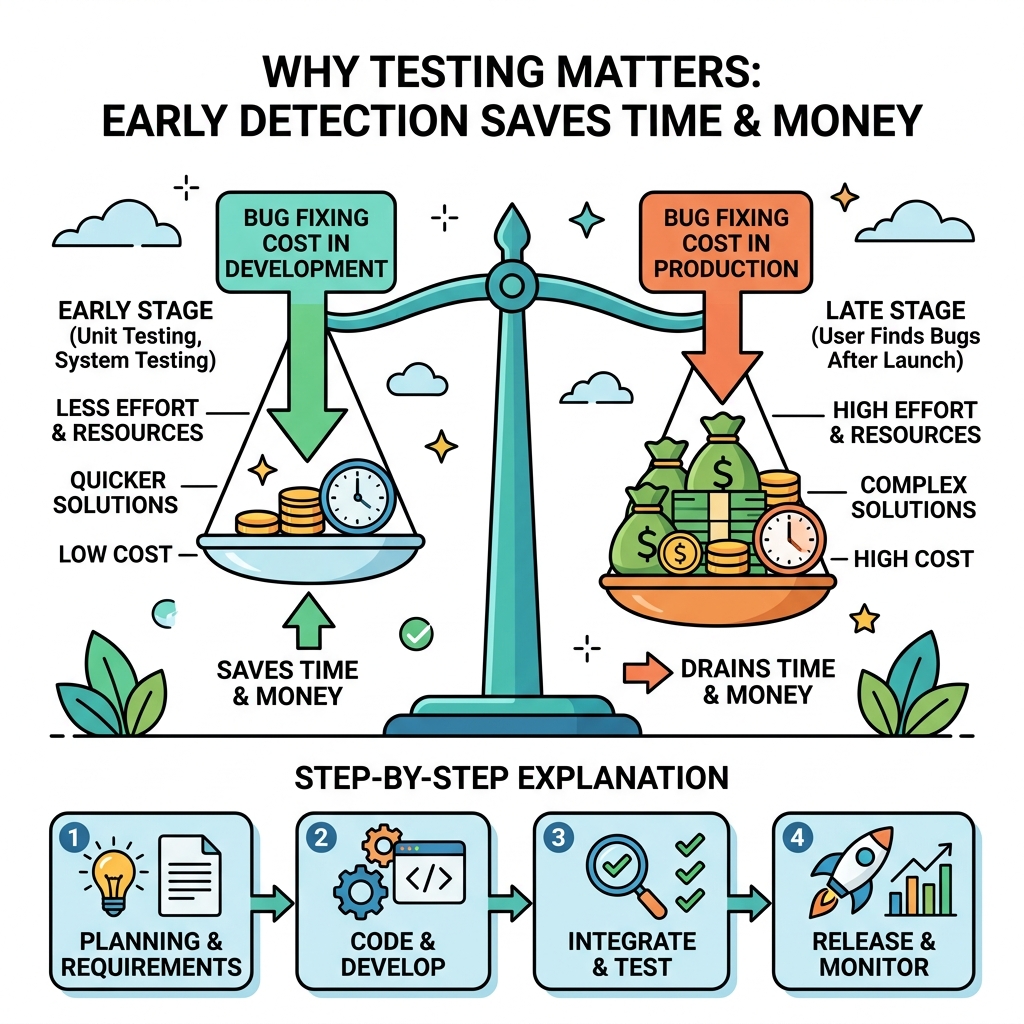
💡 Early Bug Detection
Testing uncovers issues before your users do, saving time and improving user experience.
Here are the primary reasons why testing matters:
- Confidence: Verify your code works correctly after changes or new features.
- Documentation: Tests serve as examples of how your code is supposed to behave.
- Refactoring Safety: Modify your code without fear of breaking existing functionality.
- Collaboration: Share a tested codebase that others can trust and build upon.
| With Testing | Without Testing |
|---|---|
| Faster debugging | Longer troubleshooting time |
| Safer code updates | Risk of introducing new bugs |
| Better code quality | Unpredictable behavior |
| Clear code expectations | Unclear functionality |
⚠️ Testing is Not Optional
Skipping tests may speed up initial development but leads to costly errors and maintenance headaches later.
📌 Deep Dive: Simple Test Example
function add(a, b) {
  return a + b;
}

// Test case
console.assert(add(2, 3) === 5, 'add(2, 3) should return 5');
console.assert(add(-1, 1) === 0, 'add(-1, 1) should return 0');In this example, console.assert checks if the function returns expected results. If the assertion fails, it throws an error indicating the problem.
💡 Testing Types
- Unit Testing: Tests individual functions or components.
- Integration Testing: Tests interactions between multiple parts.
- End-to-End Testing: Tests whole workflows in a real environment.
Starting with simple unit tests can greatly improve your code quality and development experience.
Quick Knowledge Check
Test what you just learned
Question 1 of 2
What is one key benefit of testing your code?
Question 2 of 2
Which testing type focuses on individual functions or components?
Loading results...