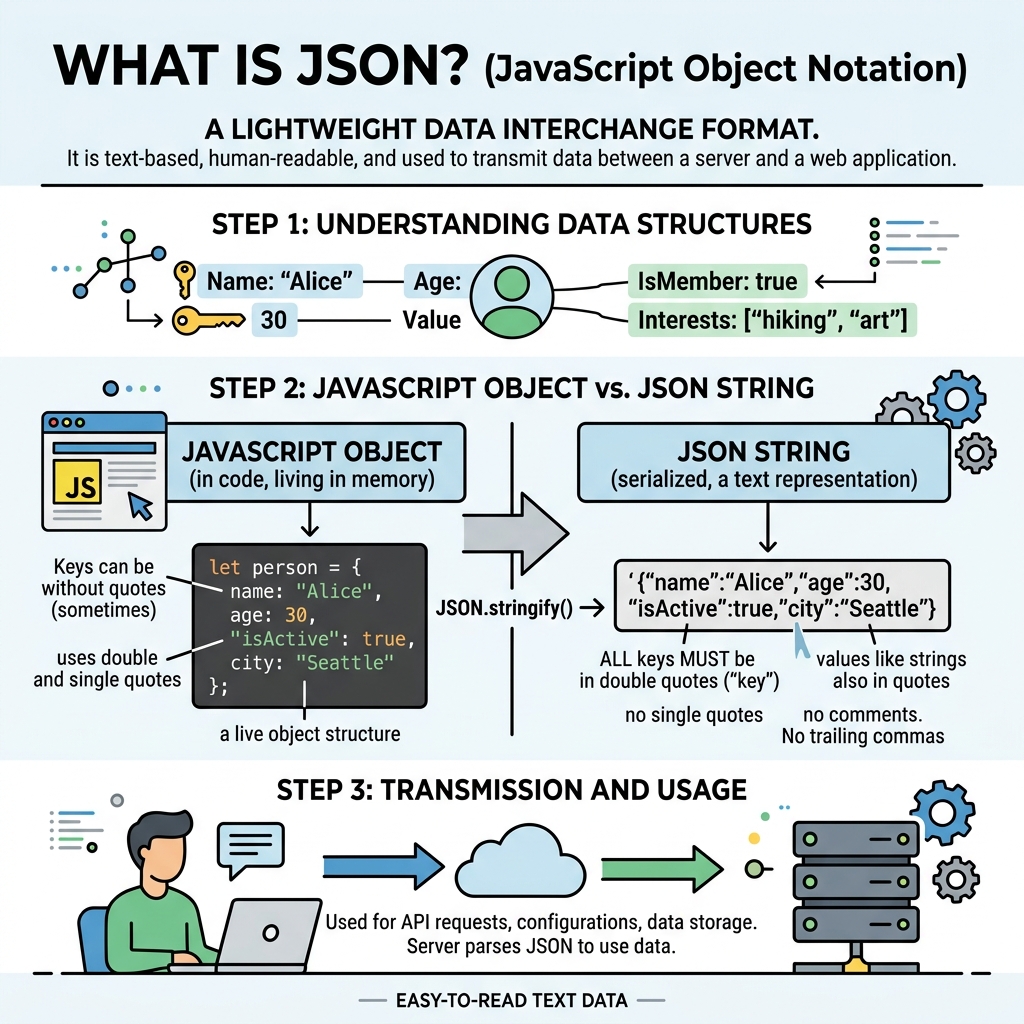
JSON stands for JavaScript Object Notation. It is a lightweight data-interchange format that is easy for humans to read and write, and easy for machines to parse and generate.
💡 Key Point
JSON is language-independent but uses conventions familiar to JavaScript programmers.
JSON is primarily used to transmit data between a server and a web application as text. It represents data as key-value pairs and ordered lists.
| Type | Description |
|---|---|
| Object | Unordered set of key-value pairs enclosed in curly braces {"key": "value"} |
| Array | Ordered list of values enclosed in square brackets ["item1", "item2"] |
| String | Text enclosed in double quotes "Hello" |
| Number | Integer or floating-point numbers 42, 3.14 |
| Boolean | true or false |
| null | Represents empty or no value null |
⚠️ Important Restrictions
JSON keys must be double-quoted strings. Single quotes or unquoted keys are invalid. Also, functions, dates, and undefined are not valid JSON values.
📌 Deep Dive: Simple JSON Example
{
  "name": "Alice",
  "age": 30,
  "isStudent": false,
  "hobbies": ["reading", "swimming"],
  "address": {
    "city": "Wonderland",
    "zip": "12345"
  }
}
JSON strings are often exchanged between systems. In JavaScript, you can convert JSON text into a JavaScript object using JSON.parse(), and convert objects back to JSON text with JSON.stringify().
💡 Why JSON?
Compared to XML, JSON is more compact and easier to work with in JavaScript environments, making it the preferred format for web APIs and configuration files.
Quick Knowledge Check
Test what you just learned
Question 1 of 2
Which of the following is a valid JSON data type?
Question 2 of 2
In JSON, how must keys be written?
Loading results...