JavaScript executes tasks in an event loop, which manages two main types of tasks: macrotasks and microtasks. Understanding the difference helps predict the order in which asynchronous code runs.
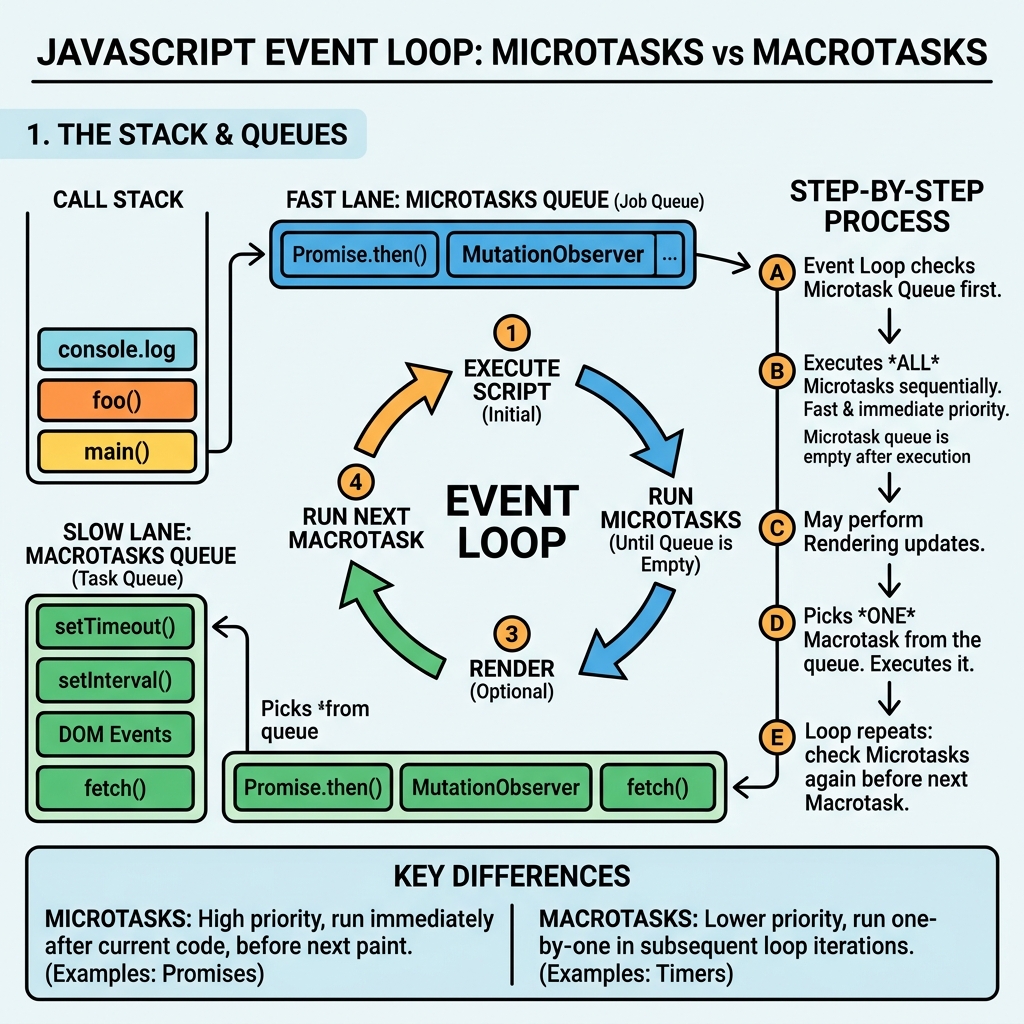
| Aspect | Microtasks | Macrotasks |
|---|---|---|
| Examples | Promises (.then, async/await), MutationObserver callbacks | setTimeout, setInterval, I/O events, UI rendering |
| Execution timing | Run immediately after the currently executing script and before rendering | Run after microtasks and rendering, one at a time |
| Queue | Single queue, tasks run until empty before moving on | Separate queue, one task per event loop iteration |
| Impact | Can delay rendering if heavy or many microtasks | Controls when browser can update UI and process input |
💡 Why It Matters
Microtasks run before the browser repaints, so they can update state or DOM immediately after the current code but before the screen updates. Macrotasks allow the browser to interleave rendering and user input with script execution.
Here is the typical event loop order simplified:
- Execute current script (synchronous code)
- Run all microtasks (Promise resolutions, MutationObserver)
- Render updates to the screen
- Run one macrotask (e.g., setTimeout callback)
- Repeat
📌 Deep Dive: Execution Order Example
console.log('script start');

setTimeout(() => {
  console.log('setTimeout macrotask');
}, 0);

Promise.resolve().then(() => {
  console.log('promise microtask');
});

console.log('script end');script end
promise microtask
setTimeout macrotask
💡 Key Insight
Promises (microtasks) always run before setTimeout callbacks (macrotasks), even if the timeout is zero.
⚠️ Beware of Long Microtask Queues
Heavy or infinite microtask loops can starve the browser from rendering or processing user input, causing UI freezes.
To summarize:
- Microtasks execute immediately after the current synchronous code, before the browser updates the UI.
- Macrotasks run after microtasks and rendering, allowing the event loop to process other events.
Quick Knowledge Check
Test what you just learned
Question 1 of 2
Which type of task runs immediately after the currently executing script but before the browser renders updates?
Question 2 of 2
Given this code, what is logged last?
console.log('start');
setTimeout(() => console.log('timeout'), 0);
Promise.resolve().then(() => console.log('promise'));
console.log('end');Loading results...