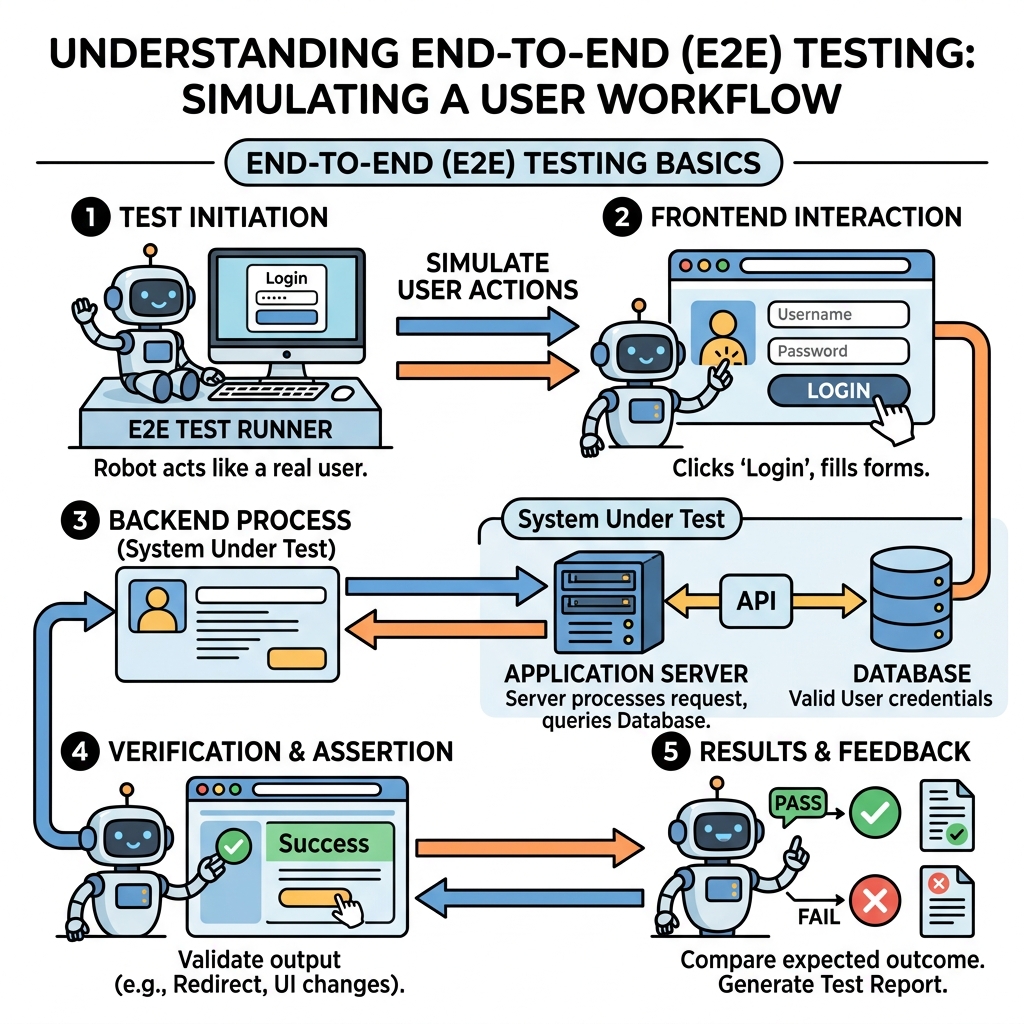
End-to-End (E2E) testing simulates real user scenarios to verify that an application works as expected from start to finish. It tests the entire workflow, including frontend interfaces, backend services, and databases.
💡 Why Use E2E Testing?
E2E tests validate user journeys and catch integration issues that unit or integration tests might miss.
Core Concepts
- User perspective: Tests run through the application like a real user would.
- Automation: E2E tests are automated to ensure consistent and repeatable checks.
- Browser interaction: Scripts interact with elements on the page (click buttons, fill inputs).
- Assertions: Verify UI changes, page navigation, or server responses.
Common E2E Testing Tools
| Tool | Key Feature |
|---|---|
| Cypress | Fast, developer-friendly with real-time reloads and easy debugging |
| Playwright | Cross-browser support with powerful automation APIs |
| TestCafe | No WebDriver needed, simple setup and parallel test execution |
| Selenium | Industry standard with broad language support; older but widely used |
Basic E2E Test Workflow
- Launch the application in a browser context.
- Locate elements using selectors (CSS, XPath).
- Simulate user actions like clicks, typing, or navigation.
- Assert expected outcomes (visible text, URL changes, API responses).
- Close browser and report results.
Example: Simple Login Test Flow
📌 Deep Dive: Cypress Login Test
cy.visit('/login');
cy.get('input[name="email"]').type('user@example.com');
cy.get('input[name="password"]').type('password123');
cy.get('button[type="submit"]').click();
cy.url().should('include', '/dashboard');
cy.contains('Welcome, user!').should('be.visible');⚠️ E2E Tests Are Slower
Because they test the full application stack with real browsers, E2E tests run slower than unit tests. Use them strategically for critical user flows.
Best Practices
- Keep tests independent and repeatable.
- Use clear, stable selectors (avoid brittle CSS classes that change often).
- Run E2E tests in Continuous Integration pipelines to catch regressions early.
- Prioritize testing critical paths over exhaustive coverage.
💡 Remember
E2E tests complement unit and integration tests but do not replace them.
Quick Knowledge Check
Test what you just learned
Question 1 of 2
What is the main goal of End-to-End testing?
Question 2 of 2
Which of the following is NOT a typical step in an E2E test?
Loading results...