JavaScript modules allow you to split code into reusable pieces. Two popular module systems are CommonJS and ES Modules (ESM). Understanding their differences is key to working effectively with modern JavaScript.
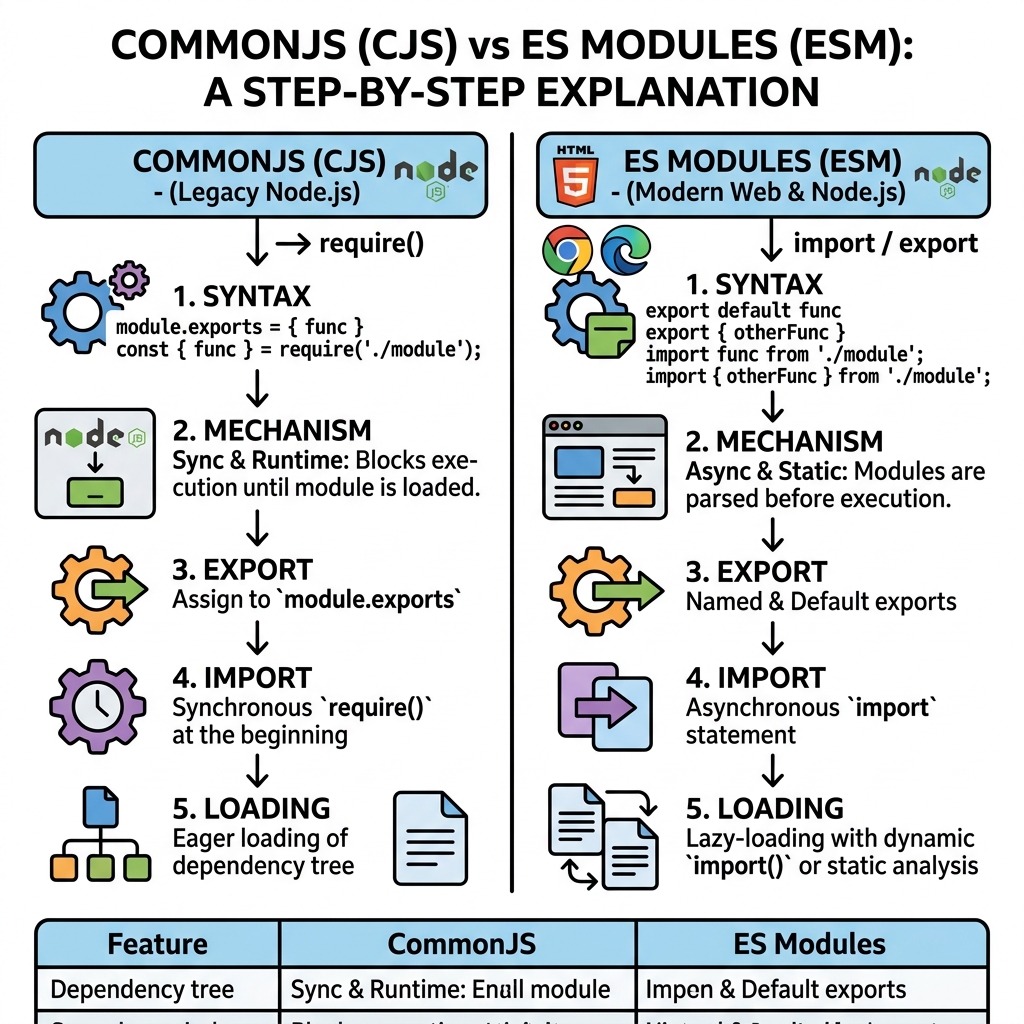
| Aspect | CommonJS | ES Modules (ESM) |
|---|---|---|
| Syntax | require() and module.exports | import and export keywords |
| Loading | Synchronously (runtime) | Asynchronously (static, before runtime) |
| Support | Node.js default before v13.2; widely used in backend | Standardized in ES6; supported in modern browsers and Node.js |
| Exports | Single object (module.exports) | Multiple named exports and default export |
| Interop | Can import ESM with dynamic import or special flags | Can import CommonJS but requires default import or named import from default |
| Scope | Module wrapped in function scope | Module code is always strict and scoped |
💡 Static vs Dynamic Loading
ES Modules use static imports, enabling tree shaking and better optimization. CommonJS modules load dynamically at runtime.
Basic Syntax Comparison
CommonJS:
📌 Deep Dive: CommonJS Module Export and Import
// math.js
const add = (a, b) => a + b;
module.exports = { add };

// app.js
const math = require('./math');
console.log(math.add(2, 3));
ES Modules:
📌 Deep Dive: ES Module Export and Import
// math.js
export const add = (a, b) => a + b;

// app.js
import { add } from './math.js';
console.log(add(2, 3));
⚠️ File Extension Required in ESM
When using ES Modules in Node.js or browsers, the .js extension is mandatory in import paths.
Export Types
- CommonJS: Exports a single object via
module.exports. You can assign functions, objects, or primitives. - ES Modules: Support multiple named exports and a default export.
📌 Deep Dive: Named vs Default Exports in ES Modules
// utils.js
export const greet = name => `Hello, ${name}!`;
export default function farewell(name) {
  return `Goodbye, ${name}!`;
}

// app.js
import farewell, { greet } from './utils.js';
console.log(greet('Alice'));      // Hello, Alice!
console.log(farewell('Alice'));   // Goodbye, Alice!
Interoperability Tips
- To import CommonJS modules in ES Modules, use default import:
import pkg from 'commonjs-package'; - To import ES Modules in CommonJS, use dynamic
import()or enable--experimental-modulesflag in Node.js. - Be aware of differences in export shapes — CommonJS exports a single object, while ESM can have multiple named exports.
💡 Why Use ES Modules?
ES Modules are the official standard, support static analysis, tree shaking, and are the future-proof choice for both browser and Node.js environments.
Summary
- CommonJS is synchronous, uses
requireandmodule.exports, and is primarily for Node.js. - ES Modules use
importandexport, support static loading, and are standard in modern JavaScript. - Choose ES Modules for modern development; use CommonJS for legacy or compatibility reasons.
Quick Knowledge Check
Test what you just learned
Question 1 of 2
Which module system uses require() and module.exports syntax?
Question 2 of 2
What is a key advantage of ES Modules over CommonJS?
Loading results...