Regular Expressions (RegEx) are patterns used to match character combinations in strings. In JavaScript, they provide a powerful way to search, replace, and validate text.
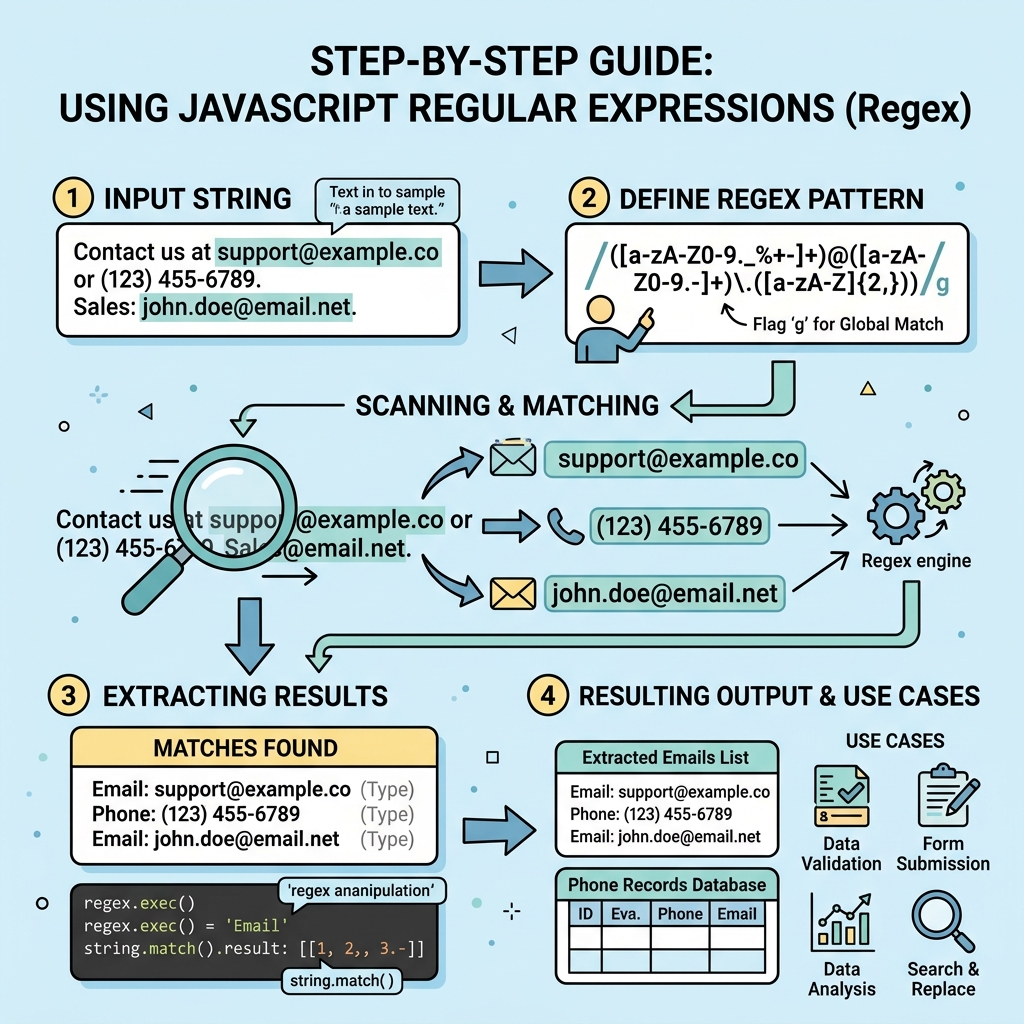
💡 What is a Regular Expression?
A sequence of characters that defines a search pattern, mainly for string pattern matching.
Creating Regular Expressions
Two ways to create a RegEx:
/pattern/flags— literal syntaxnew RegExp("pattern", "flags")— constructor syntax
Common Flags
| Flag | Meaning |
|---|---|
| g | Global search (all matches) |
| i | Case-insensitive search |
| m | Multiline search |
Basic Patterns
.: Matches any single character except newline\d: Matches any digit (0-9)\w: Matches any word character (alphanumeric + underscore)\s: Matches any whitespace (space, tab, newline)^: Matches start of string$: Matches end of string
Quantifiers
*: 0 or more times+: 1 or more times?: 0 or 1 time (optional){n}: Exactly n times{n,}: At least n times{n,m}: Between n and m times
Character Sets and Groups
[abc]: Matches any one character a, b, or c[^abc]: Matches any character except a, b, or c(abc): Capturing group - matches "abc"(?:abc): Non-capturing group
💡 Using RegEx Methods
Common methods include:
test(str): Returns true if pattern matchesexec(str): Returns detailed match info or nullstr.match(regexp): Returns matches in stringstr.replace(regexp, replacement): Replaces matchesstr.search(regexp): Returns index of first match or -1
📌 Deep Dive: Simple Validation with RegEx
JAVASCRIPT
const emailPattern = /^[\w.-]+@[a-zA-Z\d.-]+\.[a-zA-Z]{2,}$/;

console.log(emailPattern.test("user@example.com")); // true
console.log(emailPattern.test("invalid-email"));    // false
Output
truefalse
⚠️ Important
Regular expressions can be complex and hard to read. Test thoroughly and comment patterns for clarity.
Tips for Beginners
- Test your regular expressions using online tools like regex101.com
- Start simple and build your pattern incrementally
- Use parentheses for capturing parts you want to extract
- Remember that RegEx is case-sensitive unless you use the
iflag
Quick Knowledge Check
Test what you just learned
Question 1 of 2
Which flag makes a regular expression case-insensitive?
Question 2 of 2
What does \d match in a regular expression?
0/2
Loading results...