In JavaScript, immutability means that once a value is created, it cannot be changed. Instead of modifying existing data, you create new copies with the changes applied. This concept is crucial to avoid unexpected side effects and bugs.
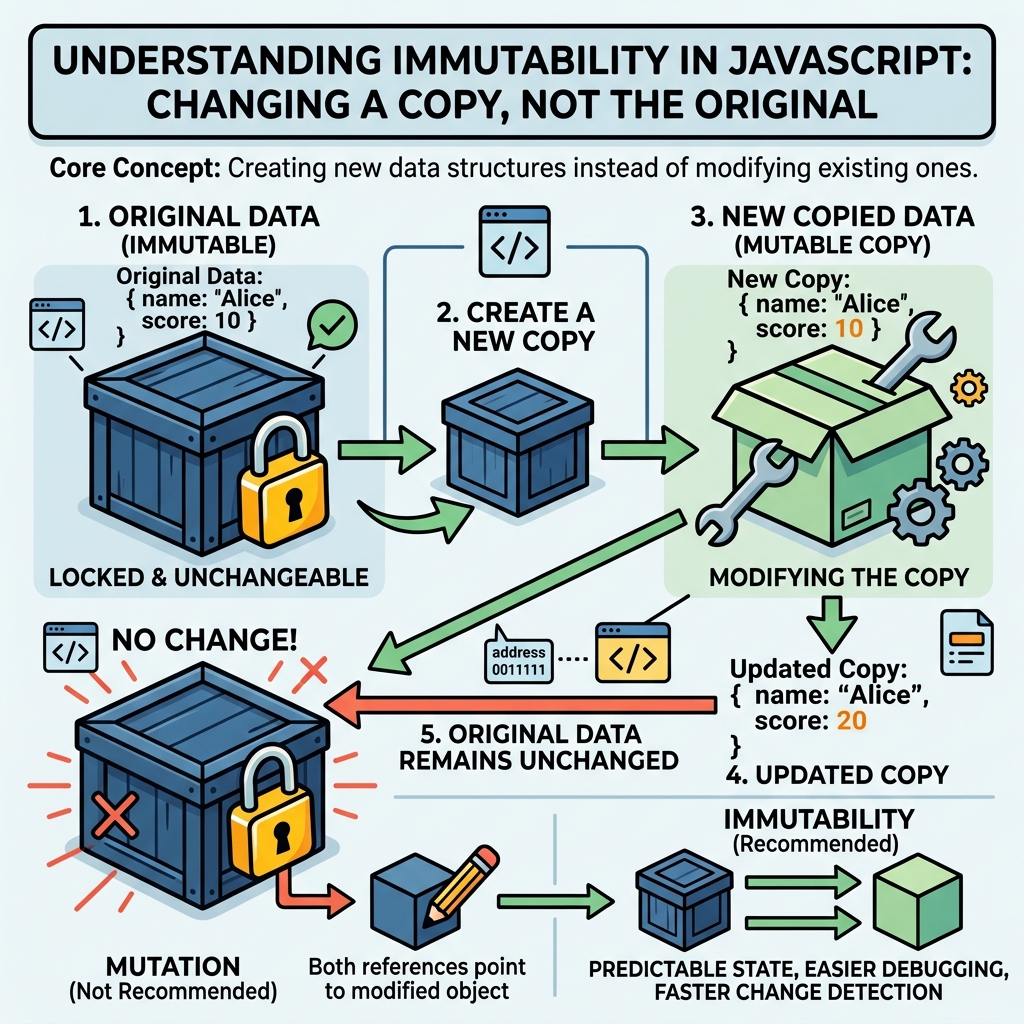
💡 Why Immutability Matters
Immutable data helps maintain predictable state, especially in complex applications like UI frameworks and state management.
Immutable vs Mutable Data
| Mutable | Immutable |
|---|---|
| Original data can be changed directly | Original data never changes, new copies are created |
| Can cause unexpected side effects | Safer to reason about and debug |
| Example: Objects, Arrays (by default) | Example: Strings, numbers, and using libraries or techniques to enforce immutability |
Immutability with Primitives
Primitive values like numbers, strings, and booleans are immutable by default:
📌 Deep Dive: Primitive Immutability
let str = "hello";
str[0] = "H"; // Trying to change first character
console.log(str); // "hello" - unchangedThe string str did not change because strings are immutable.
Immutability with Objects and Arrays
Objects and arrays are mutable by default. To keep them immutable, create new copies when you want to "change" them.
📌 Deep Dive: Immutable Update of an Object
const user = { name: "Alice", age: 25 };

// Mutable update (not recommended)
user.age = 26;

// Immutable update: create a new object
const updatedUser = { ...user, age: 26 };

console.log(user.age); // 26 (mutated)
console.log(updatedUser.age); // 26 (new object)26
Using the spread operator { ...object } creates a shallow copy with updated properties.
Immutable Array Updates
Use methods that return new arrays rather than mutating the original:
concat()instead ofpush()slice()instead ofsplice()map(),filter(),reduce()for transformations
📌 Deep Dive: Immutable Array Addition
const numbers = [1, 2, 3];

// Mutable: modifies original array
numbers.push(4);
console.log(numbers); // [1, 2, 3, 4]

// Immutable: returns a new array
const newNumbers = numbers.concat(5);
console.log(numbers); // [1, 2, 3, 4] (original unchanged)
console.log(newNumbers); // [1, 2, 3, 4, 5][1, 2, 3, 4, 5]
⚠️ Watch Out for Shallow Copies
Spread and concat() create shallow copies. Nested objects or arrays inside need special handling to remain immutable.
Summary
- Immutability means data cannot be changed after creation.
- Primitives in JS are immutable by default.
- Objects and arrays are mutable by default; use spread/rest,
concat(), and other methods to maintain immutability. - Immutability helps avoid bugs and makes your code easier to understand and debug.
💡 Pro Tip
Consider libraries like Immutable.js or using modern frameworks that encourage immutability to handle complex data structures safely.
Quick Knowledge Check
Test what you just learned
Question 1 of 2
What happens when you try to change a string character directly in JavaScript?
Question 2 of 2
Which technique is recommended to update an object immutably?
Loading results...