Programming is essentially just writing a very specific letter to a friend. Your program is the letter, the code is the words you write, and the computer is your friend who reads the letter and follows your instructions to the letter.
Today, we are going to write our very first letter. We are going to instruct the computer to speak to the world. It’s a massive milestone in any developer's journey, and by the end of this page, you will officially be a Python programmer!
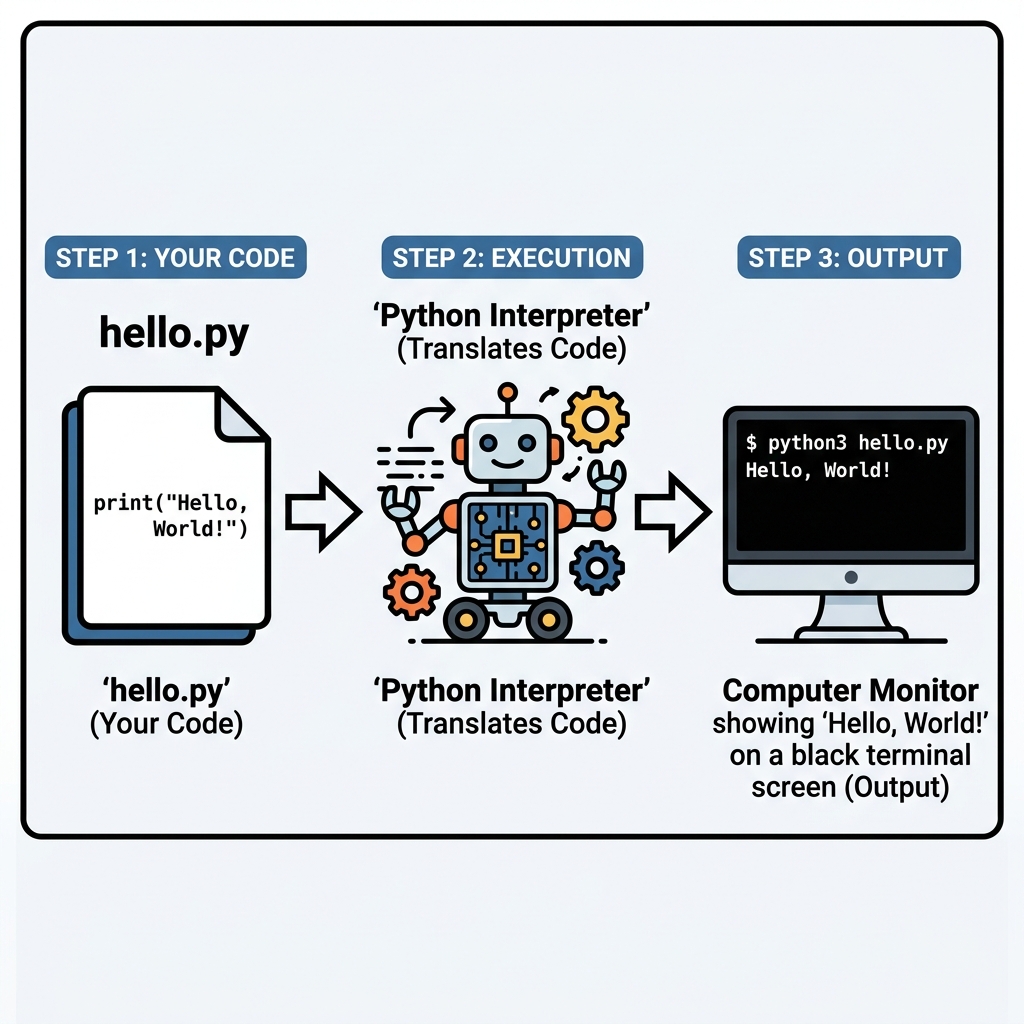
How Your Code Actually Runs
When you type code, the computer doesn't actually understand English words like "print". As shown in the diagram above, your text file (e.g., hello.py) must first be passed into the Python Interpreter. Think of the Interpreter as a translator. It reads your Python code, translates it into 1s and 0s (machine code) that the computer hardware understands, and then outputs the result onto your screen.
📌 Deep Dive: Anatomy of "Hello, World!"
The standard tradition for a programmer's first program is to make the computer say "Hello, World!". Here is exactly how we write that in Python:
# This is a comment. The computer ignores lines starting with '#'
print("Hello, World!")
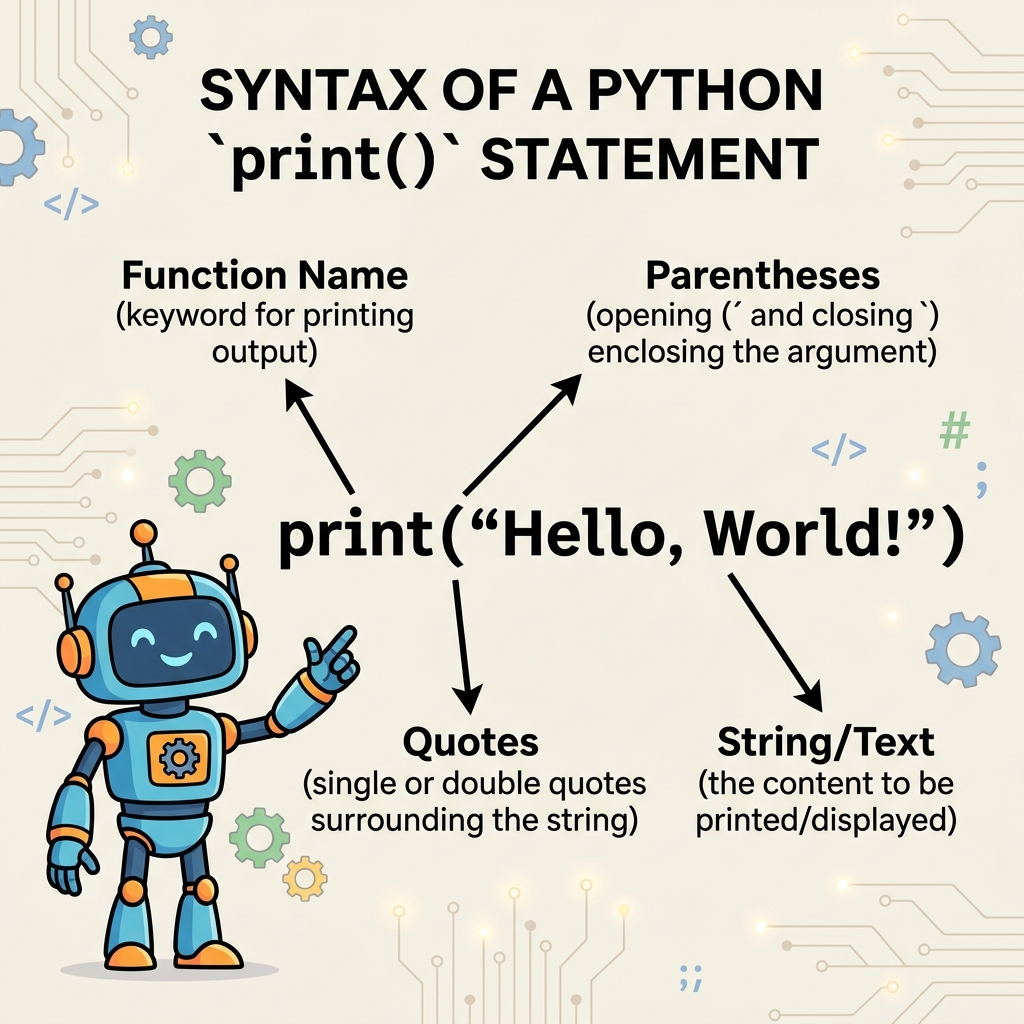
Breaking Down the Syntax
Every single symbol in that line of code matters. If you miss one, the Interpreter gets confused.
print: This is the function. It's the action verb telling Python what to do (output to the screen).( ): The parentheses hold the "ingredients" you are passing into the function." ": The quotes tell Python that everything inside is just raw text (a String), not another command.
⚠️ Common Pitfall: Forgetting Your Quotes
If you type print(Hello World) without quotes, the Python interpreter will panic. Because there are no quotes, it thinks Hello and World are secret hidden commands it's supposed to know about, rather than just text you want to display on the screen. Always wrap your text in quotes!
🎯 Real-World Use Case: Why `print()` matters
While printing "Hello, World!" seems simple, the print() function is used by professional software engineers every single day. When a backend server is processing a credit card transaction, developers use print("Transaction Successful") or print("Error: Card Declined") so they can read the server logs in real-time and see exactly what the computer is doing.
Quick Knowledge Check
Test what you just learned
Question 1 of 2
Which of the following is the correct way to print the text Hello, World! in Python?
Question 2 of 2
What is the purpose of the Python Interpreter?
Loading results...