Imagine trying to build a wooden chair. Using just a simple knife and a plank of wood is definitely possible, but it is slow and prone to mistakes. A basic Text Editor is exactly like having that knife — you can write Python code, but it takes more time. An IDE (Integrated Development Environment), on the other hand, is like a fully equipped robotic workbench. It provides electric saws, automatic measurements, and error warnings that speed up your coding process drastically.
In this lesson, we will explore exactly what separates a simple Text Editor from a full-blown IDE, how their internal architectures work, and which tool you should choose as you begin your Python journey.
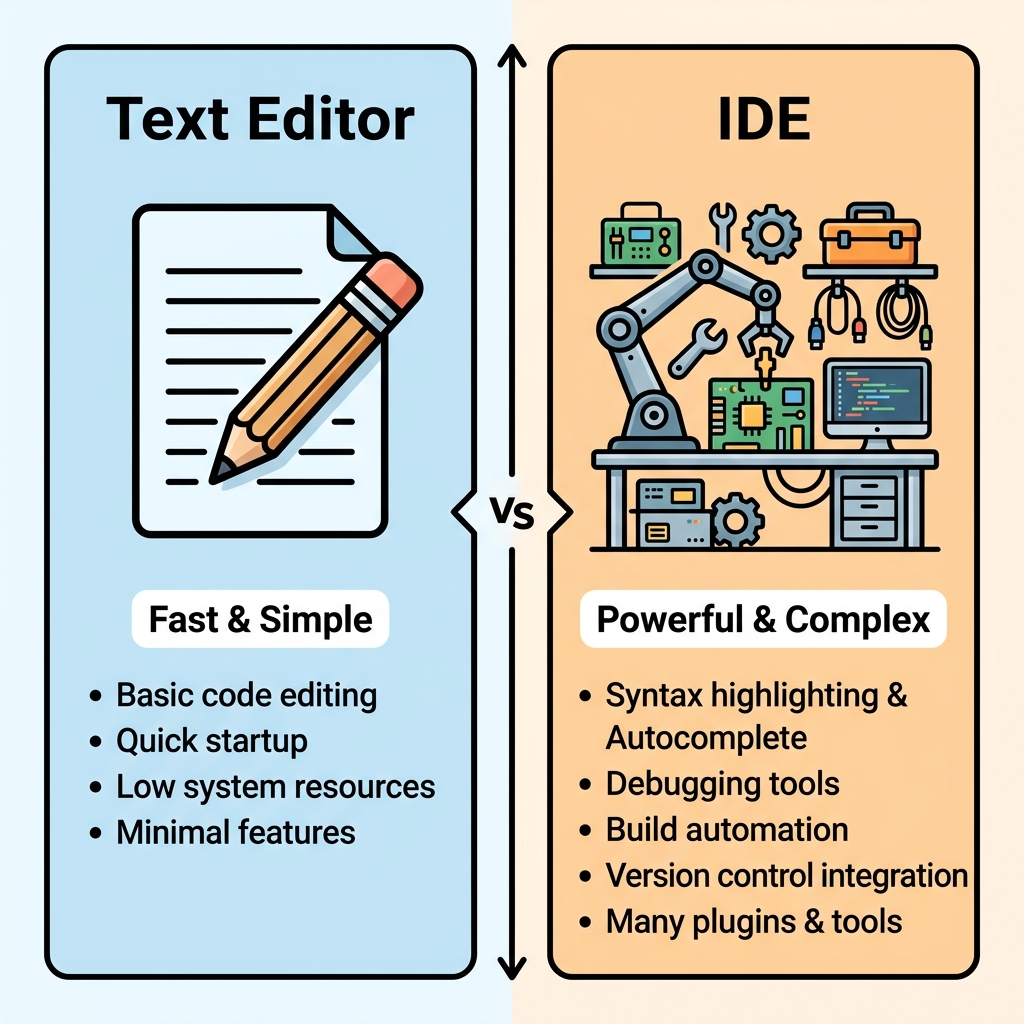
| Feature | Text Editor (e.g. Sublime, Notepad++) | IDE (e.g. PyCharm, Visual Studio) |
|---|---|---|
| Primary Purpose | Writing and editing raw text very quickly. | Writing, debugging, and managing entire projects. |
| Learning Curve | Extremely low. Open it and start typing. | Steeper. Requires learning menus, windows, and tools. |
| Resource Usage | Lightweight (Uses very little RAM). | Heavyweight (Can use gigabytes of RAM). |
| Built-in Debugger | Usually None (must be added via plugins). | Built-in automatically. |
How an IDE Works Under the Hood
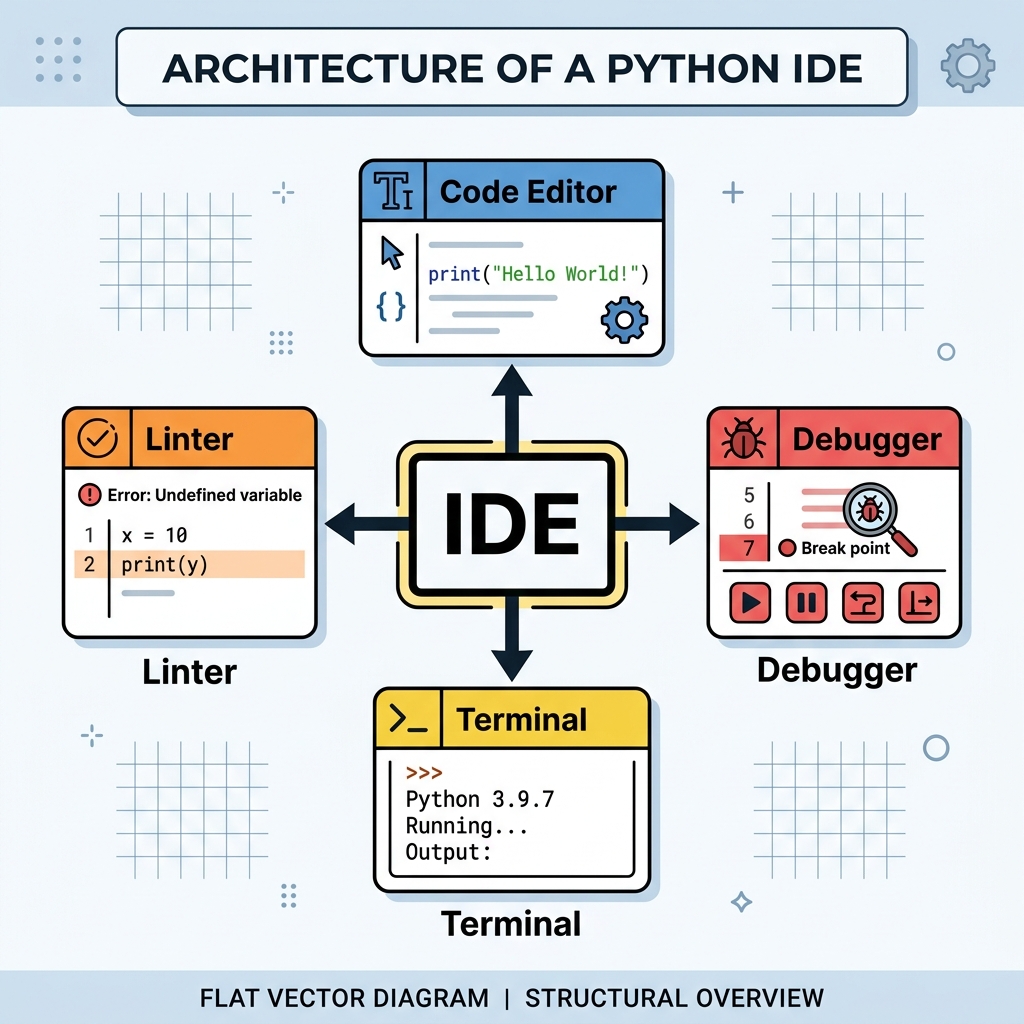
Why do IDEs use so much more memory than text editors? Because they are actually running several different heavy applications at the same time in the background to assist you while you type. Here is what is happening inside the architecture of an IDE like PyCharm or VS Code.
🛠️ Real-World Use Case: Why Developers Need Debuggers
Suppose you are building a Python script that calculates taxes for 10,000 users, and suddenly the math starts coming out wrong. In a Text Editor, you would have to manually add print(tax_value) on every single line and run the script repeatedly to guess where the math broke.
In an IDE, you just click a button called "Debug". The code pauses exactly where the bug happens, and you can literally hover your mouse over the variable tax_value to see exactly what number is inside of it at that exact millisecond in time. This saves hours of frustration.
📌 Deep Dive: Debugging in Action
Let's look at how easy it is to catch a "Division by Zero" bug in an IDE.
# A simple script calculating averages
def calculate_average(total, count):
    return total / count

revenue = 500
users = 0  # Uh oh! This will cause an error

# Instead of crashing in production, an IDE debugger catches it here:
average = calculate_average(revenue, users)
print(f"The average is {average}")
⚠️ Common Pitfall: Analysis Paralysis
Many beginners spend weeks trying to figure out if they should use VS Code or PyCharm. The truth is, they are both industry standards and they both do the exact same thing. VS Code is highly customizable and lightweight. PyCharm is heavily pre-configured and powerful out of the box. Just pick one and start coding!
Quick Knowledge Check
Test what you just learned
Question 1 of 2
What is the main difference between a text editor and an IDE for Python development?
Question 2 of 2
Why do IDEs typically use significantly more RAM (Memory) than a standard Text Editor?
Loading results...