In Python programming, repetition is a common task. Whether you're processing user inputs, iterating over data, or waiting for a condition to change, loops help you automate these repetitive actions. One of the fundamental loop constructs in Python is the while loop. Unlike a for loop, which iterates over a sequence, a while loop repeatedly executes a block of code as long as a given condition remains true.
Understanding while loops is essential for controlling program flow dynamically. This lesson will guide you step-by-step through the mechanics of while loops, their syntax, practical examples, common pitfalls, and best practices to write clean, efficient code.
What Is a While Loop?
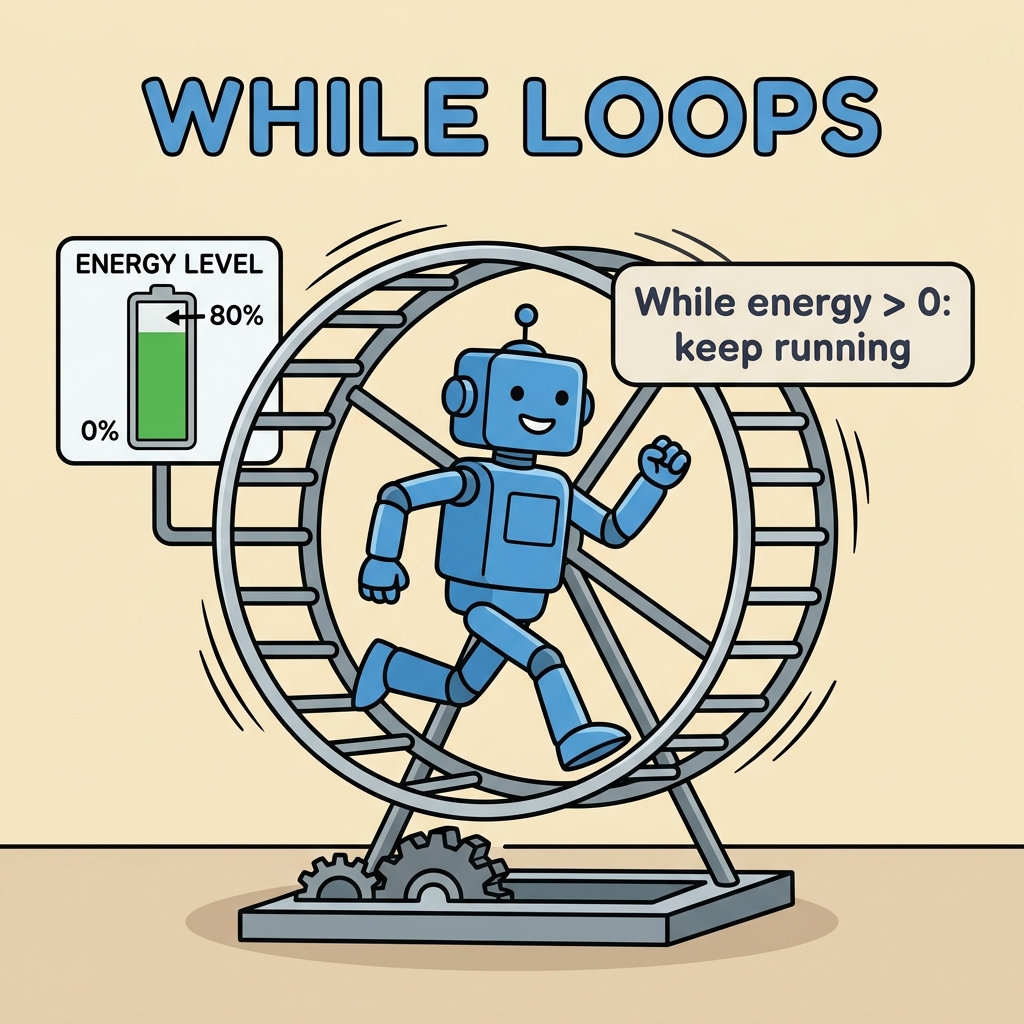
A while loop runs a block of code repeatedly until its condition evaluates to False. The loop condition is checked before each iteration, and if it's true, Python executes the indented code block inside the loop. When the condition becomes false, the loop stops, and the program continues with the next instructions after the loop.
This is the basic syntax:
📌 Deep Dive: Basic While Loop Syntax
while condition:
    # Code block to execute
    # This block runs repeatedly while condition is True
To summarize:
- condition: A boolean expression evaluated before every iteration.
- Code block: The indented statements that execute repeatedly as long as the condition is true.
How Does the While Loop Work? Step-by-Step
Let's break down the process:
- Evaluate the condition: Before starting the loop body, Python checks if the condition is true.
- If true: Executes the indented code block inside the loop.
- Repeat: After executing the code block, Python goes back to check the condition again.
- If false: The loop ends, and execution continues with the code after the loop.
Real-World Example: Counting Down
Imagine you want to count down from 5 to 1 and print each number. Here's how you can do it using a while loop:
📌 Deep Dive: Counting Down with While Loop
count = 5
while count > 0:
    print(count)
count -= 1 # Decrement count by 1Explanation: We start with count = 5. The loop continues as long as count > 0. Each iteration prints the current value of count, then decreases it by 1. Eventually, when count becomes 0, the condition becomes false and the loop stops.
💡 Increment and Decrement
To avoid infinite loops, make sure the loop variable changes inside the loop in a way that eventually makes the condition false. Commonly, this involves incrementing or decrementing a counter.
Why Use While Loops?
While loops are especially useful when you don’t know in advance how many times you’ll need to repeat something. Some common use cases include:
- Waiting for user input with validation.
- Polling or checking for a condition to change (e.g., waiting for a file to exist).
- Repeating an operation until a certain goal or threshold is reached.
💡 When to Choose While over For
Use for loops when iterating over a known sequence or fixed number of iterations. Use while loops when the number of iterations depends on dynamic conditions.
Common Pitfalls and How to Avoid Them
Infinite Loops
If the loop condition never becomes false, your program will run forever (or until you force it to stop). For example:
📌 Deep Dive: Infinite Loop Example
x = 1
while x > 0:
    print("This will print forever!")
This loop never modifies x, so x > 0 is always true, causing an infinite loop.
⚠️ Beware of Infinite Loops
Always ensure something inside the loop changes the condition so it can eventually become false. Otherwise, your program might freeze or consume excessive resources.
Forgetting to Update the Loop Variable
Another common mistake is forgetting to update the variable used in the condition:
📌 Deep Dive: Missing Update Statement
i = 0
while i < 5:
    print(i)
    # Missing i += 1 update here!
This will print 0 endlessly because i never changes.
Using break and continue in While Loops
Python provides two useful statements to control loop flow inside a while loop:
break: Immediately exits the loop, regardless of the condition.continue: Skips the rest of the current iteration and goes back to check the condition for the next iteration.
📌 Deep Dive: Using break and continue
n = 0
while n < 10:
    n += 1
    if n == 5:
        break  # Exit loop when n equals 5
    if n % 2 == 0:
        continue  # Skip even numbers
print(n)Explanation:
- We increase
neach time. - If
nequals 5, the loop stops immediately. - If
nis even,continueskips the print statement for that iteration. - Only odd numbers less than 5 are printed.
Using While Loops with User Input
One of the typical applications for while loops is to prompt the user repeatedly until they provide valid input. Here's a practical example:
📌 Deep Dive: Validating User Input
user_input = ""
while user_input.lower() != "yes":
    user_input = input("Do you want to continue? (yes/no): ")
print("Thank you for confirming!")
This loop continues to ask the user the question until they type "yes" (case-insensitive). It's a clean, user-friendly way to ensure the program only proceeds with explicit confirmation.
Comparing while and for loops
Both loops have their place in Python. Here's a quick comparison to clarify when to use each:
| Aspect | While Loop | For Loop |
|---|---|---|
| Iteration Control | Based on a condition; runs until condition is False | Iterates over a sequence or iterable |
| Use Case | When number of iterations is unknown or depends on dynamic condition | When iterating over fixed or known sequences |
| Loop Variable Update | Must be manually updated inside the loop | Automatically updates each iteration |
| Risk | Infinite loops if condition never becomes False | Less risk of infinite loops |
Best Practices When Working with While Loops
- Always ensure the loop condition will eventually become false. Update variables properly inside the loop.
- Keep loop bodies concise and clear. Avoid complex nested conditions that make it hard to understand when the loop ends.
- Use
breakandcontinuewisely. They can improve readability but overusing them can make loops confusing. - Test your loops with different inputs. Make sure they behave correctly and terminate as expected.
- Consider edge cases like zero iterations or immediate exit.
Summary
While loops are a powerful tool in Python to repeatedly execute code as long as a condition holds true. They are ideal when the number of repetitions depends on dynamic factors or user input. Mastering while loops will allow you to write interactive and responsive programs that handle real-world scenarios smoothly.
Remember:
- Check and update the loop condition carefully.
- Use
breakandcontinueto control loop flow. - Avoid infinite loops by ensuring the condition can become false.
With these insights and practice, you can confidently incorporate while loops into your Python projects.
Quick Knowledge Check
Test what you just learned
Question 1 of 2
What is the primary reason a while loop might run forever?
Question 2 of 2
Which statement immediately exits a while loop?
Loading results...