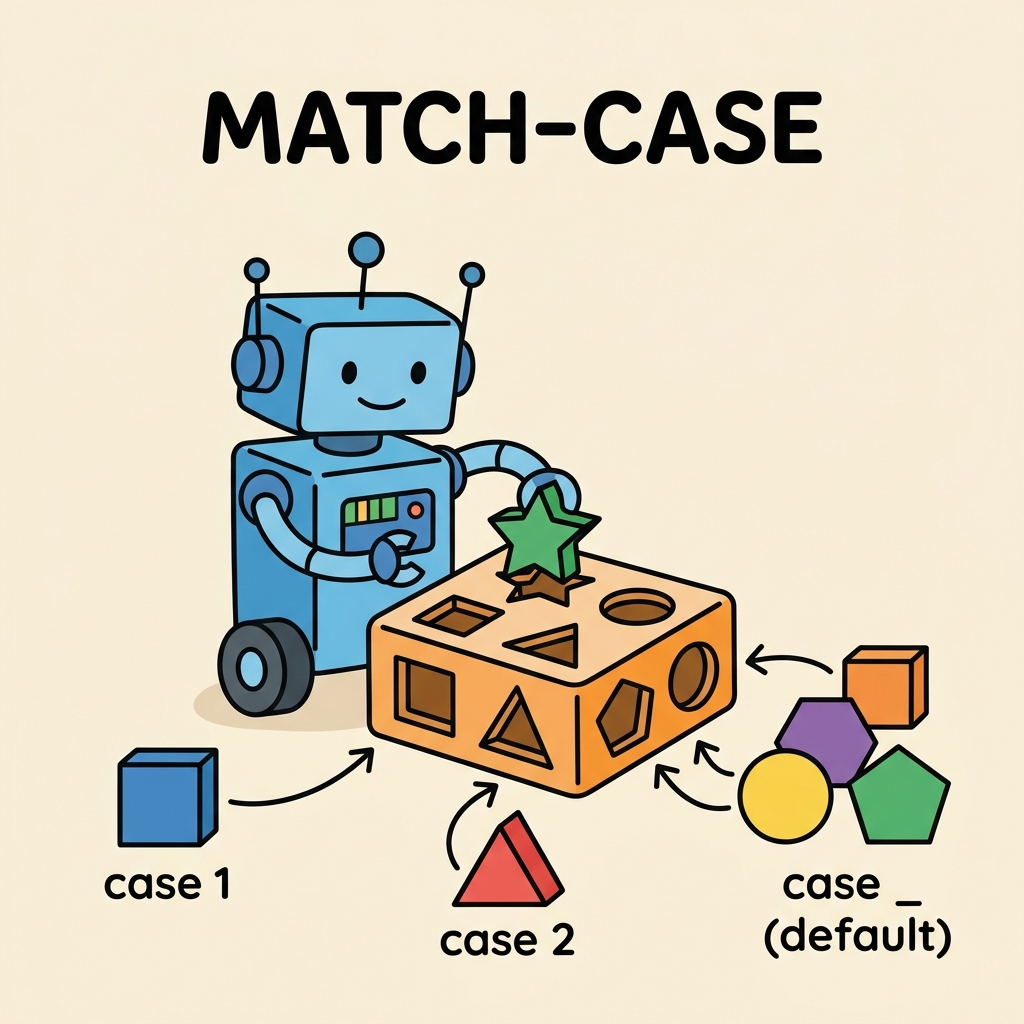
Python’s match-case statement, introduced in Python 3.10, marks a significant evolution in how conditional branching can be handled. It offers a clean, readable, and powerful alternative to traditional if-elif-else chains, especially when you need to compare a value against multiple patterns or conditions.
In this lesson, you will explore the core concepts of match-case, understand its syntax, see how it compares to older conditional approaches, and learn practical techniques for using it effectively in your Python programs.
Why Use match-case?
Before diving into details, consider this: many tasks require checking a variable against multiple possible values or structures. For example, determining actions based on commands, parsing data, or handling different types of inputs. Traditionally, this would require verbose and sometimes confusing nested if statements.
The match-case statement was designed to simplify these situations. It brings pattern matching to Python, allowing you to check values, extract parts of data, and direct flow in an elegant, readable way.
💡 Key Insight
match-case is more than a fancy switch or if-elif replacement — it’s pattern matching, enabling Python to test and destructure complex data, making your code clearer and more expressive.
Basic Syntax of match-case
The basic structure looks like this:
📌 Deep Dive: Basic match-case
value = 3

match value:
    case 1:
        print("Value is 1")
    case 2:
        print("Value is 2")
    case 3:
        print("Value is 3")
    case _:
print("Value is something else")Here’s what’s happening:
match value:starts the pattern matching on the variablevalue.- Each
caseline tests ifvaluematches the given pattern (here, simple literals). - The underscore
_acts as a “catch-all” pattern, similar toelseinifstatements.
How Does match-case Differ from if-elif-else?
At first glance, match-case might seem like a cleaner switch-case or if-elif chain. But it offers unique capabilities:
- Pattern Matching: It can match complex data types, not just simple values.
- Destructuring: You can extract parts of a matched object directly into variables.
- Readability: The structure is clearer when dealing with many cases.
| Feature | if-elif-else | match-case |
|---|---|---|
| Basic value matching | Yes | Yes |
| Pattern matching (e.g., tuples, lists) | No | Yes |
| Destructuring matched values | No | Yes |
| Readability with many cases | Can be verbose | More concise |
| Default/catch-all | else | case _ |
Matching Literals and Variables
The most straightforward use of match-case is matching literal values like numbers, strings, or constants. For example:
📌 Deep Dive: Matching Literals
command = "start"

match command:
    case "start":
        print("Starting...")
    case "stop":
        print("Stopping...")
    case _:
print("Unknown command")Note that names used in case clauses are treated as literals unless you explicitly capture them as variables, which requires a slightly different syntax (see below).
Using Variables in Patterns
Within a case clause, you can capture parts of the matched value by naming them as variables. This is especially useful when matching complex data structures like tuples or lists.
📌 Deep Dive: Variable Capture in Patterns
point = (3, 4)

match point:
    case (0, 0):
        print("Origin")
    case (x, 0):
        print(f"X={x} on X-axis")
    case (0, y):
        print(f"Y={y} on Y-axis")
    case (x, y):
print(f"Point is at ({x}, {y})")In the example above:
(0, 0)matches the origin point.(x, 0)matches any point on the X-axis and capturesx.(0, y)matches any point on the Y-axis and capturesy.(x, y)is the fallback for any other point, capturing both coordinates.
Guards: Adding Conditions to Patterns
Sometimes you want to add an extra condition to a matched pattern. For this, you can use a case clause with a if guard.
📌 Deep Dive: Guards in match-case
number = 7

match number:
    case x if x % 2 == 0:
        print(f"{x} is even")
    case x if x % 2 == 1:
print(f"{x} is odd")The if clause after the pattern acts as a filter that must also evaluate to True for the case to run.
Matching Classes and Data Structures
match-case can also be used to match class instances and extract attributes, which is useful for object-oriented designs.
📌 Deep Dive: Class Pattern Matching
class Point:
    def __init__(self, x, y):
        self.x = x
        self.y = y

p = Point(0, 5)

match p:
    case Point(0, 0):
        print("Origin")
    case Point(x, 0):
        print(f"X={x} on X-axis")
    case Point(0, y):
        print(f"Y={y} on Y-axis")
    case Point(x, y):
print(f"Point is at ({x}, {y})")Here, the pattern Point(x, y) extracts the attributes x and y from the instance p. You can use this to destructure objects intuitively.
⚠️ Important Note
For class pattern matching to work, the class must support positional attribute matching, which typically means implementing __match_args__ or having attributes in the right order.
Using case _: The Default Case
The underscore _ is a wildcard pattern that matches anything and is used as a default or fallback case. It's the equivalent of the else block in conditional statements.
Always place case _ at the end of your cases to catch any unmatched patterns and handle unexpected inputs gracefully.
Pattern Matching with Sequences and Mappings
You can match lists, tuples, and even dictionaries, extracting elements as needed.
📌 Deep Dive: Sequence Matching
data = ["error", 404, "Not Found"]

match data:
    case ["error", code, message]:
        print(f"Error {code}: {message}")
    case _:
print("Unknown data format")Here, the list pattern ["error", code, message] matches any list starting with the string "error" and extracts the second and third elements into variables.
Combining Patterns with OR
You can match multiple literal values in a single case using the OR operator |, which reduces redundancy.
📌 Deep Dive: OR Patterns
color = "blue"

match color:
    case "red" | "blue" | "green":
        print("Primary color")
    case _:
print("Other color")When NOT to Use match-case
While powerful, match-case is best suited for:
- Static or semi-static pattern matching scenarios.
- Code where clarity of multiple discrete cases is needed.
It might be overkill for very simple or dynamic conditions better handled by functions or polymorphism.
Putting it All Together: A Practical Example
Imagine you’re writing a simple command handler that parses messages and executes different actions:
📌 Deep Dive: Command Parser with match-case
def handle_command(command):
    match command.split():
        case ["quit"]:
            print("Quitting the program.")
        case ["load", filename]:
            print(f"Loading file: {filename}")
        case ["save", filename]:
            print(f"Saving file: {filename}")
        case ["move", x, y] if x.isdigit() and y.isdigit():
            print(f"Moving to coordinates ({x}, {y})")
        case _:
            print("Unknown command")

# Try the function
handle_command("move 10 20")
handle_command("save data.txt")
handle_command("quit")
handle_command("jump")This example highlights several strengths of match-case:
- Splitting the input string into tokens and matching the pattern.
- Capturing arguments like filenames or coordinates.
- Using guards to validate inputs.
- Handling unknown commands gracefully with
case _.
Common Mistakes to Avoid
- Using variable names in
casewithout intention to capture: They will be treated as capture variables, not constants. - Placing
case _anywhere but at the end: It will shadow all subsequent cases. - Confusing guards (
if) with pattern matching — the guard does not destructure but filters after the match.
⚠️ Pitfall Alert
A variable in a case pattern always captures a value unless prefixed with case value where value is a constant defined outside the match. To match a literal named variable, use constant names or literals directly.
Summary
The match-case statement is a modern, expressive Python feature that lets you match values and patterns elegantly:
- Replaces complex
if-elifchains with clear, concise syntax. - Supports literal matching, variable capture, guards, and complex data structures.
- Improves readability and maintainability of pattern-heavy code.
To master match-case, practice by refactoring your existing conditional code and experimenting with pattern matching on tuples, lists, and custom classes. This will deepen your understanding and help you write idiomatic Python.
Quick Knowledge Check
Test what you just learned
Question 1 of 2
What does the underscore _ represent in a match-case statement?
Question 2 of 2
Which of the following can match-case NOT do directly?
Loading results...