Welcome to the foundational journey of Python programming: understanding Variables and Data Types. These two concepts form the bedrock of all Python code you'll write, enabling you to store, manipulate, and interpret data efficiently. Whether you're building simple scripts or complex applications, mastering variables and data types will empower you to control how data flows through your programs.
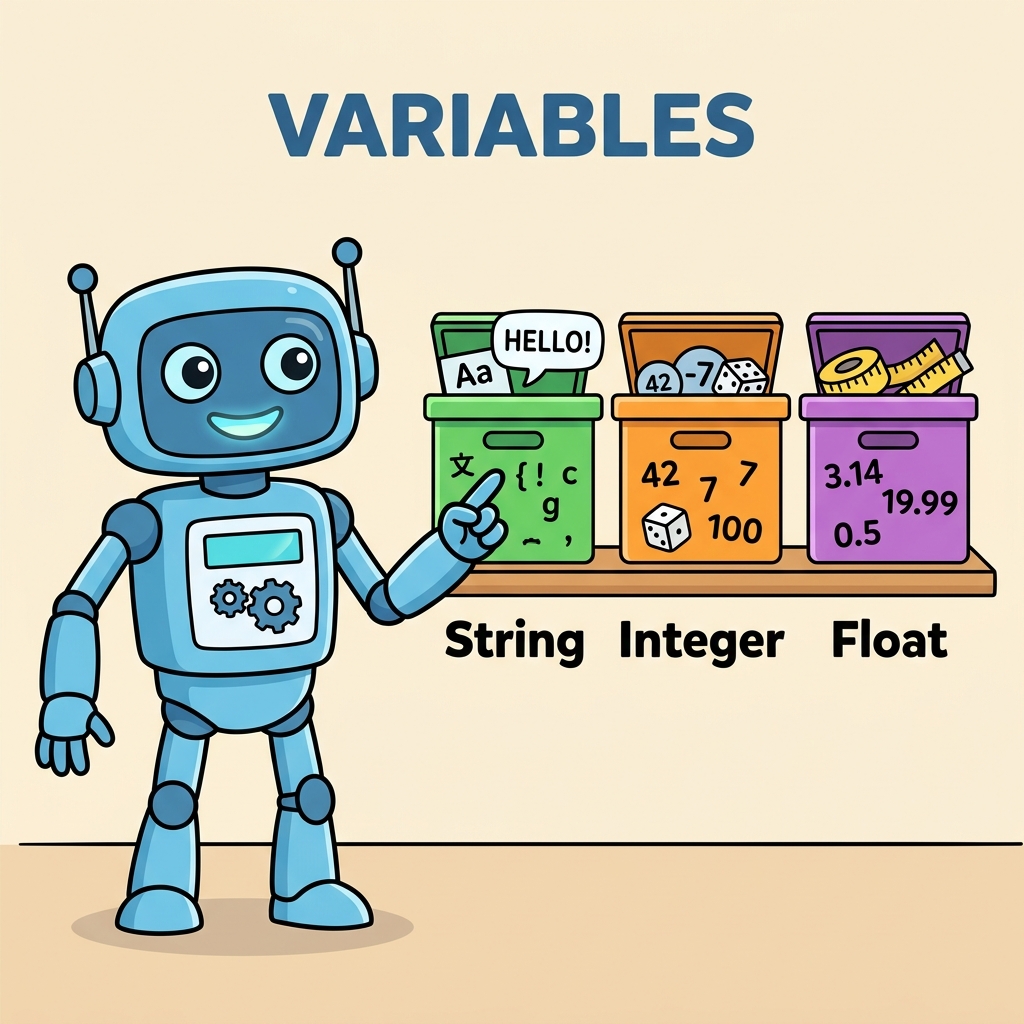
Imagine variables as labeled boxes where you can store information, and data types as the nature or format of the content inside those boxes. Python, being a dynamically typed language, handles these with remarkable flexibility and simplicity, which we'll explore in depth.
What is a Variable in Python?
In Python, a variable is essentially a name that refers to a value stored in memory. Think of it as a container or a label attached to a piece of data. This label allows you to access and manipulate the data later in your program without having to remember or rewrite the data itself.
Variables in Python are created the moment you assign a value to them, and you don't need to declare their type explicitly. Python figures out the type automatically based on the value you assign.
💡 Quick Tip
Variable names should be descriptive and follow Python's naming rules: start with a letter or underscore, followed by letters, digits, or underscores. Avoid using Python reserved keywords as variable names.
Creating Variables:
📌 Deep Dive: Assigning variables
username = "Alice"
age = 30
height_in_meters = 1.65
is_student = True
username, age, height_in_meters, and is_student are now assigned values of different data types.Data Types: The Nature of Your Data
Every piece of information you store in a variable has a data type, which tells Python what kind of data it is and what operations can be performed on it. Python supports a rich variety of built-in data types, each designed for different purposes.
Let's break down the most common data types you'll encounter:
- int — Integer numbers (e.g., 42, -7)
- float — Floating-point numbers or decimals (e.g., 3.14, -0.001)
- str — Strings, sequences of characters (e.g., "Hello, world!")
- bool — Boolean values representing True or False
- list — Ordered, mutable collections of items
- tuple — Ordered, immutable collections of items
- dict — Collections of key-value pairs (dictionaries)
- NoneType — Represents the absence of a value (None)
💡 Important Note
Python is dynamically typed, meaning you do not need to declare the type of a variable ahead of time; the interpreter infers it based on the value assigned.
Checking Data Types
To find out what data type a variable holds, Python provides the type() function.
📌 Deep Dive: Using type()
a = 100
b = 3.1415
c = "Python"
d = False

print(type(a))  # <class 'int'>
print(type(b))  # <class 'float'>
print(type(c))  # <class 'str'>
print(type(d))  # <class 'bool'>
<class 'float'>
<class 'str'>
<class 'bool'>
Exploring Python’s Core Data Types
| Data Type | Description | Example |
|---|---|---|
| int | Whole numbers without decimal points | 42, -7, 0 |
| float | Numbers with decimal points | 3.14, -0.001, 2.0 |
| str | Text or sequence of characters | "Hello", 'Python' |
| bool | Logical True or False values | True, False |
| list | Mutable ordered collection of items | [1, 2, 3], ['a', 'b', 'c'] |
| tuple | Immutable ordered collection of items | (1, 2), ('x', 'y') |
| dict | Collection of key-value pairs | {'name': 'Alice', 'age': 30} |
| NoneType | Represents no value or null | None |
Mutable vs Immutable: Why It Matters
Understanding whether a data type is mutable or immutable is crucial as it affects how your program behaves when you change data stored in variables.
- Mutable objects can be changed after creation. For example, lists and dictionaries allow you to add, remove, or modify elements.
- Immutable objects cannot be changed once created. Examples include strings, integers, floats, tuples, and booleans.
💡 Practical Implication
When you modify a mutable object, the change is reflected everywhere that object is referenced. Immutable objects require creating new instances for any change, which can affect performance and program logic.
Examples: Mutability in Action
📌 Deep Dive: Mutable vs Immutable
# Mutable example: list
colors = ['red', 'green', 'blue']
colors[1] = 'yellow'  # modifies the list in-place
print(colors)  # ['red', 'yellow', 'blue']

# Immutable example: string
greeting = "Hello"
new_greeting = greeting.replace('H', 'J')  # creates a new string
print(greeting)      # "Hello" (original unchanged)
print(new_greeting)  # "Jello"
Hello
Jello
Naming Variables: Best Practices & Rules
Choosing the right variable names is a vital part of writing clean, readable code. Here are some guidelines to follow:
- Use descriptive names that reflect the variable's purpose (e.g.,
user_ageinstead ofa). - Variable names can contain letters, numbers, and underscores, but cannot start with a number.
- Python is case-sensitive:
ageandAgeare different variables. - Avoid using Python reserved keywords such as
if,for,class, etc., as variable names. - Follow naming conventions like snake_case for variables and functions (e.g.,
total_price).
⚠️ Common Pitfall
Using variable names that shadow built-in functions or keywords can cause unexpected bugs. For example, naming a variable list will overwrite the built-in list function.
Multiple Assignments and Swapping Variables
Python supports elegant and concise ways to assign multiple variables at once and swap their values without needing a temporary variable.
📌 Deep Dive: Multiple Assignments & Swapping
# Multiple assignments
x, y, z = 10, 20, 30
print(x, y, z)  # 10 20 30

# Swapping variables
a = 5
b = 8
a, b = b, a
print(a, b)  # 8 5
8 5
Type Casting: Converting Between Data Types
Sometimes, you need to convert data from one type to another, such as converting a string containing digits into an integer for arithmetic operations. Python provides built-in functions for type casting:
int()– converts to integerfloat()– converts to floating-point numberstr()– converts to stringbool()– converts to boolean
📌 Deep Dive: Practical Type Casting
num_str = "100"
num_int = int(num_str)
num_float = float(num_str)

print(num_int + 50)     # 150
print(num_float + 0.5)  # 100.5

bool_val = bool(0)      # False, because 0 is considered False in Python
print(bool_val)
100.5
False
💡 Remember
Attempting to convert incompatible data (e.g., int("hello")) will raise a ValueError. Always validate or sanitize input before casting.
Special Data Type: None
None is a unique data type in Python representing the absence of a value or a null value. It is often used to signify 'no data' or a placeholder before a meaningful value is assigned.
📌 Deep Dive: Using None
result = None
print(result)  # None

if result is None:
    print("No result has been computed yet.")
No result has been computed yet.
Summary: Variables & Data Types in a Nutshell
- Variables label and store data in your program.
- Data types define the kind of data a variable holds, such as numbers, text, or collections.
- Python's dynamic typing automatically detects data types upon assignment.
- Understanding mutability helps you predict how data changes affect your program.
- Good variable naming improves code readability and maintainability.
- Multiple assignments and swapping enhance code conciseness and clarity.
- Type casting lets you convert data to the form your program needs.
Noneis a special type used to represent no value.
With this solid foundation, you are now ready to write Python programs that create, modify, and utilize variables effectively, setting the stage for more advanced concepts like control flow and functions.
Quick Knowledge Check
Test what you just learned
Question 1 of 2
Which of the following is a mutable data type in Python?
Question 2 of 2
What will be the output of the following code?x = 5
x = "5"
print(type(x))
Loading results...