Welcome to your first step into the world of Python programming! Python is a versatile and beginner-friendly language, prized for its readability and simplicity. In this lesson, we will explore the fundamental building blocks of Python syntax and how to write your very first lines of code. By the end, you'll understand the core elements that form Python programs and be ready to start creating your own scripts.
What Makes Python Unique?
Python emphasizes clarity and brevity. It uses indentation to define code blocks instead of braces or keywords, which forces a clean and consistent style. This feature makes Python code look visually uncluttered and approachable for beginners.
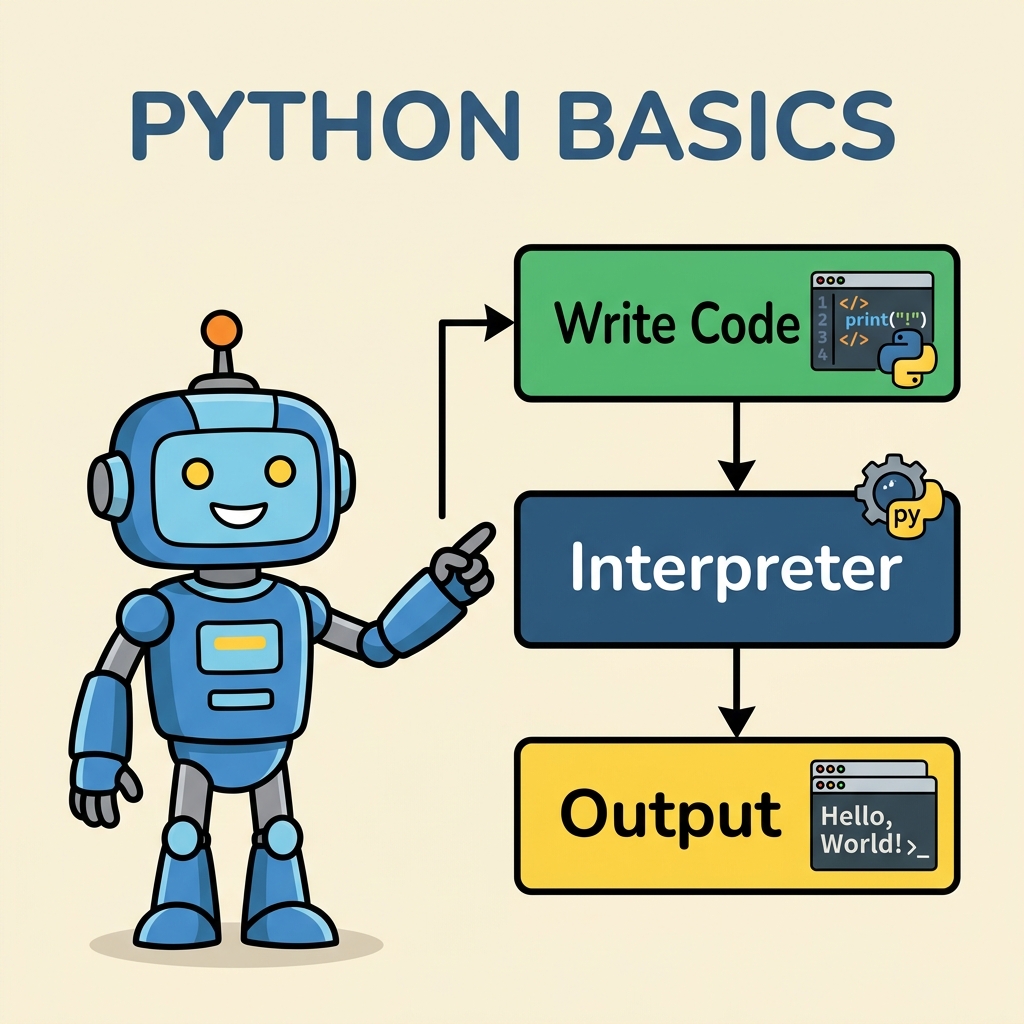
1. Writing Your First Python Code
Let's jump into the classic beginner example: printing "Hello, World!" to the console. This small program introduces the print() function, which outputs text or other values.
📌 Deep Dive: Hello, World!
print("Hello, World!")The print() function takes a string (text wrapped in quotes) and shows it on the screen. Notice the parentheses () - functions in Python always use parentheses to enclose their arguments, even if it’s just one.
2. Python Syntax Essentials
Before moving on, let's understand some key syntax rules in Python:
- Indentation: Python uses whitespace indentation to group statements. Instead of braces
{}, you indent lines to indicate blocks of code. - Comments: Use the hash symbol
#to write comments. These lines are ignored by the interpreter and help explain your code. - Case sensitivity: Python treats uppercase and lowercase letters differently. For instance,
Variableandvariableare different identifiers. - Statements end at the end of line: Unlike some languages, Python does not require semicolons
;to end statements.
💡 Indentation Is Not Optional
Always indent consistently - typically 4 spaces per level. Mixing tabs and spaces will cause errors.
3. Variables and Data Types
Variables store information in your program. You can think of them as labeled boxes that hold data you want to use or manipulate. Python makes it easy to create and use variables without declaring their types explicitly.
Here’s how you create variables:
📌 Deep Dive: Variables and Types
name = "Alice"       # A string variable
age = 30              # An integer variable
height = 1.65         # A floating-point number
is_student = True # A boolean valuePython automatically identifies the data type based on the value you assign:
| Data Type | Example Value | Description |
|---|---|---|
| str | "Hello" | Textual data (strings) |
| int | 42 | Whole numbers |
| float | 3.14 | Decimal numbers |
| bool | True or False | Boolean logic values |
4. Basic Operators and Expressions
Python supports standard arithmetic operators to perform calculations:
+Addition-Subtraction*Multiplication/Division (floating point)//Floor division (integer result)%Modulo (remainder)**Exponentiation (power)
📌 Deep Dive: Arithmetic Operators
x = 10
y = 3

print("x + y =", x + y)       # 13
print("x - y =", x - y)       # 7
print("x * y =", x * y)       # 30
print("x / y =", x / y)       # 3.3333333333333335
print("x // y =", x // y)     # 3
print("x % y =", x % y)       # 1
print("x ** y =", x ** y) # 1000x - y = 7
x * y = 30
x / y = 3.3333333333333335
x // y = 3
x % y = 1
x ** y = 1000
5. Strings: More Than Just Text
Strings are sequences of characters enclosed in single, double, or triple quotes. Python offers many ways to manipulate strings including concatenation, repetition, and formatting.
📌 Deep Dive: String Basics
greeting = "Hello"
name = 'Bob'

# Concatenate strings with +
message = greeting + ", " + name + "!"
print(message)   # Hello, Bob!

# Repeat strings
print("ha" * 3)  # hahaha

# Multi-line string with triple quotes
multiline = """This is a
multi-line string."""
print(multiline)hahaha
This is a
multi-line string.
6. Comments and Readability
Comments are essential for documenting your code, explaining your intentions, or temporarily disabling parts of your code. In Python:
- Single-line comments start with
#. - Multi-line comments can be done using triple quotes
""" ... """, though these behave as multi-line strings and are typically used for docstrings in functions.
💡 Why Comments Matter
Good comments help others (and your future self!) understand your thought process and the purpose of your code.
7. Python Identifiers and Keywords
An identifier is the name you give variables, functions, classes, etc. Python has rules for valid identifiers:
- Must start with a letter (a-z, A-Z) or an underscore
_. - Can be followed by letters, digits (0-9), or underscores.
- Cannot be a Python reserved keyword.
Reserved keywords are special words that Python uses for its syntax. Here are some examples:
| Keyword | Purpose |
|---|---|
| if | Conditional statement |
| else | Alternative branch in condition |
| for | Loop iteration |
| while | Loop while condition true |
| def | Defines a function |
| return | Returns from a function |
| class | Defines a class |
| import | Includes modules |
| True, False | Boolean constants |
| None | Represents no value |
Trying to use a keyword as a variable name will cause an error.
⚠️ Avoid Using Keywords as Names
For example, def = 5 will raise a syntax error because def is reserved.
8. Basic Input/Output
Besides printing output, Python can capture user input from the keyboard with the input() function. This function pauses program execution and waits for the user to type something and press Enter.
📌 Deep Dive: Getting User Input
name = input("What's your name? ")
print("Hello, " + name + "!")Hello, Alice!
Note: input() always returns a string. To work with numbers from user input, you must convert the string to a numeric type using functions like int() or float().
9. Putting It All Together: A Simple Interactive Program
Let’s create a small program that asks the user for their age and calculates the year they were born.
📌 Deep Dive: Age to Birth Year Calculator
current_year = 2024
age_str = input("Enter your age: ")
age = int(age_str)  # Convert string to integer

birth_year = current_year - age
print("You were born in", birth_year)You were born in 1999
This example illustrates variable assignment, input capture, type conversion, arithmetic, and output—all fundamental concepts you'll use repeatedly.
10. Summary & Next Steps
In this lesson, you learned about:
- How to write and run simple Python code
- Python's syntax rules including indentation and comments
- Variables and data types
- Basic operators and string manipulation
- User input and output
- Python keywords and identifiers
Mastering these basics sets the foundation for learning control flow, functions, and data structures, which will come next. Practice by writing small programs to solidify your understanding and build confidence.
💡 Tip for Practice
Try changing the example programs and experiment with different values. Don’t be afraid to break your code—that’s part of learning!
Quick Knowledge Check
Test what you just learned
Question 1 of 2
Which of the following is the correct way to create a variable named score with the value 100 in Python?
Question 2 of 2
What will be the output of the following code?print("5" + "3")
Loading results...