In Python, two of the most commonly used data structures to store collections of items are tuples and lists. Both allow you to store multiple values, but they differ in several key ways that impact how and when you should use each. Understanding these differences is essential for writing efficient, readable, and bug-free Python code.
At first glance, tuples and lists may seem very similar because they both:
- Can hold an ordered collection of items
- Can contain elements of different data types (integers, strings, objects, etc.)
- Support indexing and slicing
However, beneath the surface, they have fundamental differences in mutability, performance, and intended use cases.
What is a List?
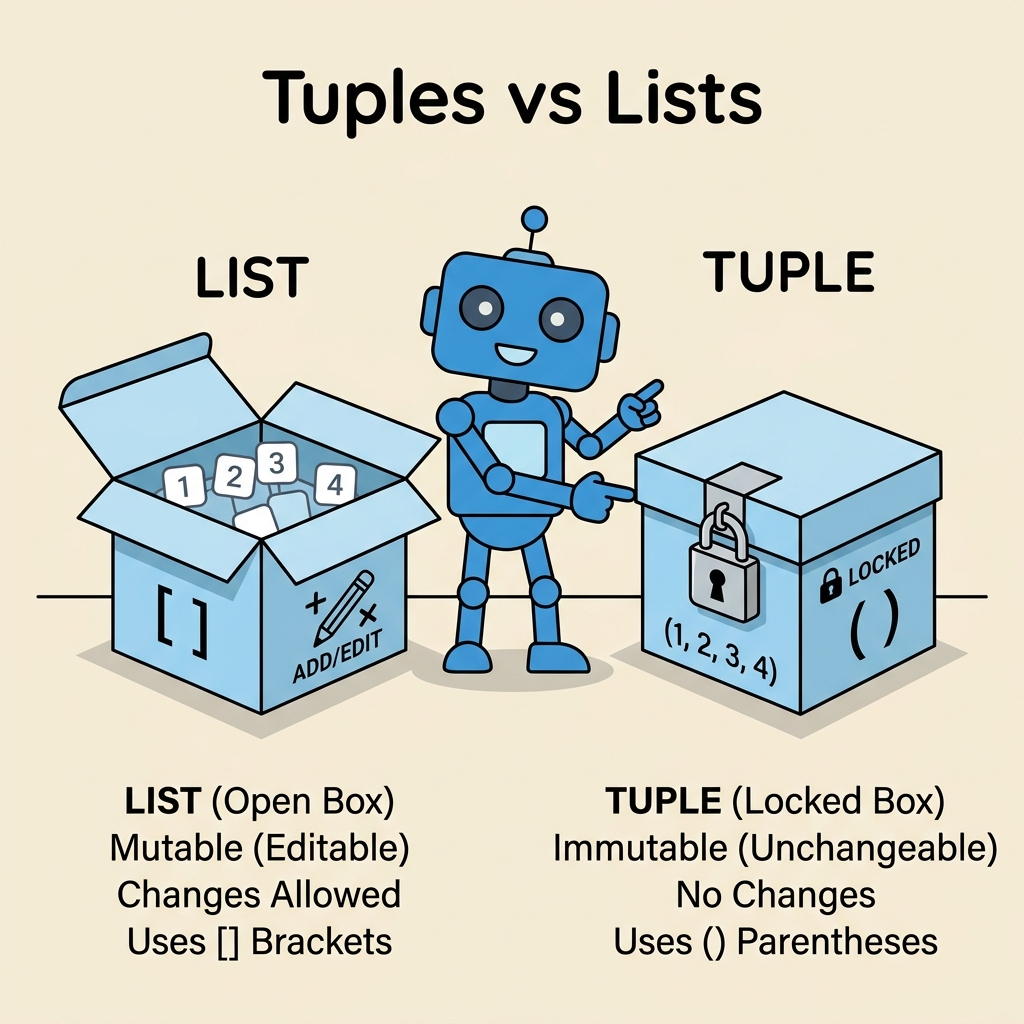
A list is a dynamic, mutable sequence type in Python. You can think of a list as a flexible container that can change its size and contents during the execution of your program.
Lists are defined using square brackets [] and items are separated by commas.
📌 Deep Dive: Creating and Using Lists
fruits = ["apple", "banana", "cherry"]
print(fruits)           # Output the list
fruits.append("date")   # Add a new item
print(fruits[1])        # Access item by index
fruits[0] = "apricot"   # Modify the first item
print(fruits)Notice how we can add new elements with append(), access elements by their index, and modify existing items by assignment. This flexibility makes lists ideal for situations where the collection of items needs to grow or change over time.
What is a Tuple?
A tuple is an immutable ordered sequence type in Python. Once you create a tuple, its contents cannot be changed. This immutability means you cannot add, remove, or modify elements after the tuple is created.
Tuples are defined using parentheses (), though in many cases you can define a tuple without parentheses by just separating values with commas.
📌 Deep Dive: Creating and Using Tuples
coordinates = (10.0, 20.0)
print(coordinates)           # Output the tuple
print(coordinates[0])        # Access item by index

# Trying to modify a tuple element raises an error
# coordinates[0] = 15.0      # Uncommenting this line will cause TypeError

# Single-element tuple requires a trailing comma
single_item = ("hello",)
print(type(single_item))     # <class 'tuple'>
Because tuples are immutable, they are often used to represent fixed collections of items such as coordinates, RGB color values, or database records where the structure should not change.
Key Differences Between Tuples and Lists
Let's explore the major differences side-by-side to solidify your understanding.
| Feature | Tuple | List |
|---|---|---|
| Syntax | Parentheses () or commas | Square brackets [] |
| Mutability | Immutable (cannot change after creation) | Mutable (can add, remove, or change items) |
| Performance | Faster to access and iterate | Slower than tuples due to mutability overhead |
| Use Case | Fixed collections, data integrity, dictionary keys | Dynamic collections, frequent updates |
| Methods Available | Limited (count, index) | Extensive (append, extend, insert, remove, pop, sort, reverse, etc.) |
| Hashability | Hashable if all elements are hashable (can be used as dictionary keys) | Not hashable (cannot be dictionary keys) |
Why Does Immutability Matter?
Immutability is a powerful concept in programming. Since tuples cannot be changed, they provide several benefits:
- Safety: You can be confident the data won't change accidentally elsewhere in your program.
- Hashable: Tuples can be used as keys in dictionaries or elements in sets, provided their contents are hashable.
- Performance: Python can optimize tuples internally because their size and contents are fixed.
Lists, on the other hand, offer flexibility and functionality that make them ideal when you need to frequently modify the data collection.
💡 Important Note on Single-Element Tuples
To create a tuple with just one element, you must include a trailing comma, otherwise Python will interpret it as the element's type itself.
Example: single = (5,) is a tuple, but single = (5) is just an integer wrapped in parentheses.
When to Use Tuples vs Lists? Practical Guidelines
Here are some practical tips to help you decide which data structure to use in different scenarios:
- Use Tuples when:
- Your data represents a fixed collection of items that should not change, like coordinates, RGB values, or database records.
- You want to ensure data integrity and prevent accidental modifications.
- You need to use the collection as a dictionary key or set member.
- You want slightly better performance for read-only data.
- Use Lists when:
- You need to add, remove, or modify elements frequently.
- You want to take advantage of the rich set of list methods for sorting, filtering, or other manipulations.
- The size of the collection is dynamic or unknown ahead of time.
Behind the Scenes: Architecture of Tuples and Lists
Understanding the internal differences helps clarify why these two data structures behave differently.
Tuples are stored in a contiguous block of memory, with a fixed size determined at creation. This allows for faster iteration and less overhead. Lists are implemented as dynamic arrays that maintain a pointer to a block of memory. When the list grows beyond its allocated capacity, it must resize and copy elements, which is more expensive but allows flexibility.
Common Operations and Method Differences
Let's explore some of the methods available and not available for tuples and lists.
| Operation | Tuple | List |
|---|---|---|
| Add element | No | Yes (append(), extend()) |
| Remove element | No | Yes (remove(), pop()) |
| Change element | No | Yes (by index assignment) |
| Sort | No | Yes (sort()) |
| Count occurrences | Yes (count()) |
Yes (count()) |
| Find index of element | Yes (index()) |
Yes (index()) |
Converting Between Tuples and Lists
Sometimes you may need to convert a tuple to a list or vice versa. This is straightforward using the list() and tuple() functions.
📌 Deep Dive: Conversion Examples
my_tuple = (1, 2, 3)
my_list = list(my_tuple)       # Convert tuple to list
print(my_list)

my_list.append(4)              # Lists can be modified
print(my_list)

my_new_tuple = tuple(my_list)  # Convert list back to tuple
print(my_new_tuple)Conversion is useful when you want to temporarily modify the contents of an immutable tuple or ensure data integrity by converting a list to a tuple after processing.
Common Mistakes and Gotchas
⚠️ Accidentally Modifying Data
Using lists when you meant to use tuples can lead to bugs if the data changes unexpectedly. Conversely, trying to modify a tuple like a list will cause errors. Always be mindful of whether your data should be mutable.
⚠️ Single-Element Tuple Syntax
Remember the trailing comma for single-element tuples. Without it, Python treats parentheses as grouping, not tuple creation.
Summary
Choosing between tuples and lists depends on your specific needs:
- Tuples are immutable, fast, and hashable. Use them for fixed collections and when you want to protect data from modification.
- Lists are mutable and versatile, offering many methods to manipulate data. Use them when your data changes frequently.
By understanding these differences, you can write cleaner, more Pythonic code that leverages the strengths of each data type.
Quick Knowledge Check
Test what you just learned
Question 1 of 2
Which of the following is a key characteristic of tuples?
Question 2 of 2
Why might you choose a tuple over a list in Python?
Loading results...