Python offers several elegant ways to assign values from collections like tuples, lists, or other iterable objects to multiple variables in a single statement. One of the most common and powerful features for this is tuple unpacking. This technique allows you to extract the individual elements of a tuple and assign them to variables in a clear, concise, and readable way.
In this lesson, we'll explore what tuple unpacking is, how it works, why it matters, and how to use it effectively in your Python programs, even as a beginner.
What is Tuple Unpacking?
Imagine you have a tuple that contains several values:
📌 Deep Dive: Basic Tuple Assignment
person = ("Alice", 30, "Engineer")
print(person)This tuple represents a person with their name, age, and profession. If you want to work with each individual piece of information, you could access each element by its index:
📌 Deep Dive: Accessing Tuple Elements
name = person[0]
age = person[1]
profession = person[2]

print(name)        # Alice
print(age)         # 30
print(profession) # Engineer30
Engineer
Although this works, it can get tedious and less readable when you have many elements. Tuple unpacking provides a cleaner way to do this:
📌 Deep Dive: Tuple Unpacking Syntax
name, age, profession = person

print(name)        # Alice
print(age)         # 30
print(profession) # Engineer30
Engineer
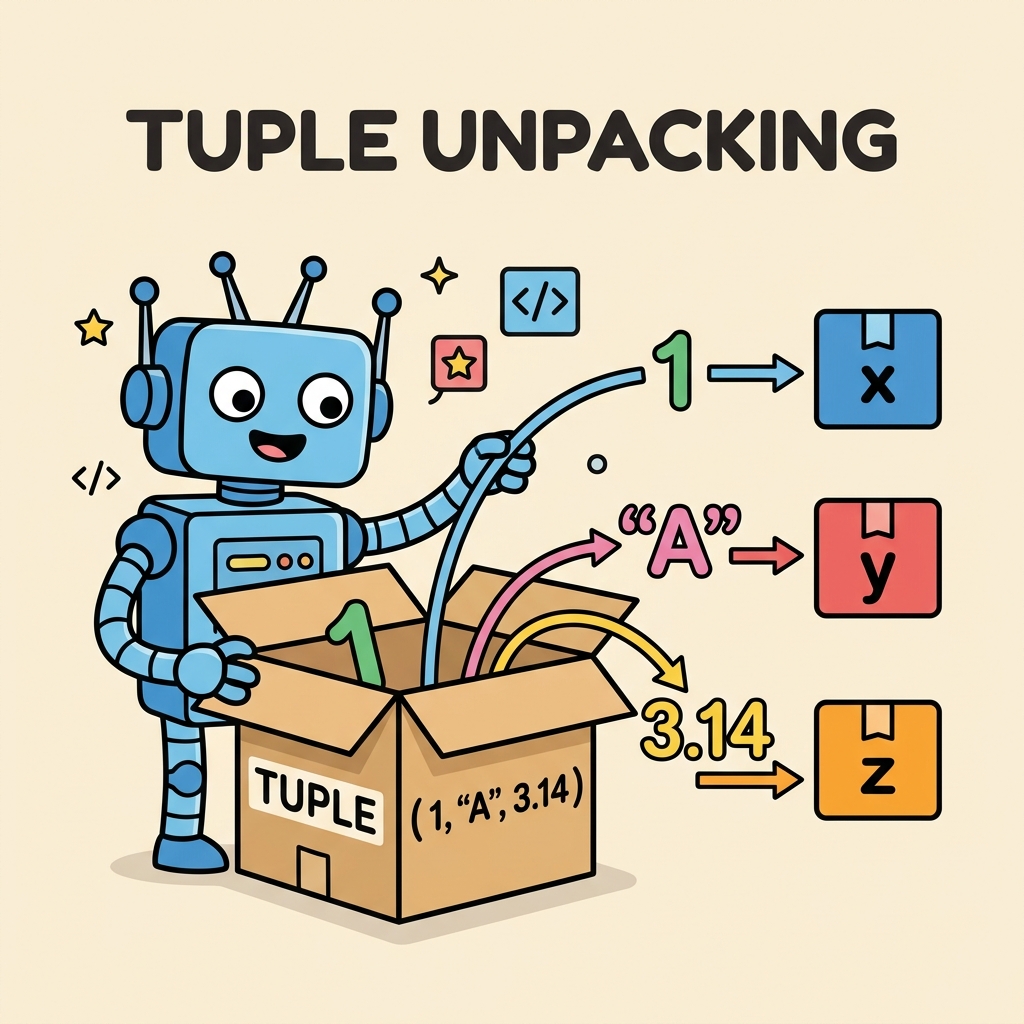
Here, the tuple on the right side is "unpacked" into the variables on the left side in order. This is what tuple unpacking means: Python takes each element from the tuple and assigns it to the corresponding variable.
How Does Tuple Unpacking Work Under the Hood?
When you write a, b, c = some_tuple, Python internally does this:
- Extracts the first element of
some_tupleand assigns it toa. - Extracts the second element and assigns it to
b. - Extracts the third element and assigns it to
c.
Of course, the number of variables on the left must match the number of elements in the tuple on the right, or else Python will raise an error.
⚠️ Mismatched Number of Variables and Values
If the number of variables on the left side does not match the number of elements in the tuple, Python raises a ValueError. For example:
📌 Deep Dive: Mismatched Unpacking
data = (1, 2, 3)
x, y = data # Too few variables!Tuple Unpacking vs. List Unpacking
Tuple unpacking is not limited to tuples alone; it also works with lists and other iterable objects. The syntax and behavior are identical.
| Tuple | List |
|---|---|
a, b = (10, 20) | a, b = [10, 20] |
| Variables get values 10 and 20 | Variables get values 10 and 20 |
| Tuple is immutable | List is mutable |
Since unpacking works with any iterable, you can also unpack strings, sets, or even custom iterable objects, but tuples and lists are the most common cases.
Using Tuple Unpacking in Practice
Tuple unpacking shines in many common scenarios, making your code cleaner and easier to understand:
- Returning multiple values from functions: Instead of returning a tuple and then manually accessing elements, you can directly unpack the returned tuple.
- Swapping variables: A classic use case that avoids temporary variables.
- Iterating over tuples: In loops, unpack elements of tuples directly.
Returning Multiple Values
Functions often return multiple values packed in tuples. Unpacking lets you assign them immediately:
📌 Deep Dive: Function Returning Multiple Values
def min_max(numbers):
    return min(numbers), max(numbers)

minimum, maximum = min_max([3, 7, 2, 9, 4])
print(f"Min: {minimum}, Max: {maximum}")Swapping Variables
Swapping two variables usually requires a temporary variable, but tuple unpacking makes it elegant:
📌 Deep Dive: Swap Variables Using Tuple Unpacking
a = 5
b = 10
a, b = b, a

print(a)  # 10
print(b) # 55
Unpacking in Loops
When iterating over a list of tuples, you can unpack each tuple directly in the loop header, improving readability:
📌 Deep Dive: Loop Tuple Unpacking
points = [(1, 2), (3, 4), (5, 6)]

for x, y in points:
print(f"x: {x}, y: {y}")x: 3, y: 4
x: 5, y: 6
Advanced Unpacking: Using * to Capture Multiple Values
Sometimes, you want to unpack only some elements and capture the rest as a list. Python supports this with the * operator in unpacking.
📌 Deep Dive: Extended Unpacking
values = (1, 2, 3, 4, 5)

first, *middle, last = values
print(first)   # 1
print(middle)  # [2, 3, 4]
print(last) # 5[2, 3, 4]
5
This extended unpacking feature is very useful when you know the first and last elements but want to handle a variable number of elements in the middle.
💡 Key Insight
The variable with the asterisk must be a list, even if the original iterable is a tuple. This means you can easily manipulate the “rest” of the elements as a list.
Common Pitfalls and How to Avoid Them
- Incorrect number of variables: Always ensure the number of variables matches unless you use
*for extended unpacking. - Using unpacking on non-iterables: You can only unpack iterable objects like tuples, lists, strings, etc.
- Unpacking to the wrong variable type: Remember that the
*variable always converts the captured values to a list.
⚠️ Unpacking Non-Iterables Raises Errors
Trying to unpack a non-iterable like an integer will raise a TypeError. For example:
📌 Deep Dive: Unpacking a Non-Iterable
x, y = 10Tuple Unpacking in Function Arguments
Tuple unpacking also works beautifully when calling functions. You can unpack a tuple or list directly into the positional parameters of a function using the * operator.
📌 Deep Dive: Function Call Unpacking
def greet(name, age):
    print(f"Hello, {name}. You are {age} years old.")

info = ("Bob", 25)
greet(*info)This technique is especially useful when you have data stored in tuples or lists and want to pass them as arguments directly without unpacking manually.
Summary: Why Use Tuple Unpacking?
- Concise code: Assign multiple variables simultaneously without repetition.
- Improved readability: Express your intent clearly and naturally.
- Versatility: Works with tuples, lists, strings, and any iterable.
- Advanced features: Supports extended unpacking with
*for flexible assignments.
Mastering tuple unpacking early on in your Python journey will help you write cleaner, more Pythonic code and open doors to understanding more advanced concepts like iterators, generators, and unpacking in function calls.
💡 Pro Tip
Whenever you see a function returning multiple values as a tuple, remember you can unpack those values immediately to individual variables in a readable, elegant way.
Further Exploration
Try experimenting with unpacking nested tuples or using unpacking in list comprehensions and generator expressions to deepen your understanding. Also, explore unpacking dictionaries with ** syntax in function calls, which is related but for keyword arguments.
Quick Knowledge Check
Test what you just learned
Question 1 of 2
What happens if you try to unpack a tuple with 3 elements into only 2 variables?
Question 2 of 2
Which of the following correctly unpacks the first element to a, the last element to c, and all middle elements to b?
Loading results...