Welcome to the world of sets in Python, a powerful and versatile data type that allows you to store unordered, unique elements efficiently. Sets are fundamental when you need to eliminate duplicates, perform mathematical set operations like unions and intersections, or simply work with collections without caring about order.
In this lesson, we’ll explore what sets are, how to create and manipulate them, and how they differ from other Python data types. By the end, you’ll be confident in using sets to solve practical problems with clean, concise code.
What is a Set in Python?
A set is a built-in Python data type that represents an unordered collection of unique items. Unlike lists or tuples, sets automatically ensure that each element appears only once.
Sets are mutable, meaning you can add or remove elements after creation, but the elements themselves must be immutable (like numbers, strings, or tuples).
💡 Why Use Sets?
Think of a set like a bag that automatically removes duplicates. When you pour in ingredients, it only keeps one copy of each. This is perfect for filtering unique data, performing membership tests quickly, and mathematical operations like intersections (common items) and unions (all items combined).
Creating Sets
There are two main ways to create a set:
- Using curly braces
{}with comma-separated values - Using the
set()constructor
📌 Deep Dive: Creating Sets
# Creating a set with curly braces
fruits = {'apple', 'banana', 'orange'}
print(fruits)

# Creating a set from a list using set()
numbers = set([1, 2, 3, 2, 1])
print(numbers)

# Creating an empty set
empty_set = set()
print(empty_set)

# Note: {} creates an empty dictionary, not a set
empty_dict = {}
print(type(empty_dict))Important: Using {} alone creates an empty dictionary, not an empty set. To create an empty set, always use set().
Key Characteristics of Sets
| Property | Set | List | Tuple |
|---|---|---|---|
| Order | Unordered | Ordered | Ordered |
| Duplicates Allowed | No | Yes | Yes |
| Mutable | Yes | Yes | No |
| Use Case | Unique items, set operations | General purpose, ordered data | Immutable ordered data |
Sets are optimized for membership testing (checking if an item exists) and for mathematical set operations, which we'll cover soon.
Adding and Removing Elements
Sets are mutable, so you can add new elements or remove existing ones using built-in methods:
add(element): Adds a single element.update(iterable): Adds multiple elements from any iterable (list, tuple, etc.).remove(element): Removes an element; raisesKeyErrorif not found.discard(element): Removes an element if present; does nothing if not found.pop(): Removes and returns an arbitrary element.clear(): Removes all elements.
📌 Deep Dive: Modifying Sets
colors = {'red', 'green', 'blue'}
print("Original set:", colors)

# Adding elements
colors.add('yellow')
colors.update(['purple', 'orange'])
print("After adding:", colors)

# Removing elements
colors.remove('green')  # Raises KeyError if 'green' not found
colors.discard('pink')  # Does nothing if 'pink' not found
print("After removing:", colors)

# Popping an element
popped = colors.pop()
print("Popped:", popped)
print("Remaining set:", colors)

# Clearing the set
colors.clear()
print("After clear:", colors)⚠️ Important:
Since sets are unordered, the pop() method removes an arbitrary element — you cannot predict which one. Avoid relying on the order when using pop.
Membership Testing and Iteration
One of the biggest advantages of sets is their speed when checking membership using the in keyword. Sets use a hash table internally, making membership tests on average O(1) — much faster than lists (which are O(n)).
📌 Deep Dive: Membership and Looping
animals = {'cat', 'dog', 'rabbit'}

print('cat' in animals)  # True
print('horse' in animals)  # False

for animal in animals:
print(animal)Note: Because sets are unordered, iteration order is arbitrary and can vary between runs.
Mathematical Set Operations
Python sets support standard mathematical operations to combine, intersect, or differentiate sets:
union()or|: Returns all unique elements from both sets.intersection()or&: Returns elements common to both sets.difference()or-: Returns elements in the first set but not in the second.symmetric_difference()or^: Returns elements in either set but not both.
📌 Deep Dive: Set Operations
a = {1, 2, 3, 4}
b = {3, 4, 5, 6}

print("a union b:", a.union(b))                 # {1, 2, 3, 4, 5, 6}
print("a | b:", a | b)                          # {1, 2, 3, 4, 5, 6}

print("a intersection b:", a.intersection(b))   # {3, 4}
print("a & b:", a & b)                          # {3, 4}

print("a difference b:", a.difference(b))       # {1, 2}
print("a - b:", a - b)                          # {1, 2}

print("a symmetric_difference b:", a.symmetric_difference(b))  # {1, 2, 5, 6}
print("a ^ b:", a ^ b) # {1, 2, 5, 6}Set Comparisons and Subsets
Sets support comparison operations to check subset, superset, and equality relationships:
issubset()or<=: Checks if all elements of one set are in another.issuperset()or>=: Checks if a set contains all elements of another.==: Checks whether two sets have the same elements.
📌 Deep Dive: Set Comparison
small = {1, 2}
large = {1, 2, 3, 4}

print(small.issubset(large))  # True
print(small <= large)       # True

print(large.issuperset(small))  # True
print(large >= small)         # True

print(small == {2, 1})          # True (order doesn't matter)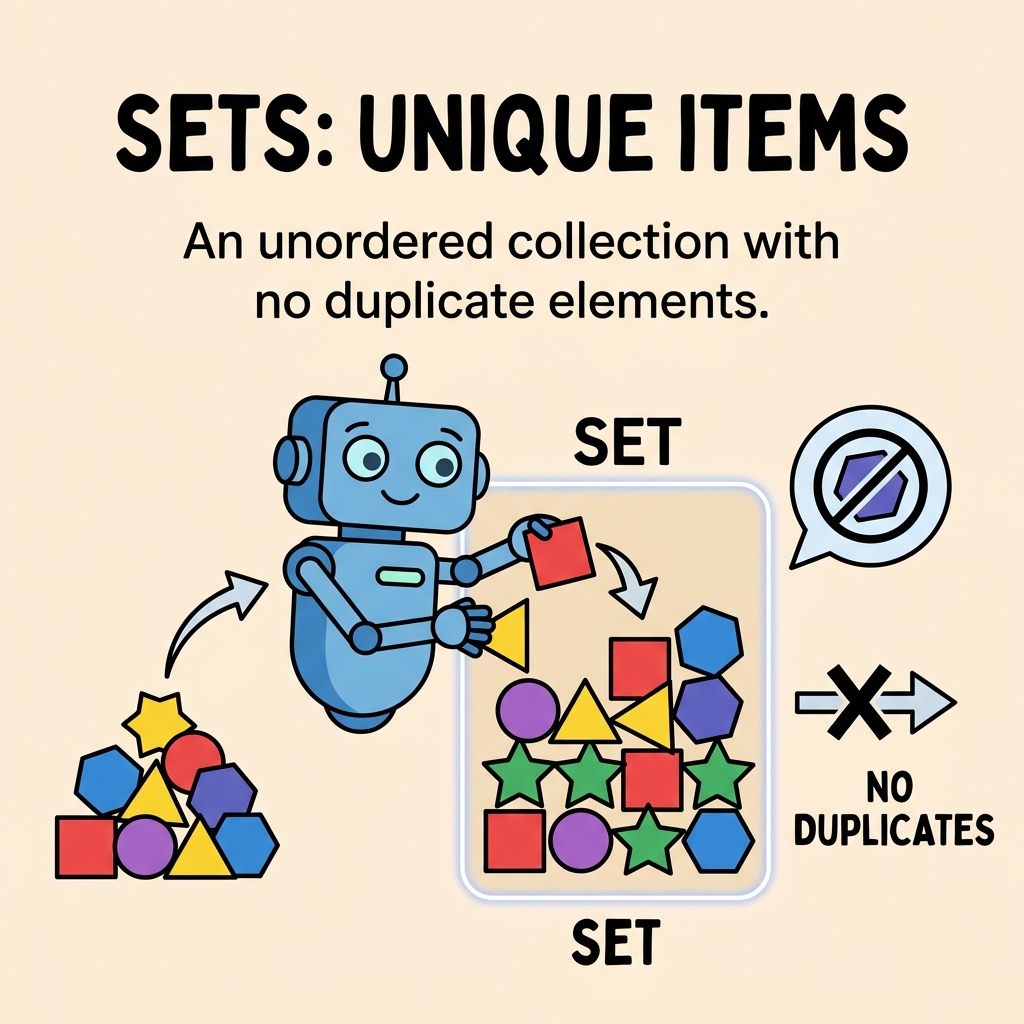
When to Use Sets?
Consider using a set when:
- You need to store unique elements and automatically remove duplicates.
- You want to perform fast membership tests.
- You need to perform mathematical set operations such as union, intersection, or difference.
- You want an unordered collection and don’t care about element order.
💡 Real World Example:
Imagine you have a mailing list and want to send an email to unique subscribers only. Storing emails in a set ensures no duplicates get sent. You can also quickly find common subscribers between two campaigns using set intersection.
Limitations and Things to Watch Out For
- Since sets are unordered, you cannot rely on element order during iteration or when popping items.
- Elements must be hashable (immutable). You cannot store lists or dictionaries inside sets directly.
- Empty curly braces
{}create an empty dictionary, not a set.
⚠️ Common Pitfall:
Attempting to add a list or a dictionary to a set will raise a TypeError because these objects are mutable and unhashable.
📌 Deep Dive: Hashable vs. Unhashable
my_set = set()

# Adding immutable elements works
my_set.add(42)
my_set.add((1, 2, 3))

# Adding mutable elements raises an error
try:
    my_set.add([4, 5])
except TypeError as e:
print("Error:", e)Summary
Sets are a fundamental Python data structure for working with unique, unordered collections. They provide efficient membership tests, support rich mathematical operations, and help keep your data clean and duplicate-free.
To recap:
- Create sets with curly braces or
set(). - Elements are unique and unordered.
- Use methods like
add,remove, andupdateto modify sets. - Leverage mathematical operators for union, intersection, difference, and symmetric difference.
- Remember sets require immutable (hashable) elements.
Next time you need to handle unique data or perform mathematical set operations, think of Python’s set type — your code will be simpler and more efficient!
Quick Knowledge Check
Test what you just learned
Question 1 of 2
What will be the output of the following code?my_set = set([1, 2, 2, 3, 4, 4])
print(my_set)
Question 2 of 2
Which of the following statements about Python sets is FALSE?
Loading results...