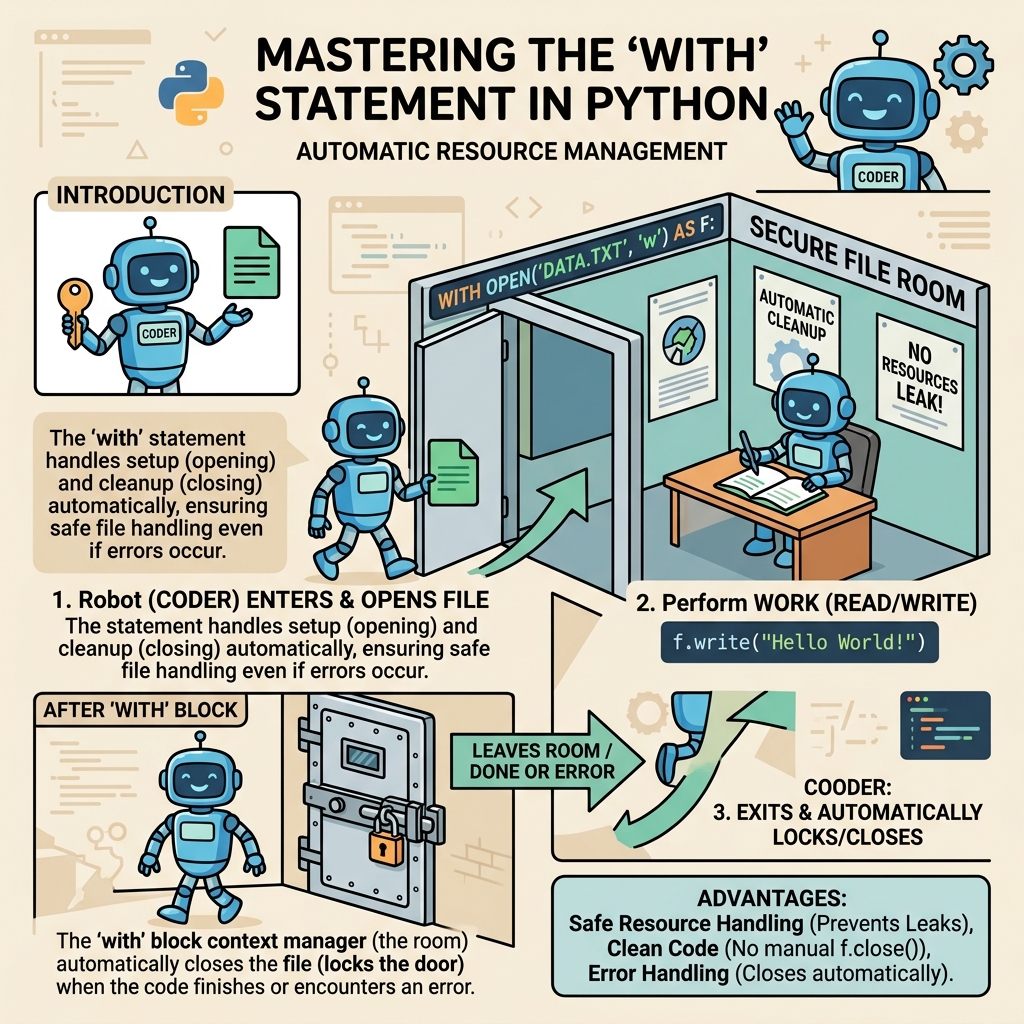
When working with resources like files, network connections, or locks in Python, managing setup and cleanup can quickly become cumbersome. The with statement offers a clean, readable, and reliable way to ensure resources are properly acquired and released, even if errors occur.
In this lesson, we will explore the with statement, understand how it works under the hood, and learn practical ways to use it for safer, more maintainable code.
Why Use the with Statement?
Imagine you want to read a file. Traditionally, you open it and then close it once done:
📌 Deep Dive: Traditional File Handling
file = open('example.txt', 'r')
try:
    data = file.read()
    print(data)
finally:
file.close()This pattern ensures the file is closed even if reading it causes an exception. However, it's verbose and error-prone if you forget the finally block.
The with statement simplifies this by implicitly handling setup and teardown.
Basic Syntax of the with Statement
The syntax looks like this:
with expression as variable:
# block of code- expression: An object that supports the context management protocol (explained later).
- variable: Optional name to bind the result of the expression’s
__enter__()method. - block of code: The indented code that runs with the resource active.
For instance, reading a file with with looks like:
📌 Deep Dive: Using with to Read a File
with open('example.txt', 'r') as file:
    data = file.read()
print(data)When the block finishes, Python automatically calls file.close() — even if an error occurs inside the block.
💡 Context Managers Are Everywhere
Many built-in Python objects, like files and locks, are context managers. You can also create your own context managers to manage resources safely.
How Does the with Statement Work Internally?
The with statement works with objects that implement two special methods:
__enter__(self): Called at the start of the block. It can return a value to bind to theasvariable.__exit__(self, exc_type, exc_val, exc_tb): Called at the end of the block. It handles cleanup and can suppress exceptions by returningTrue.
Here's the flow:
- Evaluate the expression after
withto get a context manager object. - Call the object’s
__enter__()method. - Bind the result to the
asvariable, if present. - Execute the block inside
with. - Call the object’s
__exit__()method, passing any exception details. - If
__exit__returnsTrue, suppress the exception; otherwise, propagate it.
Practical Example: Creating a Custom Context Manager
Let's create a custom context manager that measures the time taken to execute a block of code.
📌 Deep Dive: Timing Context Manager
import time

class Timer:
    def __enter__(self):
        self.start = time.time()
        return self  # can return self or anything else to the 'as' variable

    def __exit__(self, exc_type, exc_val, exc_tb):
        self.end = time.time()
        self.elapsed = self.end - self.start
        print(f"Elapsed time: {self.elapsed:.4f} seconds")

with Timer() as t:
    total = 0
    for i in range(10**6):
        total += i
print(f"Total: {total}")Total: 499999500000
This shows how you can manage resource setup and cleanup in a neat, reusable way.
Contextlib: Simplifying Context Manager Creation
Python’s contextlib module allows creating context managers easily using generator functions decorated with @contextmanager.
📌 Deep Dive: Using @contextmanager
from contextlib import contextmanager
import time

@contextmanager
def timer():
    start = time.time()
    yield
    end = time.time()
    print(f"Elapsed time: {end - start:.4f} seconds")

with timer():
    total = sum(range(10**6))
print(f"Total: {total}")Total: 499999500000
This approach reduces boilerplate by using yield to separate setup and teardown logic.
Common Use Cases for the with Statement
- File I/O: Open and automatically close files.
- Threading Locks: Acquire and release locks safely.
- Database Connections: Manage transactions and connections.
- Temporary Resources: Create and clean up temporary files or directories.
- Custom Resource Management: Any resource that needs explicit release.
Comparison: With Statement vs Manual Resource Management
| Aspect | Manual Management | With Statement |
|---|---|---|
| Code Length | Longer, more boilerplate | Concise and readable |
| Error Handling | Requires explicit try/finally | Automatic, more robust |
| Resource Safety | Risk of resource leaks if forgot close | Guaranteed release |
| Readability | Messy with nested try/finally | Clean and idiomatic |
⚠️ Pitfall: Not All Objects Support with
Only objects implementing the context management protocol (__enter__ and __exit__) can be used in a with statement. Trying to use unsupported objects will raise an error.
Advanced: Nesting Multiple Context Managers
You can manage multiple resources in a single with statement by separating them with commas:
📌 Deep Dive: Multiple Context Managers
with open('input.txt', 'r') as infile, open('output.txt', 'w') as outfile:
    for line in infile:
outfile.write(line.upper())This keeps code tidy and ensures all resources are cleaned up correctly.
Summary
The with statement is a fundamental Python feature to manage resources safely and elegantly. It:
- Ensures setup and teardown are paired correctly, even on errors.
- Improves code readability and reduces boilerplate.
- Works with any object implementing the context management protocol.
- Can be used with built-in and custom context managers.
- Supports managing multiple resources simultaneously.
Mastering with will make your Python code more robust, cleaner, and easier to maintain.
💡 Pro Tip
Look for opportunities to use with in your code, especially when dealing with files, locks, or connections. When creating classes that manage resources, implement __enter__ and __exit__ to support the context manager protocol.
Quick Knowledge Check
Test what you just learned
Question 1 of 2
Which two methods must an object implement to be used with the with statement?
Question 2 of 2
What happens if an exception occurs inside a with block?
Loading results...