In Python, strings are one of the most commonly used data types. They hold sequences of characters and are incredibly versatile. But their true power shines through the many built-in string methods Python offers, allowing you to manipulate, query, and transform strings efficiently and elegantly.
Whether you want to change letter cases, search for substrings, replace parts of the text, or split strings into lists, Python's string methods have you covered. This lesson will dive deep into these methods to give you a solid foundation for working with strings in your Python programs.
Understanding String Methods
String methods in Python are functions you call directly on string objects. Since strings are immutable (meaning you cannot change them directly), these methods return new strings with the desired modifications or information.
For example, to convert text to uppercase:
📌 Deep Dive: Using upper()
text = "hello world"
print(text.upper())Notice that the original text variable remains unchanged unless you assign the result back.
Commonly Used String Methods
Let's explore some of the most practical and frequently used string methods, grouped by their typical use cases.
1. Changing Case
str.upper()— Converts all characters to uppercase.str.lower()— Converts all characters to lowercase.str.capitalize()— Capitalizes the first character of the string.str.title()— Capitalizes the first character of each word.str.swapcase()— Swaps uppercase characters to lowercase and vice versa.
📌 Deep Dive: Case Conversion
sample = "PyThOn StrInG"
print(sample.lower())      # python string
print(sample.capitalize()) # Python string
print(sample.title())      # Python String
print(sample.swapcase()) # pYtHoN sTRiNg2. Searching and Checking
str.find(sub)— Returns the lowest index where substringsubis found or -1 if not found.str.index(sub)— Likefind()but raises an error ifsubis not found.str.startswith(prefix)— Checks if string starts withprefix, returnsTrueorFalse.str.endswith(suffix)— Checks if string ends withsuffix.str.count(sub)— Counts the number of occurrences ofsub.str.isalpha(),str.isdigit(),str.isalnum()— Check if all characters are alphabetic, digits, or alphanumeric respectively.
📌 Deep Dive: Searching a String
sentence = "Python is awesome and Python is fun!"
print(sentence.find("Python"))    # 0
print(sentence.find("Java"))      # -1
print(sentence.startswith("P"))   # True
print(sentence.endswith("fun!"))  # True
print(sentence.count("Python"))   # 2
print("abc123".isalnum())          # True
print("abc123!".isalnum()) # False3. Modifying Strings
str.replace(old, new[, count])— Replaces occurrences ofoldwithnew. Optionalcountlimits the number of replacements.str.strip()— Removes leading and trailing whitespace (including spaces, tabs, newlines).str.lstrip(),str.rstrip()— Remove whitespace from the left or right side only.str.center(width[, fillchar])— Centers the string in a field of given width, padded byfillchar.str.ljust(width[, fillchar])andstr.rjust(width[, fillchar])— Left or right justify with optional padding.
📌 Deep Dive: Replacing and Stripping
msg = "   Hello, world!   "
print(msg.strip())          # "Hello, world!"
print(msg.lstrip())         # "Hello, world!   "
print(msg.rstrip())         # "   Hello, world!"
print(msg.replace("world", "Python"))    # "   Hello, Python!   "
print(msg.center(20, '*'))  # "***   Hello, world!   ***"
print(msg.ljust(20, '-')) # " Hello, world! ---"4. Splitting and Joining
These two go hand-in-hand when working with strings and lists.
str.split(sep=None, maxsplit=-1)— Splits string into a list around the separatorsep. Ifsepis not provided, splits on whitespace.str.rsplit(sep=None, maxsplit=-1)— Similar tosplit()but starts splitting from the right side.str.join(iterable)— Concatenates an iterable of strings, inserting the string as a separator.
📌 Deep Dive: Splitting and Joining Strings
data = "apple,banana,cherry"
fruits = data.split(",")
print(fruits)                    # ['apple', 'banana', 'cherry']

# Joining the list back into a string with a different separator
joined = " & ".join(fruits)
print(joined)                    # apple & banana & cherry

# Splitting only once from the right
parts = data.rsplit(",", 1)
print(parts) # ['apple,banana', 'cherry']Less Common But Useful String Methods
There are many more methods to explore, some of which might be handy depending on your use case:
str.zfill(width)— Pads the string on the left with zeros to reach the specified width.str.isupper()andstr.islower()— Check if all cased characters are uppercase or lowercase.str.expandtabs(tabsize=8)— Replaces tab characters with spaces.str.partition(sep)— Splits the string into a tuple of three parts: before separator, separator, after separator.str.format()and f-strings — For advanced string formatting (covered elsewhere but often used with strings).
💡 Why Are String Methods Important?
Mastering string methods lets you clean, analyze, and transform text data reliably. Since text processing is a huge part of programming — from user input validation to data parsing — these methods become essential tools in your Python toolkit.
How to Remember Which Method to Use?
It can be overwhelming to recall all string methods at once. Here are some tips:
- Think about the problem: Are you searching, altering, or splitting the string?
- Use Python’s built-in
help(str)ordir(str)functions to explore available methods interactively. - Practice with real examples to build muscle memory.
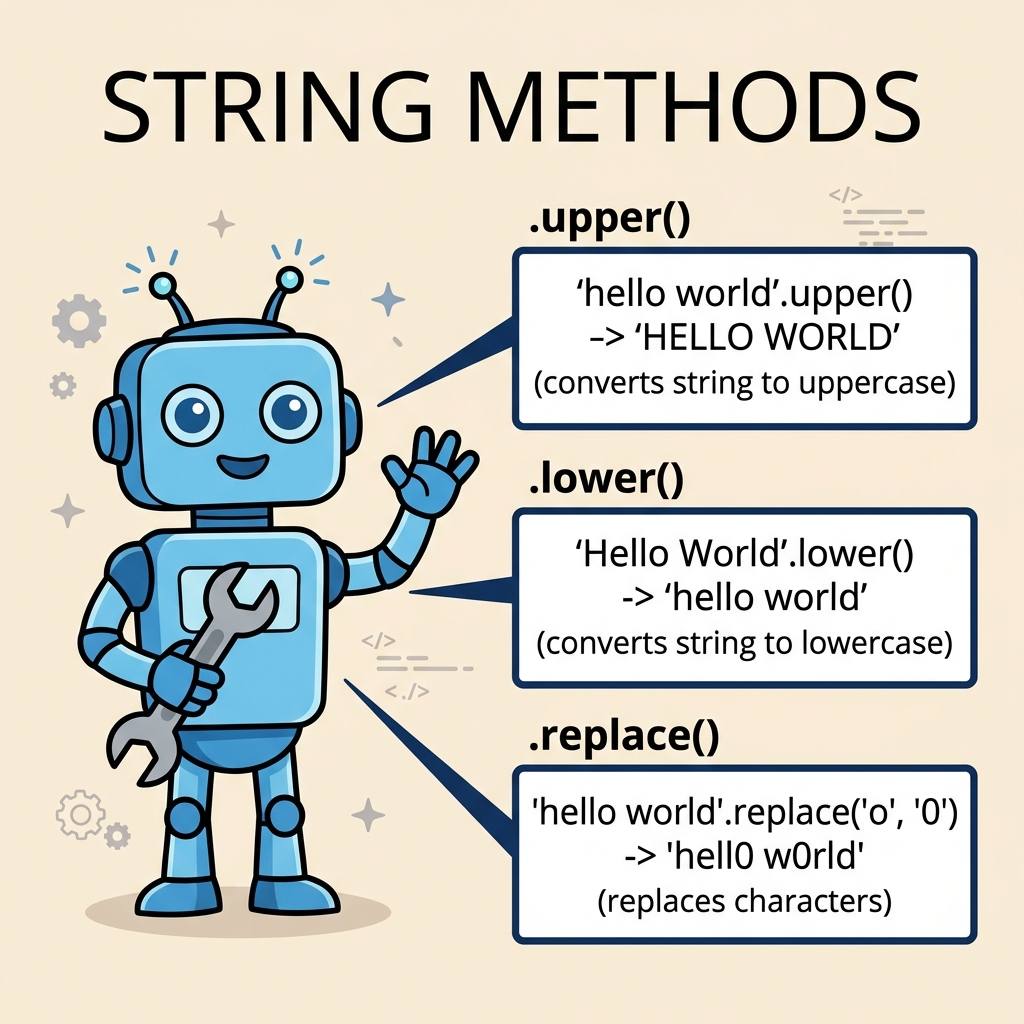
Summary Table of Essential String Methods
| Method | Description |
|---|---|
upper() | Converts all characters to uppercase. |
lower() | Converts all characters to lowercase. |
strip() | Removes leading and trailing whitespace. |
replace(old, new) | Replaces occurrences of substring with another. |
split(sep) | Splits string into list by separator. |
join(iterable) | Joins iterable of strings with the string as separator. |
find(sub) | Returns index of substring or -1 if not found. |
startswith(prefix) | Checks if string starts with prefix. |
count(sub) | Counts occurrences of substring. |
isalpha() | Checks if all characters are alphabetic. |
Final Thoughts
Python’s string methods make text manipulation straightforward and expressive. As you gain experience, you’ll find yourself chaining these methods to perform complex transformations in just a line or two.
Remember, since strings are immutable, each method returns a new string, so always assign or use the returned value if you want to keep changes.
For example:
📌 Deep Dive: Chaining String Methods
raw_text = "   python programming language   "
cleaned = raw_text.strip().title().replace("Programming", "Coding")
print(cleaned) # Python Coding LanguageExperiment with these methods in your projects and watch your confidence in handling text soar!
Quick Knowledge Check
Test what you just learned
Question 1 of 2
Which string method would you use to remove whitespace from both ends of a string?
Question 2 of 2
What does the str.find() method return if the substring is not found?
Loading results...