Working with lists is one of the fundamental skills in Python programming. Lists allow you to store ordered collections of items, and often you'll need to organize or rearrange these items for your program to work correctly. Two essential operations for managing lists are sorting and reversing. This lesson will guide you step-by-step through how to sort and reverse lists efficiently and flexibly in Python.
By the end of this lesson, you'll understand the different methods available for sorting and reversing lists, when to use each, and how to customize these operations to fit your needs.
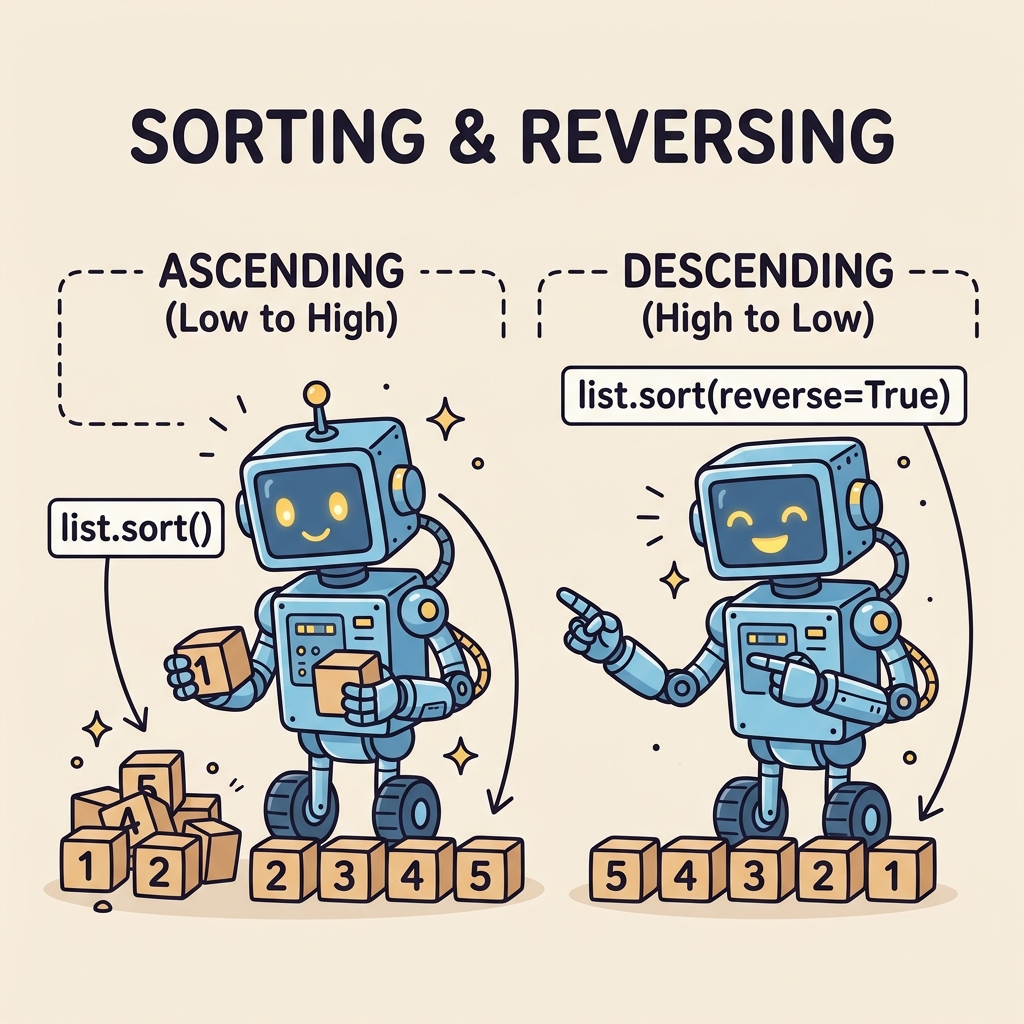
Why Sort and Reverse Lists?
Imagine you have a list of names, scores, or dates, and you want to display them in a particular order — alphabetically, numerically, or by date. Sorting helps you arrange items so the data is easier to analyze or present.
Reversing is useful when you want to flip the order of a list — for example, to show the most recent items first or to quickly invert an existing sorted list.
💡 Sorting vs. Reversing
Sorting rearranges list elements based on their values (like alphabetically or numerically). Reversing simply flips the list order as it currently is, without changing the relative order of the items themselves.
The Basics of Sorting Lists
Python provides two main ways to sort lists:
list.sort()— sorts the list in-place, modifying the original list.sorted()— returns a new sorted list, leaving the original list unchanged.
Using list.sort()
This method sorts the list directly and returns None. It modifies the original list, so the effect is permanent unless you create a copy first.
📌 Deep Dive: Using list.sort()
fruits = ['orange', 'apple', 'banana', 'kiwi', 'pear']
fruits.sort()
print(fruits)Notice how fruits.sort() changes the original list fruits itself.
Using sorted()
If you want to keep the original list unchanged and get a new sorted list instead, use sorted(). This is especially useful when you need to preserve data integrity or work with immutable sequences like tuples.
📌 Deep Dive: Using sorted()
numbers = [42, 17, 68, 3, 99]
sorted_numbers = sorted(numbers)
print('Original:', numbers)
print('Sorted:', sorted_numbers)💡 Which to use?
Use list.sort() if you want to sort the list directly and save memory. Use sorted() when you want to keep the original list unchanged or sort other iterable types.
Sorting with Custom Criteria
Sometimes you need more control over how a list is sorted. For example, when sorting a list of strings but ignoring case, or sorting complex objects based on one of their attributes.
Both list.sort() and sorted() accept two optional arguments:
key: a function that takes one element and returns a value to sort by.reverse: a boolean to specify descending order ifTrue.
📌 Deep Dive: Sorting with key and reverse
words = ['banana', 'Apple', 'cherry', 'date']
# Sort ignoring case
words_sorted = sorted(words, key=str.lower)
print('Case-insensitive sort:', words_sorted)

# Sort descending order
words.sort(reverse=True)
print('Descending order:', words)You can even define your own functions to sort complex data structures:
📌 Deep Dive: Sorting complex objects with a custom key
people = [
    {'name': 'Alice', 'age': 30},
    {'name': 'Bob', 'age': 25},
    {'name': 'Charlie', 'age': 35}
]

# Sort by age
people_sorted = sorted(people, key=lambda person: person['age'])
print(people_sorted)Reversing Lists
Reversing a list means flipping its order — the last item becomes first, the first becomes last, and so on. Python offers two simple ways to reverse lists:
list.reverse(): reverses the list in-place.reversed(): returns an iterator that produces the reversed items, leaving the original list unchanged.
Using list.reverse()
This method changes the original list by reversing the order of its items:
📌 Deep Dive: Using list.reverse()
numbers = [1, 2, 3, 4, 5]
numbers.reverse()
print(numbers)Using reversed()
If you want to keep the original list intact but work with the reversed data, use the reversed() function. It returns an iterator, which you can convert back to a list if needed:
📌 Deep Dive: Using reversed()
letters = ['a', 'b', 'c', 'd']
rev_letters = list(reversed(letters))
print('Original:', letters)
print('Reversed:', rev_letters)⚠️ Important!
Remember, list.reverse() modifies the list itself and returns None. Don't assign its result to a variable. Use reversed() if you want a reversed copy without changing the original.
Summary: Sorting and Reversing Methods at a Glance
| Method / Function | Effect | Returns | Modifies Original? |
|---|---|---|---|
list.sort() | Sorts list in place | None | Yes |
sorted() | Returns a sorted list (new) | New sorted list | No |
list.reverse() | Reverses list in place | None | Yes |
reversed() | Returns iterator over reversed items | Iterator | No |
Practical Tips for Sorting & Reversing
- Stability: Python’s sorting is stable, meaning when two items compare equal, their original order is preserved. This is useful for multi-level sorting.
- Performance: Sorting large lists can be expensive. Use
list.sort()for better performance and less memory usage when you don’t need to keep the original list. - Custom keys: Use the
keyparameter to sort by complex criteria, like dictionary values, object attributes, or computed values. - Reverse after sorting: You can combine sorting and reversing by sorting first, then calling
reverse()or usingreverse=True.
Advanced Example: Sorting and Reversing a List of Tuples
Suppose you have a list of tuples representing products and prices, and you want to sort by price descending, then reverse the list for some reason. Here's how you do it:
📌 Deep Dive: Sorting and reversing tuples
products = [
    ('apple', 2.99),
    ('banana', 1.50),
    ('cherry', 3.75),
    ('date', 2.50)
]

# Sort by price descending
products.sort(key=lambda item: item[1], reverse=True)
print('Sorted by price descending:', products)

# Reverse the sorted list
products.reverse()
print('Reversed list:', products)Summary
Sorting and reversing lists are fundamental operations in Python that you'll use frequently in real-world coding tasks. Remember these key takeaways:
list.sort()sorts in place, modifying the original list.sorted()creates a new sorted list without changing the original.- Both accept
keyandreverseparameters for custom sorting. list.reverse()reverses the list in place, whilereversed()returns an iterator.
With these tools, you can organize your data effectively to build more robust, user-friendly Python applications.
Quick Knowledge Check
Test what you just learned
Question 1 of 2
Which method would you use to sort a list without changing the original list?
Question 2 of 2
What does the reverse=True argument do when passed to sorted() or list.sort()?
Loading results...