Welcome! In this lesson, we’re going to explore one of Python’s powerful and versatile built-in data types: sets. Understanding how to create sets will unlock efficient ways to handle collections of unique items, perform mathematical operations, and simplify your code whenever you need to manage distinct elements.
By the end of this lesson, you will confidently create sets using multiple methods, know the nuances of each approach, and understand when to prefer sets over other data structures like lists or tuples.
What Is a Set?
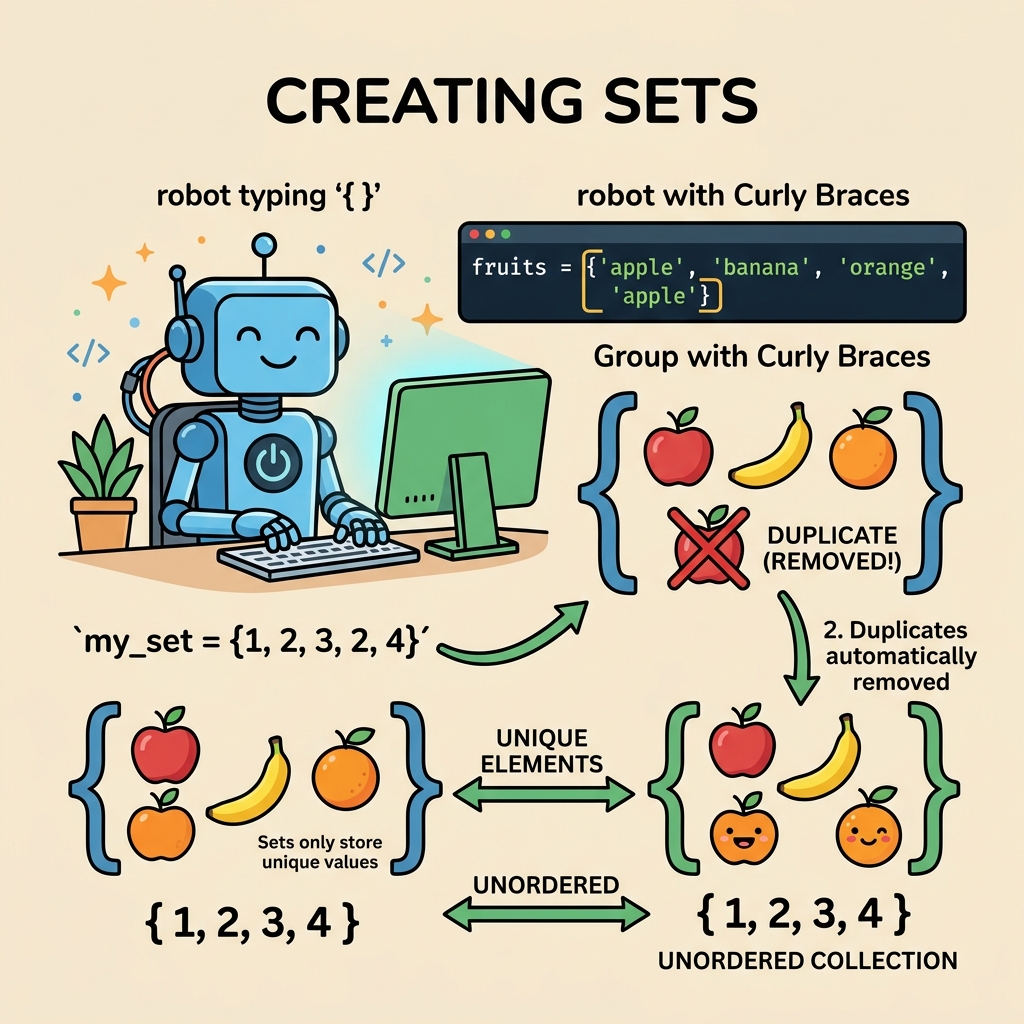
In Python, a set is an unordered collection of unique elements. Unlike lists or tuples, sets automatically eliminate duplicates and do not preserve element order. This uniqueness property makes sets ideal for membership testing, removing duplicates, and set operations such as unions and intersections.
Before diving into how to create sets, here’s a quick reminder: sets can only contain hashable (immutable) items. This means elements like numbers, strings, and tuples (containing immutable elements) are valid, but lists or dictionaries aren’t allowed inside sets.
Why Use Sets?
- Automatically remove duplicate items from a collection
- Perform efficient membership tests (check if an item is in the set)
- Execute mathematical operations like union, intersection, difference easily
How to Create a Set in Python
There are three primary ways to create a set:
- Using curly braces
{}with comma-separated values - Using the built-in
set()constructor with an iterable like a list or tuple - Creating an empty set (special case)
1. Using Curly Braces
The most straightforward way to create a set is by enclosing comma-separated elements inside curly braces:
📌 Deep Dive: Creating a Set with Curly Braces
fruits = {"apple", "banana", "cherry", "apple", "banana"}
print(fruits)Notice how the duplicates “apple” and “banana” appeared twice in the code, but the printed set only contains unique items. Also, remember that the order is not guaranteed; sets are unordered collections.
2. Using the set() Constructor
Sometimes you may have an existing iterable such as a list or tuple that you'd like to convert into a set. The set() function is perfect for this:
📌 Deep Dive: Creating a Set from a List
numbers_list = [1, 2, 3, 2, 1, 4]
numbers_set = set(numbers_list)
print(numbers_set)You can use set() with any iterable, including strings, tuples, or even generators:
📌 Deep Dive: Creating a Set from a String
char_set = set("hello world")
print(char_set)Note that spaces, letters, and any characters are treated as separate items.
3. Creating an Empty Set
Here’s a common gotcha: using empty curly braces {} does not create an empty set, but an empty dictionary instead.
⚠️ Important: {} Creates an Empty Dictionary, Not a Set
To create an empty set, you must use the set() function with no arguments.
📌 Deep Dive: Correct Way to Create an Empty Set
empty_dict = {}
print(type(empty_dict))  # <class 'dict'>

empty_set = set()
print(type(empty_set)) # <class 'set'><class 'set'>
Always remember this distinction to avoid subtle bugs in your code!
Comparing Methods to Create Sets
Let’s summarize the differences between the two main ways to create sets:
| Method | Description | When to Use |
|---|---|---|
Curly braces {} | Define a set with explicit elements inside braces | When you know the set elements at coding time |
set() constructor | Create a set from any iterable or create an empty set | When converting existing iterables or creating empty sets |
Additional Tips on Creating Sets
- Immutable elements only: Sets require elements to be hashable. You cannot include lists, dictionaries, or other mutable types directly.
- Set literals are concise: Using curly braces is often more readable and efficient for small, known collections.
- Empty sets must use
set(): This is a common beginner mistake; remember that{}creates a dictionary. - Order is not guaranteed: Sets are unordered. If you need order, consider
collections.OrderedDictor lists.
💡 Tip: If you want to remove duplicates from a list and keep just one copy of each item, converting it to a set and back to a list is a quick and common trick:
my_list = [1, 2, 2, 3, 4, 4]
unique_list = list(set(my_list))
print(unique_list)  # e.g. [1, 2, 3, 4]
Practice Examples
Try running these examples yourself to get comfortable with creating sets:
- Create a set of vowels from a given string.
- Convert a list of numbers with duplicates into a set.
- Create an empty set and add elements dynamically.
📌 Deep Dive: Adding Elements to an Empty Set
my_set = set()
print(my_set)  # Output: set()

my_set.add("Python")
my_set.add("Java")
my_set.add("Python")  # Duplicate - will not be added again

print(my_set){'Python', 'Java'}
Notice how adding duplicates does not change the set.
Summary
Creating sets in Python is simple but requires attention to a few important details. You can use curly braces to define sets with known elements, or the set() constructor for converting iterables or creating empty sets. Remember that sets store unique, unordered items and only accept hashable elements.
Mastering set creation opens doors to powerful operations that can make your Python code more efficient and clean, especially when dealing with collections of unique elements or membership tests.
Quick Knowledge Check
Test what you just learned
Question 1 of 2
What is the correct way to create an empty set in Python?
Question 2 of 2
Which of these elements can NOT be added directly to a set?
Loading results...