When writing programs, you often need to make decisions based on multiple criteria. Python's if statements let you choose which code to run depending on conditions. But what if you need more complex decision-making, where one decision depends on another? This is where nested conditionals come into play.
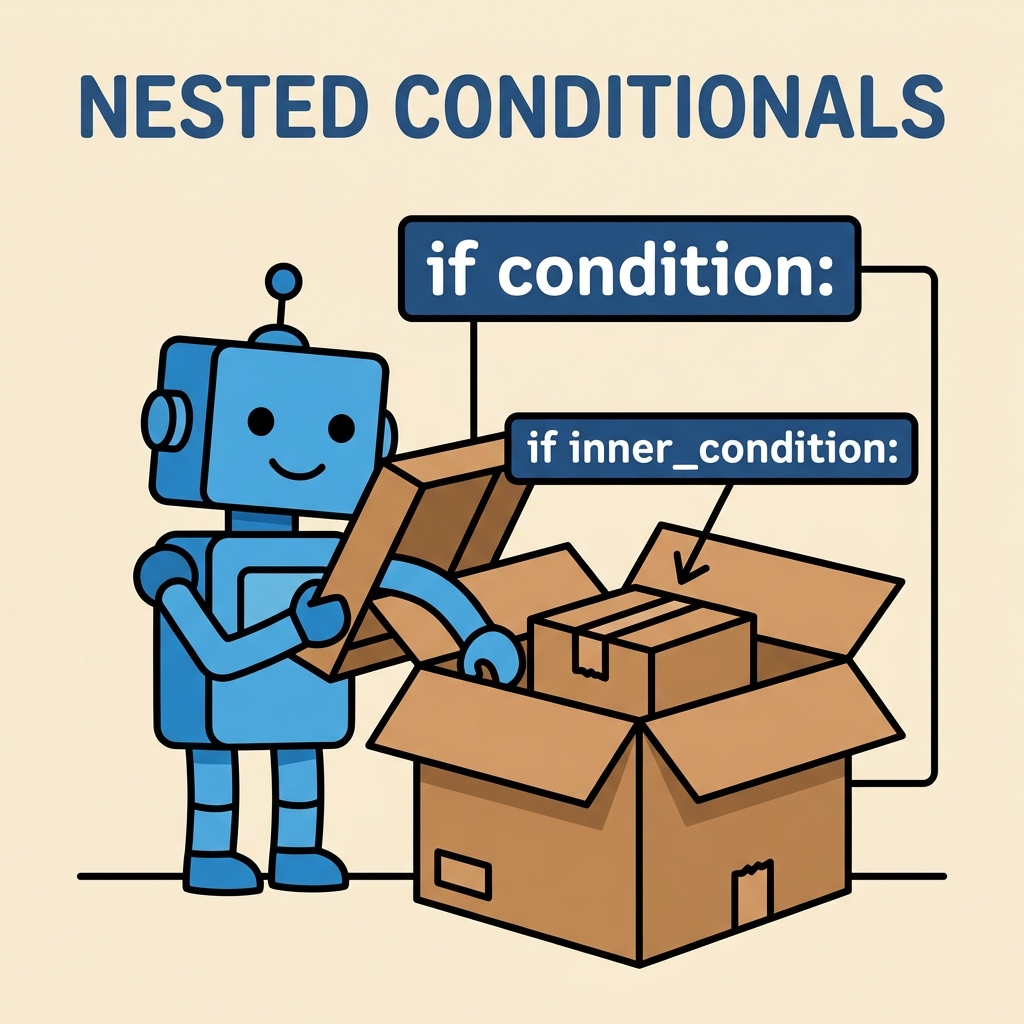
Nested conditionals are if statements placed inside other if statements. They allow you to create layered decision structures, enabling your program to respond intelligently to multiple levels of conditions.
Understanding the Concept of Nested Conditionals
Imagine you are at a coffee shop, deciding what to order. Your first decision might be whether you want a hot or cold drink. But if you choose a hot drink, then you decide whether you want coffee or tea. If you choose a cold drink, you might decide between iced coffee or lemonade.
This decision-making process can be modeled using nested conditionals:
- Check if the drink is hot or cold.
- If hot, check if it is coffee or tea.
- If cold, check if it is iced coffee or lemonade.
In Python, this would look like an if statement inside another if statement.
Why Use Nested Conditionals?
Simple conditionals work when you have one condition to check. But real-world problems often require checking multiple related conditions. Nested conditionals:
- Organize complex decision logic clearly.
- Allow you to drill down into specific cases.
- Enable different actions based on multiple conditions.
Without nesting, you might have to write many separate if statements, making your code harder to read and maintain.
Basic Syntax of Nested Conditionals
Here’s the general structure:
if condition_1:
    if condition_2:
        # Code runs if both conditions are true
    else:
        # Code runs if condition_1 is true but condition_2 is false
else:
    # Code runs if condition_1 is false
Note the indentation: the inner if is indented inside the outer if, showing the nested structure. Python uses indentation to define blocks of code.
Example: Nested Conditionals in Action
Let’s create a program that checks a person's age and whether they have a membership card to determine if they get a discount:
📌 Deep Dive: Age and Membership Discount
age = int(input("Enter your age: "))
has_membership = input("Do you have a membership card? (yes/no): ").lower()

if age >= 18:
    if has_membership == "yes":
        print("You get a 20% discount!")
    else:
        print("You get a 10% discount.")
else:
print("Sorry, no discounts available for minors.")Here’s what happens:
- The program first checks if
ageis 18 or older. - If so, it then checks if
has_membershipequals "yes". - If both are true, the user gets a 20% discount.
- If the user is 18 or older but has no membership, they get a 10% discount.
- If under 18, no discounts are given.
Multiple Levels of Nesting
Nested conditionals can be even deeper, with several layers. But be careful: too many nested levels can make code hard to read and debug.
Example of multiple levels:
📌 Deep Dive: Multi-level Nested Conditionals
num = int(input("Enter a number: "))

if num > 0:
    if num % 2 == 0:
        if num > 100:
            print("Large positive even number.")
        else:
            print("Small positive even number.")
    else:
        print("Positive odd number.")
else:
print("Number is zero or negative.")Here, the program checks:
- If the number is positive.
- If positive, whether it is even or odd.
- If even, whether it is greater than 100 or not, printing different messages accordingly.
Using elif with Nested Conditionals
Python’s elif keyword lets you handle multiple conditions without deep nesting. But sometimes you still need nested conditionals inside if or elif blocks.
Example combining elif and nesting:
📌 Deep Dive: Combining elif and Nested Conditionals
score = int(input("Enter your test score: "))

if score >= 90:
    print("Grade: A")
elif score >= 75:
    if score >= 85:
        print("Grade: B+")
    else:
        print("Grade: B")
elif score >= 60:
    print("Grade: C")
else:
print("Grade: F")This example:
- Checks if the score is 90 or above for an "A".
- Checks if it’s between 75 and 89 using
elif. - Inside that
elif, a nested conditional further splits the grade into "B+" and "B". - Scores between 60 and 74 get a "C". Anything below 60 is an "F".
Best Practices for Nested Conditionals
- Keep nesting shallow: Try to avoid more than 2-3 levels deep to keep code readable.
- Use descriptive variable names: Clear variable names help you and others understand the logic.
- Consider logical operators: Sometimes multiple conditions can be combined using
andororto flatten nested conditionals. - Refactor complex logic: If your nested conditionals get too complicated, consider breaking code into functions.
- Indent carefully: Python relies on indentation for blocks; incorrect indentation causes errors or unexpected behavior.
Comparing Simple and Nested Conditionals
| Simple Conditional | Nested Conditional |
|---|---|
| One condition checked | Multiple conditions checked in a layered way |
| Flat structure | Indented blocks inside other blocks |
| Easy to read for simple logic | Better for complex decision trees |
Example: if x > 10: | Example: if x > 10: |
Common Pitfalls to Avoid
⚠️ Watch out for excessive nesting
Too many nested if statements can make your code confusing and error-prone. If you find yourself nesting more than 3 levels deep, consider using logical operators or functions to simplify.
⚠️ Beware of incorrect indentation
Python uses indentation to define blocks. Mixing tabs and spaces or incorrect indentation leads to IndentationError or logic errors. Always use consistent indentation (PEP 8 recommends 4 spaces per level).
💡 Tip: Use Logical Operators to Reduce Nesting
Sometimes you can combine conditions using and or or to avoid nested if statements. For example:
if age >= 18 and has_membership == "yes":
    print("You get a 20% discount!")
This approach keeps code flatter and easier to read when conditions are straightforward.
Practice: Write Your Own Nested Conditional
Try creating a program that asks a user for the current weather and time of day, then suggests an activity:
- Ask if it's raining (yes/no).
- If raining, ask if it's daytime or nighttime.
- If daytime and raining, suggest "Read a book indoors."
- If nighttime and raining, suggest "Watch a movie."
- If not raining, suggest "Go for a walk."
This exercise will help you practice building nested conditionals and using input effectively.
Summary
Nested conditionals are a powerful tool in Python that let you make decisions within decisions. They help you model complex logic by layering if statements inside each other. Remember to keep your nesting manageable, use logical operators where possible, and write clear, readable code.
In this lesson, you learned:
- What nested conditionals are and why they are useful.
- The syntax and structure of nested
ifstatements. - How to combine
elifwith nested conditionals. - Best practices and common mistakes to avoid.
- How to apply nested conditionals in practical examples.
Mastering nested conditionals will greatly improve your ability to write flexible, intelligent Python programs.
Quick Knowledge Check
Test what you just learned
Question 1 of 2
What is the main purpose of using nested conditionals in Python?
Question 2 of 2
Which of the following is a potential downside of deeply nested conditional statements?
Loading results...