In programming, decisions are everything. Without them, computers would simply execute instructions one after another without any variation. The if...else statement is one of the fundamental building blocks that allows your Python programs to make choices and execute different blocks of code depending on conditions. Whether you want to check if a user is logged in, validate input, or control the flow of a game, understanding if...else is essential.
This lesson will guide you through the core concepts, syntax, and practical examples of if...else statements in Python. By the end, you will see how these conditional structures enable logic and interactivity in your programs.
What is an if...else Statement?
Simply put, an if...else statement lets your code “ask” a question, and then take action based on whether the answer is true or false.
The general structure looks like this:
📌 Deep Dive: Basic if...else Syntax
if condition:
    # code to run if condition is True
else:
# code to run if condition is FalseHere’s what’s happening:
conditionis an expression that evaluates to eitherTrueorFalse.- If
conditionisTrue, Python executes the indented block immediately after theif. - If
conditionisFalse, Python skips theifblock and executes the code underelse.
Indentation is crucial in Python. It tells Python which lines of code belong to the if or else blocks.
Why Use if...else?
Imagine you are creating a simple program that greets users differently depending on the time of day. Without if...else, your program wouldn't know which greeting to display.
💡 Real-Life Analogy
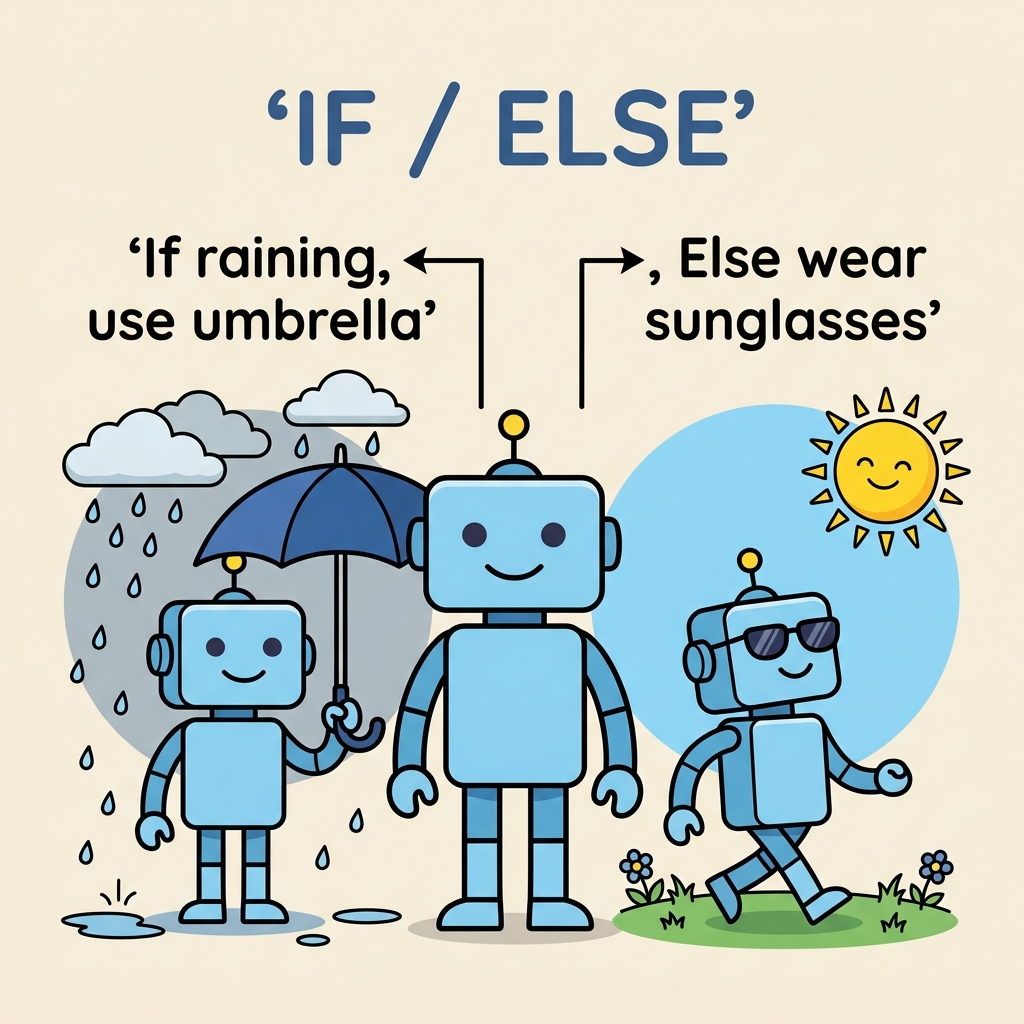
Think of if...else like deciding what to wear based on the weather. If it’s raining, you wear a raincoat; else, you might wear sunglasses. Your outfit depends on a condition — the weather — just like your code’s behavior depends on conditions.
Exploring Conditions
Conditions can be simple or complex expressions that evaluate to True or False. Common comparison operators used in conditions include:
| Operator | Meaning |
|---|---|
== | Equal to |
!= | Not equal to |
< | Less than |
<= | Less than or equal to |
> | Greater than |
>= | Greater than or equal to |
You can also combine conditions with logical operators like and, or, and not to create more complex decision-making:
and: True if both conditions are trueor: True if at least one condition is truenot: Inverts the truth value
Practical Examples
Let’s put this knowledge into practice with some examples.
📌 Deep Dive: Checking Age for Voting Eligibility
age = 18

if age >= 18:
    print("You are eligible to vote.")
else:
print("You are not eligible to vote yet.")Here, the program checks if the variable age is 18 or older. If yes, it prints that you are eligible; otherwise, it informs you that you are not eligible yet.
Adding More Choices with elif
Sometimes you want to check multiple conditions, not just two. Python provides the elif (short for “else if”) keyword to handle multiple branches.
📌 Deep Dive: Grading System Using if...elif...else
score = 75

if score >= 90:
    print("Grade: A")
elif score >= 80:
    print("Grade: B")
elif score >= 70:
    print("Grade: C")
elif score >= 60:
    print("Grade: D")
else:
print("Grade: F")This example evaluates a student's score and assigns a grade. The program checks conditions in order until one is true, then executes that block and skips the rest.
Understanding the Flow
The diagram above shows how Python evaluates conditions from top to bottom. Once a condition is met, the related block runs, and the rest are skipped. If no conditions are true, the else block runs.
Common Pitfalls and Tips
- Indentation matters: Ensure your
if,elif, andelseblocks are properly indented to avoid syntax errors. - Boolean expressions: Conditions must evaluate to
TrueorFalse. Remember that some values like0,None, or empty containers are consideredFalsein Boolean context. - Use clear conditions: Write conditions that are easy to read and understand. Complex conditions can be split into multiple
ifstatements or use helper variables for clarity.
⚠️ Watch Out for Assignment vs Comparison
In Python, = is for assignment, not comparison. To test equality, always use ==. For example, if x == 10: checks if x equals 10, whereas if x = 10: will cause a syntax error.
Nested if...else Statements
You can also place if...else statements inside other if or else blocks to create nested conditions.
📌 Deep Dive: Nested Conditions Example
num = 15

if num > 0:
    if num % 2 == 0:
        print("Positive even number")
    else:
        print("Positive odd number")
else:
print("Non-positive number")Here, the program first checks if num is positive. If so, it then checks if it is even or odd, demonstrating how nested if statements work.
Practice: Writing Your Own if...else Statement
Try writing a program that asks the user to input their age and prints a message saying whether they are a teenager, an adult, or a senior citizen.
Hint: Use input() to get user input and convert it to an integer with int(). Then use if, elif, and else to check age ranges.
💡 Quick Tip
Remember to test your program with different ages to ensure all branches work correctly!
Summary
The if...else statement is a fundamental tool that makes your Python programs smarter by enabling them to react to different situations dynamically. Here’s what you should take away:
ifchecks a condition; if true, its block runs.elseruns if theifcondition is false.elifallows checking multiple conditions.- Indentation and correct comparison operators are crucial.
- Conditions can use comparison and logical operators to be more expressive.
With these skills, you can build programs that make decisions, a critical step toward creating interactive and intelligent applications.
Quick Knowledge Check
Test what you just learned
Question 1 of 2
Which operator should you use to check if two values are equal in an if statement?
Question 2 of 2
What will happen if the condition in an if statement evaluates to False and there is no else block?
Loading results...