Python's power and versatility largely come from its modular design. When you write Python programs, you rarely start from scratch every time. Instead, you leverage modules and packages — the building blocks that organize code into reusable, maintainable, and scalable units. Understanding how modules and packages work will elevate your ability to structure projects professionally and navigate the vast Python ecosystem with ease.
In this lesson, we'll explore what modules and packages are, how to create and use them, and discover best practices that will make your Python code cleaner and more efficient.
What is a Python Module?
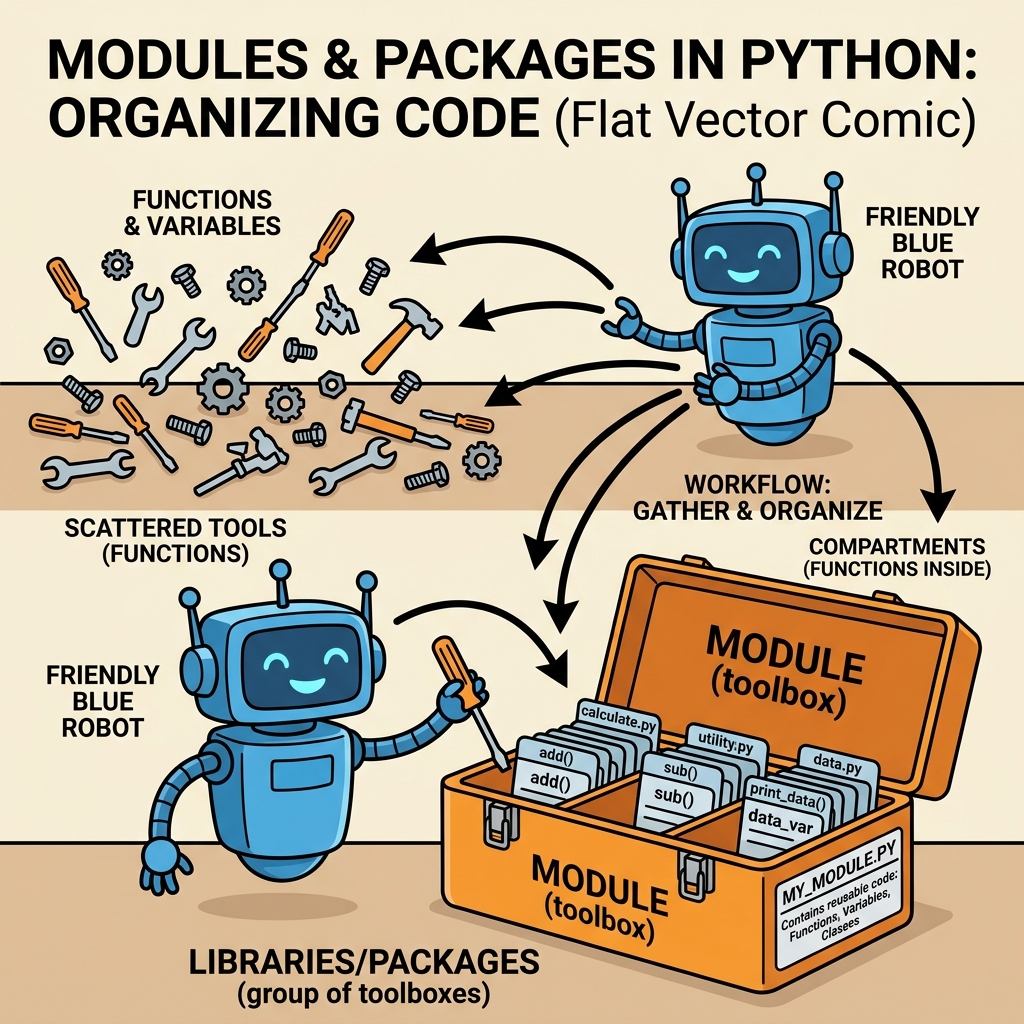
A module is simply a Python file containing Python definitions and statements. The file name is the module name with the suffix .py appended. Modules allow you to logically organize your Python code by grouping related functions, classes, and variables together.
For example, suppose you have a file named math_tools.py:
📌 Deep Dive: Creating a Simple Module
# math_tools.py
def add(x, y):
    return x + y

def subtract(x, y):
    return x - y

PI = 3.14159
This file defines two functions and a constant. You can now import and use these in another Python script or even in the interactive shell.
How to Import Modules
Python provides several ways to import modules. The most common methods are:
import module_namefrom module_name import somethingfrom module_name import * (not recommended)import module_name as alias
Let's see these in action with our math_tools module.
📌 Deep Dive: Importing and Using a Module
import math_tools

print(math_tools.add(5, 3))          # Output: 8
print(math_tools.PI)                  # Output: 3.14159

from math_tools import subtract
print(subtract(10, 4))               # Output: 6

import math_tools as mt
print(mt.add(2, 2))                  # Output: 4
Using import module_name keeps the namespace clean and avoids clashes, but sometimes from module_name import is handy for brevity.
💡 Module Import Tip
When you import a module, Python runs the entire file once and loads its definitions into memory. This means that any code at the top level of the module (not inside functions or classes) will execute during import.
Exploring Python’s Built-in Modules
Python comes with a rich collection of built-in modules, such as math, datetime, os, and sys. You can import and use them without any installation.
📌 Deep Dive: Using the Built-in math Module
import math

print(math.sqrt(25))                 # Output: 5.0
print(math.pi)                      # Output: 3.141592653589793
print(math.factorial(6))            # Output: 720
These modules save you from reinventing the wheel and provide optimized, well-tested functions.
What is a Package?
A package is a way of structuring Python’s module namespace by using “dotted module names.” In practice, a package is a directory containing a special file __init__.py and one or more modules or sub-packages. The presence of __init__.py tells Python that the directory should be treated as a package.
Packages allow you to organize related modules hierarchically. For example, you might have a package utilities containing modules for string processing, data formatting, and file operations.
Creating a Package
Suppose you want to create a package named mytools with two modules: strings.py and numbers.py. Here’s the directory structure you’d create:
mytools/
│
├── __init__.py
├── strings.py
└── numbers.py
Even if __init__.py is empty, it is required for Python to recognize mytools as a package (though in Python 3.3+, implicit namespace packages can omit it, but explicit __init__.py files are still best practice).
📌 Deep Dive: Sample Package Modules
# strings.py
def reverse(text):
    return text[::-1]

# numbers.py
def is_even(num):
    return num % 2 == 0
You can import these modules like this:
📌 Deep Dive: Importing from Packages
from mytools import strings, numbers

print(strings.reverse('Python'))   # Output: nohtyP
print(numbers.is_even(42))          # Output: True
The Role of __init__.py
The __init__.py file can be more than just an empty marker. It runs initialization code for the package, and it can define what’s exposed when you import the package directly.
For example, you can define __all__ inside __init__.py to specify which modules or names should be imported when using from package import *.
📌 Deep Dive: Using __init__.py to Expose Modules
# mytools/__init__.py
__all__ = ["strings", "numbers"]

print("mytools package initialized")
When you import mytools directly, the print statement runs, and you can control what is accessible.
Relative vs Absolute Imports
Within packages, you can import modules using either absolute or relative imports.
- Absolute imports specify the full path from the project/package root.
- Relative imports use dot notation to refer to sibling or parent modules.
For example, inside strings.py, to import is_even from numbers.py:
📌 Deep Dive: Relative Import Example
# strings.py
from .numbers import is_even

def is_reversed_even(text):
    return is_even(len(text))
⚠️ Beware of Relative Imports Outside Packages
Relative imports only work within packages. If you run a module directly that uses relative imports, you may encounter errors. To test modules with relative imports, run the package or use python -m package.module.
Standard Library vs Third-Party Packages vs Your Own Packages
Python's ecosystem is vast. Here's a quick guide to the types of modules and packages you may use:
| Type | Description |
|---|---|
| Standard Library | Modules and packages that come pre-installed with Python (e.g., os, json, collections). |
| Third-Party Packages | Packages installed via package managers like pip (e.g., requests, numpy). |
| Your Own Packages | Custom modules and packages you create for your projects to organize code. |
Understanding this distinction helps when managing dependencies and structuring your projects.
Python Module Search Path
When you import a module or package, Python searches for it in a series of directories defined by sys.path. This includes:
- The directory containing the input script (or current directory).
- Directories listed in the
PYTHONPATHenvironment variable. - The standard library directories.
- Site-packages directories for third-party packages.
You can inspect this search path using:
📌 Deep Dive: Inspecting Python's Module Search Path
import sys

for p in sys.path:
    print(p)
/usr/lib/python3.8
/usr/lib/python3.8/lib-dynload
/home/user/.local/lib/python3.8/site-packages
...
Organizing Larger Projects
As your projects grow, modularization becomes crucial. You can organize your code into a hierarchy of packages and modules, making it easier to maintain, test, and collaborate on.
Example directory structure for a medium-size project:
project/
├── mypackage/
│   ├── __init__.py
│   ├── core.py
│   ├── utils.py
│   └── subpackage/
│       ├── __init__.py
│       └── helpers.py
├── tests/
│   ├── test_core.py
│   └── test_utils.py
└── main.py
Here, you can import and use modules conveniently, while keeping your codebase organized.
Installing and Using Third-Party Packages
Besides your own modules and packages, you will often use third-party packages available on the Python Package Index (PyPI). You install these using pip:
pip install requests
Then, you can import and use them as usual:
📌 Deep Dive: Using the requests Package
import requests

response = requests.get('https://api.github.com')
print(response.status_code)          # Output: 200
print(response.headers['content-type'])
💡 Virtual Environments
When working with third-party packages, use virtual environments to manage dependencies per project and avoid conflicts. Tools like venv or virtualenv help with this.
Best Practices for Modules and Packages
- Keep modules focused: Each module should have a clear responsibility.
- Name modules and packages carefully: Use lowercase names with underscores if needed (e.g.,
data_processing.py). - Use
__init__.pyfiles: Always include them to explicitly mark packages. - Avoid circular imports: Circular dependencies can cause errors. Refactor or reorganize code to eliminate cycles.
- Document your modules: Add docstrings at the top of your module files and for functions/classes inside.
⚠️ Avoid Using from module import *
This syntax imports everything into the current namespace, which can overwrite existing names and make the code harder to debug. Always import specific names or use import module.
Summary
Modules and packages are indispensable in Python programming. They:
- Help organize code into logical units.
- Enable code reuse across projects.
- Allow you to leverage the vast Python ecosystem.
- Make larger projects manageable and collaborative.
By mastering modules and packages, you lay a strong foundation to write clean, maintainable, and professional Python applications.
Quick Knowledge Check
Test what you just learned
Question 1 of 2
What is the purpose of a __init__.py file in a Python package?
Question 2 of 2
Which of the following import statements is recommended to avoid namespace pollution?
Loading results...