When diving into Python programming, you'll often come across special methods that begin and end with double underscores, like __init__ or __str__. These are known as magic methods (or dunder methods, short for “double underscore”). They play a fundamental role in defining how your objects behave, interact, and respond to Python's built-in operations.
In this lesson, we'll explore what magic methods are, why they matter, and how you can harness them to make your classes more powerful, intuitive, and Pythonic. By the end, you'll understand how to customize object behavior for operations like arithmetic, comparisons, string conversion, and more.
What Are Magic Methods?
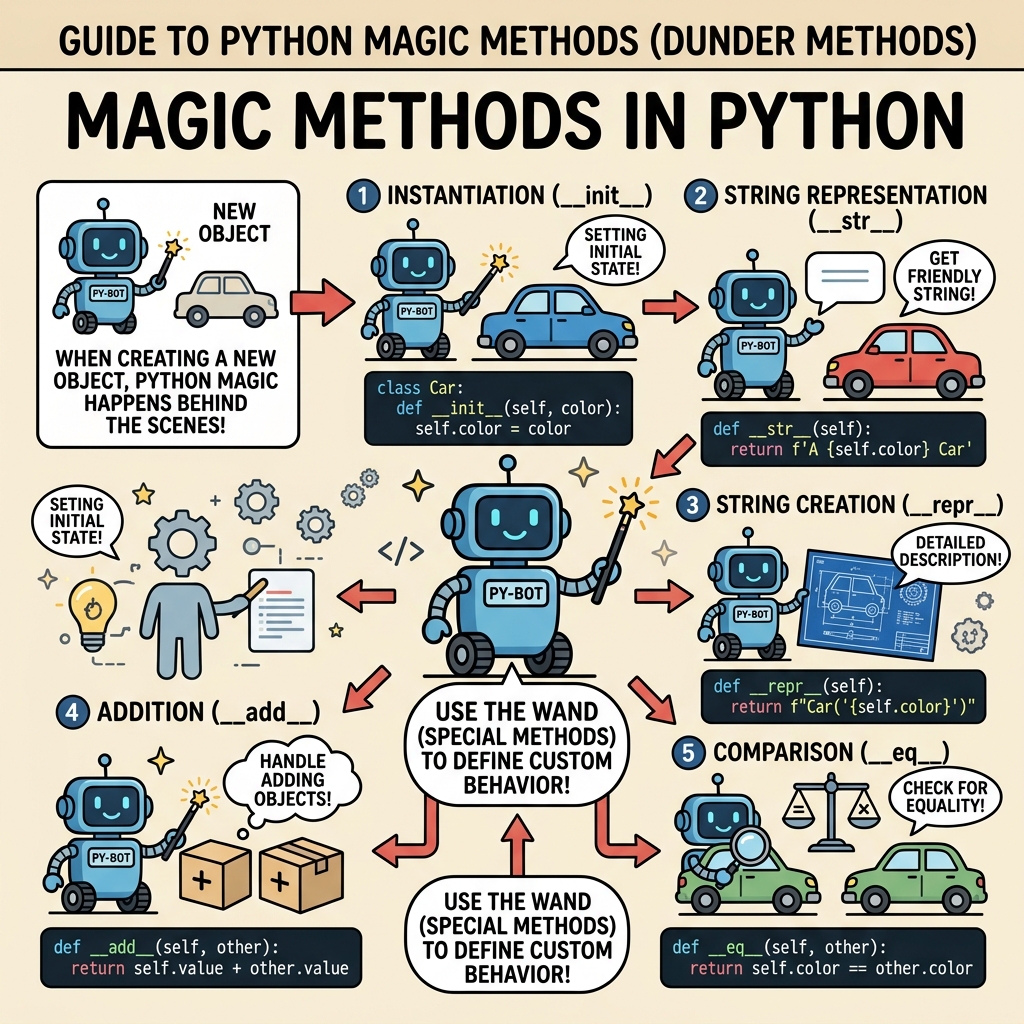
Magic methods are special hooks that Python invokes automatically in response to certain operations or built-in functions. Unlike regular methods, you don’t call magic methods directly — Python calls them behind the scenes. For example, when you write len(obj), Python internally calls obj.__len__(). Similarly, when you add two objects with obj1 + obj2, Python invokes obj1.__add__(obj2).
These methods typically start and end with double underscores to prevent name clashes with your own methods and attributes.
💡 Why “Magic”?
They’re called magic methods because they let you add “magical” behavior to your objects — enabling them to respond to operators, built-in functions, and even language syntax in ways you define.
Why Use Magic Methods?
- Control Built-in Behavior: Customize how your objects interact with Python’s core features.
- Improve Readability: Make your objects behave like built-in types, so your code reads naturally.
- Extend Functionality: Enable your classes to support operations like addition, iteration, or string formatting.
Without magic methods, you'd have to create explicitly named methods for these behaviors, making your class usage clunky and less intuitive.
Common Magic Methods and Their Roles
Here’s an overview of some essential magic methods you'll encounter frequently:
| Magic Method | Purpose |
|---|---|
__init__(self, ...) | Constructor: initializes new object instances |
__str__(self) | String representation for str(obj) and print() |
__repr__(self) | Official string representation, used in debugging and the interactive prompt |
__len__(self) | Returns length for len(obj) |
__add__(self, other) | Defines behavior for addition operator + |
__eq__(self, other) | Defines equality comparison == |
__lt__(self, other) | Defines less-than comparison < |
__getitem__(self, key) | Allows indexing with square brackets obj[key] |
__setitem__(self, key, value) | Allows item assignment obj[key] = value |
__iter__(self) | Returns an iterator for iteration in loops |
__call__(self, ...) | Makes an object callable like a function |
Example: Customizing String Representation
Imagine you have a Person class. Without magic methods, printing a Person object will show a generic memory address:
📌 Deep Dive: Basic __str__ and __repr__
class Person:
    def __init__(self, name, age):
        self.name = name
        self.age = age

p = Person('Alice', 30)
print(p)
print(repr(p))<__main__.Person object at 0x7f8c5b0>
This output is not very informative. Let’s add magic methods to improve this:
📌 Deep Dive: Implementing __str__ and __repr__
class Person:
    def __init__(self, name, age):
        self.name = name
        self.age = age

    def __str__(self):
        return f'{self.name}, {self.age} years old'

    def __repr__(self):
        return f'Person(name={self.name!r}, age={self.age!r})'

p = Person('Alice', 30)
print(p)          # Uses __str__
print(repr(p)) # Uses __repr__Person(name='Alice', age=30)
Here, __str__ returns a user-friendly string for printing, while __repr__ returns a detailed string useful for debugging.
Magic Methods for Arithmetic Operations
Magic methods allow your objects to participate in arithmetic operations just like numbers or strings. For example, if you want to add two instances of your class with the + operator, implement __add__.
📌 Deep Dive: Overloading Addition with __add__
class Vector2D:
    def __init__(self, x, y):
        self.x = x
        self.y = y

    def __add__(self, other):
        if not isinstance(other, Vector2D):
            return NotImplemented
        return Vector2D(self.x + other.x, self.y + other.y)

    def __repr__(self):
        return f'Vector2D({self.x}, {self.y})'

v1 = Vector2D(2, 4)
v2 = Vector2D(3, -1)
print(v1 + v2) # Vector2D(5, 3)Notice the check for isinstance(other, Vector2D). This ensures addition only works between compatible types, otherwise Python will try the reflected or fallback methods.
Comparison Magic Methods
To customize comparisons like equality or ordering, implement methods like __eq__, __lt__, __le__, etc. Python calls these during ==, <, <=, and so forth.
📌 Deep Dive: Equality and Ordering
class Person:
    def __init__(self, name, age):
        self.name = name
        self.age = age

    def __eq__(self, other):
        if not isinstance(other, Person):
            return NotImplemented
        return self.name == other.name and self.age == other.age

    def __lt__(self, other):
        if not isinstance(other, Person):
            return NotImplemented
        return self.age < other.age

p1 = Person('Alice', 30)
p2 = Person('Alice', 30)
p3 = Person('Bob', 25)

print(p1 == p2)  # True
print(p1 == p3)  # False
print(p3 < p1) # True (25 < 30)False
True
These methods enable sorting and equality checks based on your criteria, making your objects seamlessly fit Python’s comparison protocols.
Supporting Container-Like Behavior
Magic methods like __getitem__, __setitem__, and __delitem__ allow your objects to behave like containers or sequences with bracket indexing.
📌 Deep Dive: Indexing with __getitem__ and __setitem__
class SimpleList:
    def __init__(self):
        self._data = []

    def __getitem__(self, index):
        return self._data[index]

    def __setitem__(self, index, value):
        self._data[index] = value

    def __repr__(self):
        return f'SimpleList({self._data})'

lst = SimpleList()
lst._data.extend([10, 20, 30])
print(lst[1])    # 20
lst[1] = 99
print(lst) # SimpleList([10, 99, 30])SimpleList([10, 99, 30])
By implementing these, you allow your class to support obj[index] syntax for accessing and modifying data.
Iteration and Callable Objects
Magic methods __iter__ and __next__ allow your objects to be used in loops and comprehensions, while __call__ makes them callable like functions.
📌 Deep Dive: Making Objects Iterable and Callable
class CountDown:
    def __init__(self, start):
        self.current = start

    def __iter__(self):
        return self

    def __next__(self):
        if self.current <= 0:
            raise StopIteration
        val = self.current
        self.current -= 1
        return val

class Greeter:
    def __init__(self, name):
        self.name = name

    def __call__(self, greeting):
        return f'{greeting}, {self.name}!'

# Iteration example
for number in CountDown(3):
    print(number)

# Callable example
greet = Greeter('Alice')
print(greet('Hello'))2
1
Hello, Alice!
How Python Uses Magic Methods Internally
Every time you use a built-in operation, Python translates it to calls to these magic methods. For example:
len(obj)→obj.__len__()obj1 + obj2→obj1.__add__(obj2)obj[key]→obj.__getitem__(key)str(obj)→obj.__str__()obj()→obj.__call__()
This design allows Python to be highly flexible and extensible. You can define how your objects behave in almost every situation by implementing the right magic methods.
⚠️ Avoid Overusing Magic Methods
While powerful, overloading too many magic methods or implementing confusing behavior can make your code harder to understand and maintain. Use them thoughtfully to enhance clarity and functionality.
Tips for Working with Magic Methods
- Start by implementing
__init__,__str__, and__repr__to improve your class usability. - Use type checks (e.g.,
isinstance) inside magic methods to ensure proper operation and fallback. - Refer to Python’s data model documentation for a full list of magic methods and conventions.
- Test your magic methods thoroughly to avoid unexpected behaviors.
Summary
Magic methods are a gateway to writing expressive, idiomatic Python code that integrates smoothly with the language’s core features. They empower your objects with custom behaviors for construction, representation, arithmetic, comparisons, indexing, iteration, and more.
By mastering magic methods, you’ll unlock a whole new level of control and elegance in your Python classes, making your code more readable, flexible, and powerful.
Quick Knowledge Check
Test what you just learned
Question 1 of 2
Which magic method should you implement to customize the behavior of the addition operator (+) for your class?
Question 2 of 2
What is the purpose of the __repr__ magic method?
Loading results...