In Python, dict (dictionary) is one of the most powerful and commonly used data structures. It stores data in key-value pairs, allowing you to quickly access values by their associated keys. But what if you want to perform an operation on every item within a dictionary? That’s where looping through dicts becomes essential. This lesson will guide you through the various ways to iterate over dictionaries effectively and idiomatically.
By the end, you will confidently navigate the keys, values, and items within dictionaries, enabling you to manipulate data structures like a pro.
Understanding the Anatomy of a Dictionary
Before diving into looping, let's briefly recall the structure of a dictionary:
- Key: A unique identifier for each value; must be immutable (e.g., strings, numbers, tuples).
- Value: Data associated with a key; can be any Python object.
Example dictionary:
📌 Deep Dive: Simple Dictionary
person = {
    "name": "Alice",
    "age": 30,
    "city": "New York"
}
Here, name, age, and city are keys; "Alice", 30, and "New York" are their respective values.
Looping Over Dictionary Keys
By default, when you iterate over a dictionary, you are iterating over its keys.
📌 Deep Dive: Looping Through Keys
for key in person:
print(key)Alternatively, you can be explicit using the .keys() method:
📌 Deep Dive: Using .keys()
for key in person.keys():
print(key)When to use: Use this form if you want to emphasize you’re iterating over keys or when working with dictionary views explicitly.
Looping Over Dictionary Values
Sometimes you are only interested in the values stored in a dictionary. Python provides the .values() method to loop through these values directly.
📌 Deep Dive: Looping Through Values
for value in person.values():
print(value)This method is useful when the keys are irrelevant to your task, and you want to process or analyze the values only.
Looping Over Key-Value Pairs with .items()
Most often, you'll want access to both keys and their associated values simultaneously. The .items() method returns an iterable of key-value pairs as tuples, allowing you to unpack them directly in your for loop.
📌 Deep Dive: Looping Through Items
for key, value in person.items():
print(f"{key}: {value}")This pattern is the most common and idiomatic way to process dictionaries when keys and values are both needed.
Comparing the Looping Methods
| Method | Yields | Use Case |
|---|---|---|
for key in dict | Keys | Simple key iteration, concise |
for key in dict.keys() | Keys | Explicit key iteration |
for value in dict.values() | Values | When only values matter |
for key, value in dict.items() | Key-value pairs | Most common for full access |
Looping Through Nested Dictionaries
Dictionaries can contain other dictionaries as values, forming nested structures. Looping through such nested dictionaries requires nested loops to access inner keys and values.
Consider this example:
📌 Deep Dive: Nested Dictionary Looping
users = {
    "alice": {"age": 30, "city": "New York"},
    "bob": {"age": 25, "city": "Paris"},
    "charlie": {"age": 35, "city": "London"}
}

for user, info in users.items():
    print(f"User: {user}")
    for key, value in info.items():
print(f" {key}: {value}")This approach lets you drill into complex dictionary structures comfortably.
Modifying a Dictionary While Looping
Modifying a dictionary (adding or removing keys) while looping over it can cause unexpected behavior or runtime errors. To avoid problems, iterate over a copy of the dictionary keys or items.
⚠️ Caution When Modifying Dictionaries During Loops
Directly changing the size of a dictionary while iterating over it causes a RuntimeError. Always loop over a list copy of keys or items if modification is needed.
📌 Deep Dive: Safe Modification During Loop
# Unsafe approach (may cause error)
# for key in person:
#     if key == "age":
#         del person[key]

# Safe approach:
for key in list(person.keys()):
    if key == "age":
        del person[key]

print(person)Here, list(person.keys()) creates a static list copy of keys, allowing us to safely delete items from the original dictionary.
Using Dictionary Comprehensions with Loops
Looping through dictionaries isn’t just for printing or accessing data. You can also use loops within dictionary comprehensions to create new dictionaries efficiently.
📌 Deep Dive: Dictionary Comprehension Example
# Create a new dict with ages doubled
doubled_ages = {key: value * 2 for key, value in person.items() if isinstance(value, int)}
print(doubled_ages)Here, the comprehension loops through person.items(), selects only integer values, and doubles them.
Looping Through Dictionaries Using enumerate()
Sometimes, you might want the current iteration count alongside keys or values. Using enumerate() lets you do this conveniently.
📌 Deep Dive: Using enumerate() with Dictionaries
for index, key in enumerate(person):
print(f"{index}: {key} -> {person[key]}")Use this when the position of the key-value pair matters, such as in ordered operations or debugging.
Looping Through Dictionaries in Python 3.7+ and Order Preservation
Since Python 3.7, dictionaries preserve the insertion order of keys. This means looping through a dictionary will follow the order in which keys were added.
This behavior enables predictable iteration order without needing to use specialized ordered dict types.
💡 Order Preservation in Python Dictionaries
From Python 3.7 onwards, the standard dict type keeps keys in insertion order by default. This makes loops over dictionaries deterministic and reliable.
Summary: Best Practices for Looping Through Dicts
for key in dictorfor key in dict.keys()— iterate over keys.for value in dict.values()— iterate over values only.for key, value in dict.items()— iterate over key-value pairs simultaneously; most common usage.- Use
list(dict.keys())when modifying dict inside the loop. - Utilize dictionary comprehensions to create new dicts based on looping logic.
- Remember, starting Python 3.7, dicts maintain insertion order.
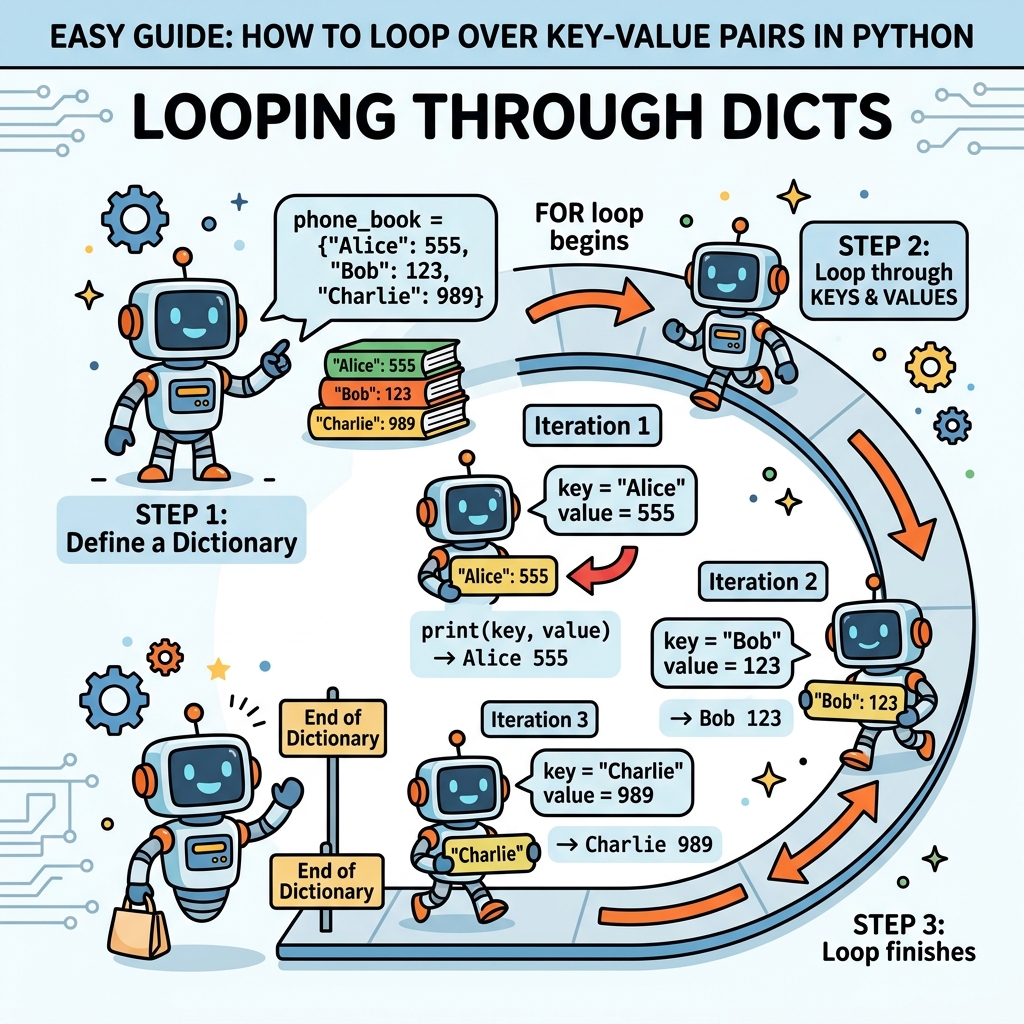
Mastering these looping techniques is crucial for effective Python programming, especially when handling complex data structures or working with APIs, configurations, and data transformations.
Quick Knowledge Check
Test what you just learned
Question 1 of 2
Which method would you use to loop through both keys and their corresponding values in a dictionary?
Question 2 of 2
What is the recommended way to safely delete keys from a dictionary while looping through it?
Loading results...