In Python, lists are one of the most versatile and frequently used data structures. They allow you to store collections of items—whether numbers, strings, or even other lists. But when it comes to creating or transforming lists, Python provides a concise, elegant, and highly readable tool called list comprehensions.
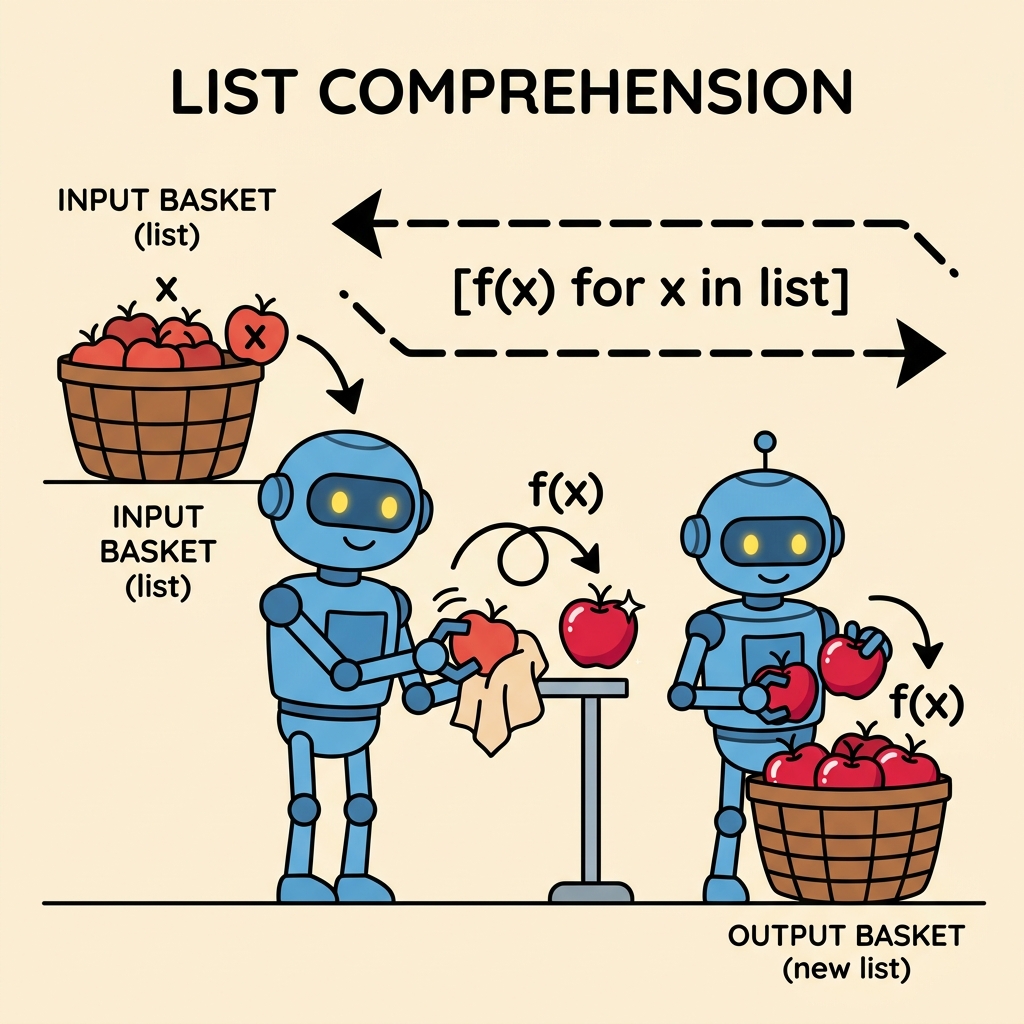
List comprehensions enable you to create new lists by applying an expression to each item in an existing iterable (like a list, tuple, or range), optionally filtering elements, and doing it all in a single line of code. This technique not only reduces the amount of code you write but also improves code clarity and efficiency.
Why Use List Comprehensions?
Before diving into syntax and examples, let's consider a common task: you want to create a list of squares of numbers from 0 to 9.
Traditionally, you might write this using a for-loop:
📌 Deep Dive: Traditional Loop for Squares
squares = []
for x in range(10):
    squares.append(x**2)
print(squares)This works perfectly fine, but it’s somewhat verbose. Now, let's see how list comprehensions simplify this:
📌 Deep Dive: List Comprehension for Squares
squares = [x**2 for x in range(10)]
print(squares)Notice how the list comprehension packs the entire operation into a single, readable line. This makes your code cleaner and easier to maintain.
The Anatomy of a List Comprehension
At its core, a list comprehension has this structure:
[expression for item in iterable if condition]- expression: The value or operation applied to each item.
- for item in iterable: The loop that goes through each element in a sequence.
- if condition (optional): A filtering condition to include only items that satisfy it.
Let's break it down further:
| Component | Description | Example |
|---|---|---|
| expression | What you want to include in the new list, usually involving the variable. | x**2 (square of x) |
| for item in iterable | Loops over each element in the iterable. | for x in range(5) |
| if condition (optional) | Filters elements to include only those satisfying the condition. | if x % 2 == 0 (only even numbers) |
Filtering Items with Conditions
One of the most powerful features of list comprehensions is the ability to filter elements using an if clause. This means you can selectively include elements that meet a certain criterion.
For example, let's create a list containing only the even numbers from 0 to 9:
📌 Deep Dive: List Comprehension with Filter
evens = [x for x in range(10) if x % 2 == 0]
print(evens)In this example, the expression is just x (the item itself), but the if condition restricts the list to even numbers only.
Transforming List Items
You can use any valid Python expression in the expression part of the comprehension. This allows you to transform data on the fly.
For example, suppose you have a list of words and you want to convert each word to uppercase:
📌 Deep Dive: Transforming Words to Uppercase
words = ['apple', 'banana', 'cherry']
upper_words = [word.upper() for word in words]
print(upper_words)Multiple For-Loops in List Comprehensions
List comprehensions can have more than one for clause, which is useful for flattening nested loops.
Consider the following example where you want to create all pairs of letters and numbers:
📌 Deep Dive: Multiple For-Loops
pairs = [(letter, number) for letter in 'ABC' for number in range(1, 4)]
print(pairs)Here, the list comprehension loops through each letter, then for each letter loops through each number, creating pairs.
Comparing Traditional Loops vs List Comprehensions
| Aspect | Traditional For-Loop | List Comprehension |
|---|---|---|
| Code Length | 3-5 lines | 1 line |
| Readability | Explicit but verbose | Concise and expressive |
| Performance | Slower in some cases | Typically faster |
| Use Case | Complex logic | Simple transformations and filters |
When Not to Use List Comprehensions
Although list comprehensions are powerful, they are not always the best choice. If your logic involves multiple statements, complicated control flow, or side effects (like modifying external variables), traditional loops or functions are preferable. Overusing list comprehensions for complex tasks can reduce readability.
⚠️ Readability Warning
Keep list comprehensions simple and clear. Avoid nesting multiple conditions or loops in one comprehension if it makes the code hard to read. When in doubt, prefer explicit loops.
Advanced: Nested List Comprehensions
You can also use list comprehensions to create nested lists (lists of lists). For example, creating a 3x3 matrix filled with zeros:
📌 Deep Dive: Nested List Comprehension for Matrix Creation
matrix = [[0 for _ in range(3)] for _ in range(3)]
print(matrix)Each inner list comprehension creates a row of three zeros, and the outer one repeats this for three rows, building a 3x3 grid.
Common Use Cases for List Comprehensions
- Filtering data: Extracting elements that meet criteria (e.g., even numbers, strings of certain length).
- Transforming data: Applying functions or operations to each element (e.g., converting strings to lowercase, calculating squares).
- Flattening lists: Turning a list of lists into a single list.
- Generating sequences: Creating lists from ranges or other iterables with custom logic.
Flattening a List of Lists Example
Suppose you have a nested list and want to flatten it into a single list:
📌 Deep Dive: Flattening Nested Lists
nested = [[1, 2, 3], [4, 5], [6, 7, 8]]
flat = [num for sublist in nested for num in sublist]
print(flat)The two for clauses loop over each sublist, then each number within that sublist, effectively flattening the structure.
Summary
List comprehensions are a cornerstone of Python programming, enabling concise, readable, and efficient list creation and transformation. By mastering them, you can write cleaner code and improve your productivity.
- Use list comprehensions to build lists in a single, readable line.
- Include optional filters with
ifto select specific elements. - Apply transformations to data within the comprehension.
- Use nested comprehensions for complex data structures.
- Prefer readability — keep comprehensions simple and avoid overcomplicating.
With these principles in mind, you’re ready to harness the full power of list comprehensions in your Python projects!
Quick Knowledge Check
Test what you just learned
Question 1 of 2
Which of the following is the correct syntax for a basic list comprehension that squares numbers from 0 to 4?
Question 2 of 2
What does the if clause do in a list comprehension?
Loading results...