Welcome to your first step into making interactive Python programs! In any programming language, the ability to communicate with the user — to receive information and to display results — is essential. This is achieved through input and output operations. In this lesson, we'll explore how Python handles these fundamental tasks, equipping you with the skills to build programs that respond to user data and provide meaningful feedback.
Why Are Input and Output Important?
Imagine writing a program that calculates the area of a rectangle. Without input, your program would always work with fixed dimensions — not very useful in real life! Input allows your program to ask the user for length and width, while output displays the calculated area back to the user. This interaction is the essence of making programs dynamic and user-friendly.
💡 Think of Input and Output as a Conversation
Input is like listening to what the user says, and output is like speaking back. A good program listens carefully, processes the message, and responds clearly.
Getting Input from the User
Python provides a simple built-in function called input() for gathering data from the user. When your program encounters input(), it pauses and waits for the user to type something on the keyboard and press Enter. Whatever the user types is returned as a string.
Here’s the syntax:
variable = input(prompt)The prompt is an optional string message displayed to the user — guiding them on what to enter.
📌 Deep Dive: Using input() to Get User Data
name = input("What is your name? ")
print("Hello, " + name + "!")In this example, the program asks the user for their name and then greets them personally. Notice that the input is always received as a string, even if the user types numbers.
Converting Input to Other Data Types
Since input() returns a string, if you want to work with numbers, you need to convert the input using functions like int() for integers or float() for decimals.
📌 Deep Dive: Getting Numeric Input
age = int(input("Enter your age: "))
print("You will be", age + 1, "next year.")Here, the input string is converted to an integer so we can perform arithmetic. Without this conversion, adding 1 would concatenate the string instead of doing math.
⚠️ Be Careful with Input Conversion
If the user types something that cannot be converted (like "abc" when expecting a number), your program will crash with an error. Handling such cases gracefully is important as you progress.
Displaying Output
Output in Python is primarily done using the built-in print() function. It sends data to the console or terminal, allowing users to see results, messages, or any information you want to display.
The simplest usage is just to print a string or variable:
print("Hello, World!")But print() is very versatile. It can print multiple items separated by commas, which inserts spaces automatically:
name = "Bob"
print("Hello,", name, "!")
Output:
Hello, Bob !
You can also control how the output looks by customizing separators or endings.
Controlling Output Formatting
By default, print() separates items with a space and ends with a newline (moves to a new line). You can change this behavior using the sep and end parameters.
sep='separator': defines what goes between items.end='ending': defines what goes at the end of the output.
📌 Deep Dive: Customizing print() Output
print("Python", "is", "fun", sep="-", end="!!!
")
print("Let's learn input and output.")This flexibility allows you to format outputs exactly how you want them to appear.
Combining Input and Output: A Simple Calculator
Let's put these concepts together by creating a simple program that asks the user for two numbers and prints their sum.
📌 Deep Dive: Building a Sum Calculator
num1 = float(input("Enter first number: "))
num2 = float(input("Enter second number: "))
total = num1 + num2
print("The sum of", num1, "and", num2, "is", total)Notice how we used float() instead of int() to allow decimal numbers. The program dynamically accepts user input, performs calculations, and prints the result clearly.
Formatting Output for Clarity
When displaying numbers, sometimes you want to control the number of decimal places or align output tidily. Python's format() method or f-strings (formatted string literals) provide powerful tools for this.
📌 Deep Dive: Using f-Strings for Neat Output
price = 49.98765
print(f"The price is ${price:.2f}") # limits to 2 decimal placesThis example rounds the price to exactly two decimal places, which is common when dealing with money.
Understanding Input and Output Internals (Optional Deep Dive)
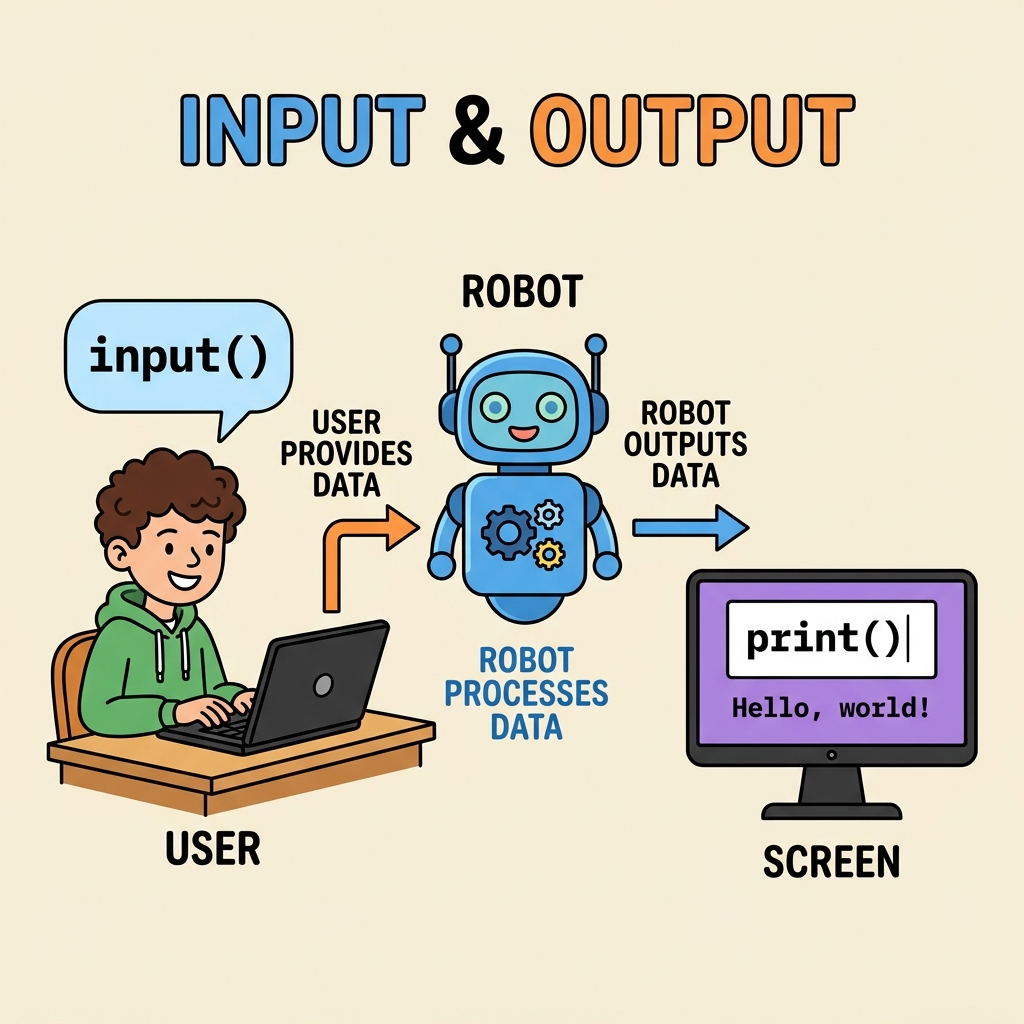
When you use input(), Python reads bytes from the standard input stream (usually your keyboard), converts them to a string, and returns this to your program. Conversely, print() sends data to the standard output stream (usually your screen), converting Python objects to strings automatically.
Understanding this flow helps you appreciate what happens behind the scenes and prepares you for more advanced topics like file I/O or network communication.
| Function | Purpose |
|---|---|
input(prompt) | Reads a line of text from the user and returns it as a string |
print(*objects, sep=' ', end='\
') | Outputs objects to the screen, separated by sep and ending with end |
Common Pitfalls and Best Practices
- Always convert input data to the correct type: Remember that
input()returns a string, so convert when you need numbers. - Validate user input: As you grow, learn to check if the user input is valid before using it.
- Use meaningful prompts: Help users understand what input is expected.
- Format output for readability: Use string formatting to make outputs clear and professional.
💡 Tip for Beginners
Practice writing simple programs that ask for input and print results. Experiment with different data types and formatting until you feel confident.
Summary
In this lesson, you learned how Python interacts with users via input and output:
input()pauses the program and waits for the user to type something, returning it as a string.- To work with numbers, convert the input string using
int()orfloat(). print()sends output to the screen, with customizable separators and line endings.- Using f-strings or the
format()method, you can neatly format output, controlling decimal places and alignment.
Mastering input and output is the gateway to creating interactive, dynamic Python programs. Keep experimenting and building small projects to solidify your understanding!
Quick Knowledge Check
Test what you just learned
Question 1 of 2
What data type does the input() function return by default?
Question 2 of 2
Which print() parameter would you use to change what appears at the end of the output line?
Loading results...