Welcome to your first deep dive into one of the most fundamental building blocks of Python programming: functions. Whether you're writing a simple script or building a complex application, functions help you organize, reuse, and structure your code efficiently. This lesson will walk you through what functions are, how to define and call them, and how to use their parameters and return values effectively.
What Is a Function?
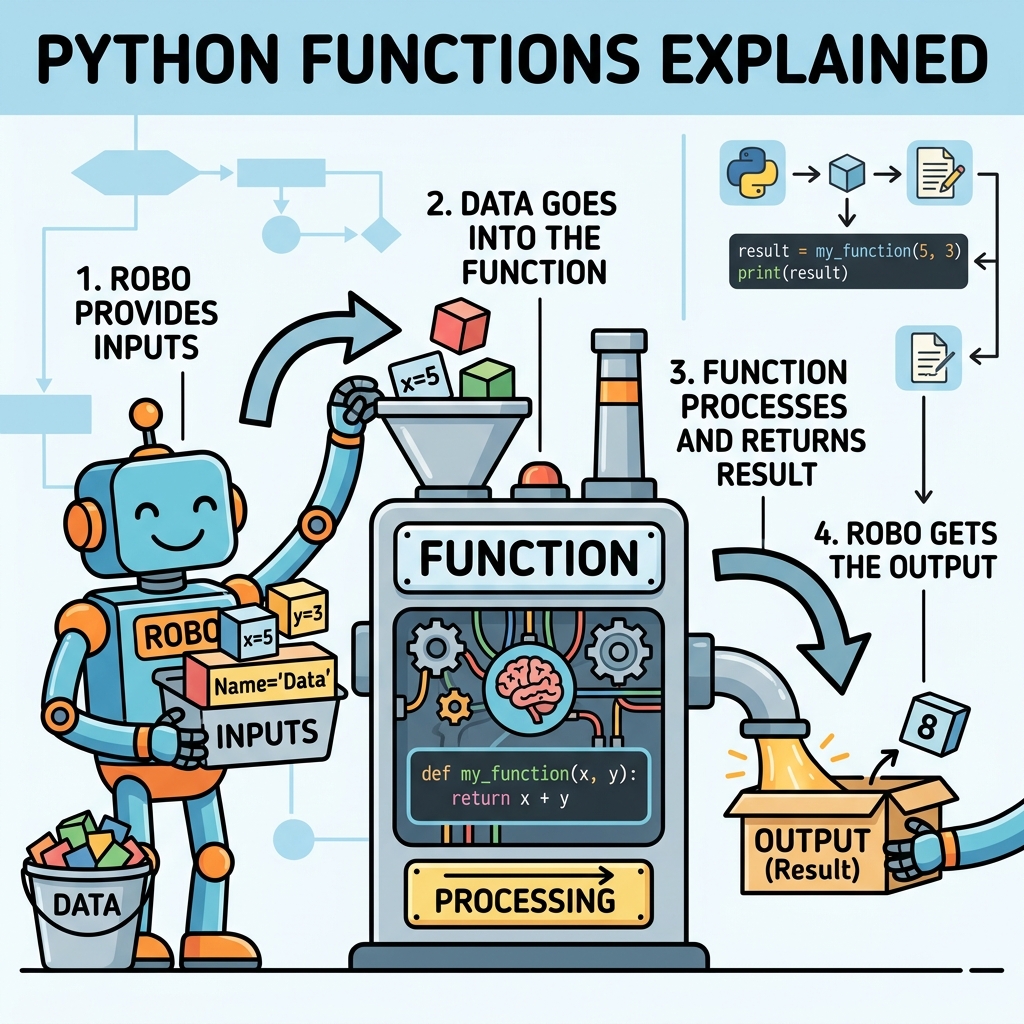
Think of a function as a mini-program inside your program. It’s a named block of code designed to perform a specific task. You can imagine it like a machine in a factory: you feed it some raw materials (inputs), it processes them, and then it gives you something back (output). Functions help you avoid repeating the same code multiple times, making your programs cleaner and easier to maintain.
💡 Why Use Functions?
Functions improve code readability, promote reuse, and make debugging easier. Instead of writing the same code over and over, you define it once and call it whenever needed.
Defining and Calling a Function
In Python, you define a function using the def keyword, followed by the function’s name and parentheses (). The code inside the function is indented under the definition line.
📌 Deep Dive: Basic Function Definition
def greet():
    print("Hello, world!")
To execute the function, you simply call it by its name followed by parentheses:
📌 Deep Dive: Calling a Function
greet()
# Output:
# Hello, world!
Notice how the function name greet is followed by parentheses. This tells Python to run the code inside the function. Without the parentheses, Python just refers to the function object itself.
Functions with Parameters
Often, you want your function to do more than just one fixed thing. You want it to work with different inputs. This is where parameters come in — they allow you to pass information into your function.
Here’s how you add parameters to a function:
📌 Deep Dive: Parameters in Functions
def greet(name):
    print(f"Hello, {name}!")
Now, when you call greet, you provide a name as an argument:
📌 Deep Dive: Passing Arguments
greet("Alice")
# Output:
# Hello, Alice!
You can define functions with multiple parameters by separating them with commas:
📌 Deep Dive: Multiple Parameters
def add_numbers(a, b):
    print(a + b)
Calling this function:
📌 Deep Dive: Calling with Multiple Arguments
add_numbers(5, 7)
# Output:
# 12
Returning Values from Functions
So far, our functions just performed actions like printing messages. But often you want functions to compute a value and give it back to you. You do this using the return statement.
When Python reaches a return in a function, it immediately exits the function and sends back the specified value.
📌 Deep Dive: Using Return
def add_numbers(a, b):
    return a + b

result = add_numbers(3, 4)
print(result)
# Output:
# 7
Using return allows you to save the output of a function into a variable, use it in expressions, or pass it to other functions.
💡 Difference Between print() and return
While print() simply displays output to the screen, return sends data back from a function so it can be used elsewhere in your code.
Parameters: Positional, Keyword, and Default
Python functions are flexible in how you provide arguments to parameters. Here are the main ways:
- Positional arguments: Values are assigned to parameters based on their position.
- Keyword arguments: You specify the parameter name explicitly when calling the function.
- Default arguments: Parameters can have default values if no argument is provided.
📌 Deep Dive: Keyword and Default Arguments
def greet(name, greeting="Hello"):
    print(f"{greeting}, {name}!")

greet("Bob")                      # Uses default greeting
greet("Alice", greeting="Hi") # Uses keyword argumentDefault arguments must come after parameters without defaults, otherwise Python will raise an error.
Flexible Arguments: *args and **kwargs
Sometimes, you don't know in advance how many arguments will be passed to your function. Python provides special syntax to handle this:
*argscollects extra positional arguments as a tuple.**kwargscollects extra keyword arguments as a dictionary.
📌 Deep Dive: Using *args and **kwargs
def show_info(*args, **kwargs):
    print("Positional arguments:", args)
    print("Keyword arguments:", kwargs)

show_info(1, 2, 3, name="Alice", age=30)This flexibility is especially useful when building functions that wrap or extend other functions.
Function Scope and Lifetime
Variables defined inside a function are local to that function and cannot be accessed from outside. This concept is called scope. When the function finishes executing, the local variables are destroyed.
⚠️ Beware of Variable Scope
Modifying global variables inside functions requires explicit declaration (global keyword). Otherwise, assignments create new local variables.
📌 Deep Dive: Variable Scope
x = 10

def change_x():
    x = 5  # This creates a new local variable x
    print("Inside function:", x)

change_x()
print("Outside function:", x)If you want to modify the global variable x inside the function, you must declare it as global:
📌 Deep Dive: Using Global Keyword
x = 10

def change_x():
    global x
    x = 5
    print("Inside function:", x)

change_x()
print("Outside function:", x)Anonymous Functions with lambda
Python supports short, unnamed functions called lambda functions. They are handy for simple operations, especially when you want to pass a small function as an argument.
📌 Deep Dive: Lambda Functions
square = lambda x: x * x
print(square(5))
# Output:
# 25
While lambda functions are concise, they should be used sparingly for clarity. For more complex logic, define a regular function.
Organizing Functions: Docstrings and Best Practices
Good functions are well-documented. Python allows you to add a docstring — a brief explanation of what the function does — by placing a string literal right after the function header.
📌 Deep Dive: Writing Docstrings
def greet(name):
    """Print a greeting to the specified person."""
    print(f"Hello, {name}!")
Tools like IDEs and help() function use docstrings to provide useful information about your functions.
Summary: Anatomy of a Function in Python
| Component | Description |
|---|---|
def keyword | Starts the function definition |
| Function name | Identifier to call the function |
| Parameters | Inputs the function accepts |
Colon : | Indicates the start of the function body |
| Indented code block | The body of the function, executed when called |
return statement | Sends a result back to the caller (optional) |
| Docstring | Describes the function’s purpose (optional but recommended) |
Practical Tips for Writing Functions
- Keep functions focused: Each function should do one thing well.
- Name functions clearly: Use descriptive names that explain their purpose.
- Limit side effects: Prefer functions that return data rather than just printing or modifying globals.
- Write docstrings: Document inputs, outputs, and behavior for easier maintenance.
- Test your functions: Test with different inputs to ensure correctness.
With practice, you will find that functions become your trusted tools to tackle complex problems in manageable pieces.
Next Steps
Try creating your own functions based on what you’ve learned. Experiment with parameters, returns, and try writing functions that handle arbitrary numbers of arguments using *args and **kwargs. Understanding functions will unlock the power to write clean, reusable, and efficient Python code.
Quick Knowledge Check
Test what you just learned
Question 1 of 2
What does the return statement do inside a function?
Question 2 of 2
What is the purpose of *args in a function definition?
Loading results...