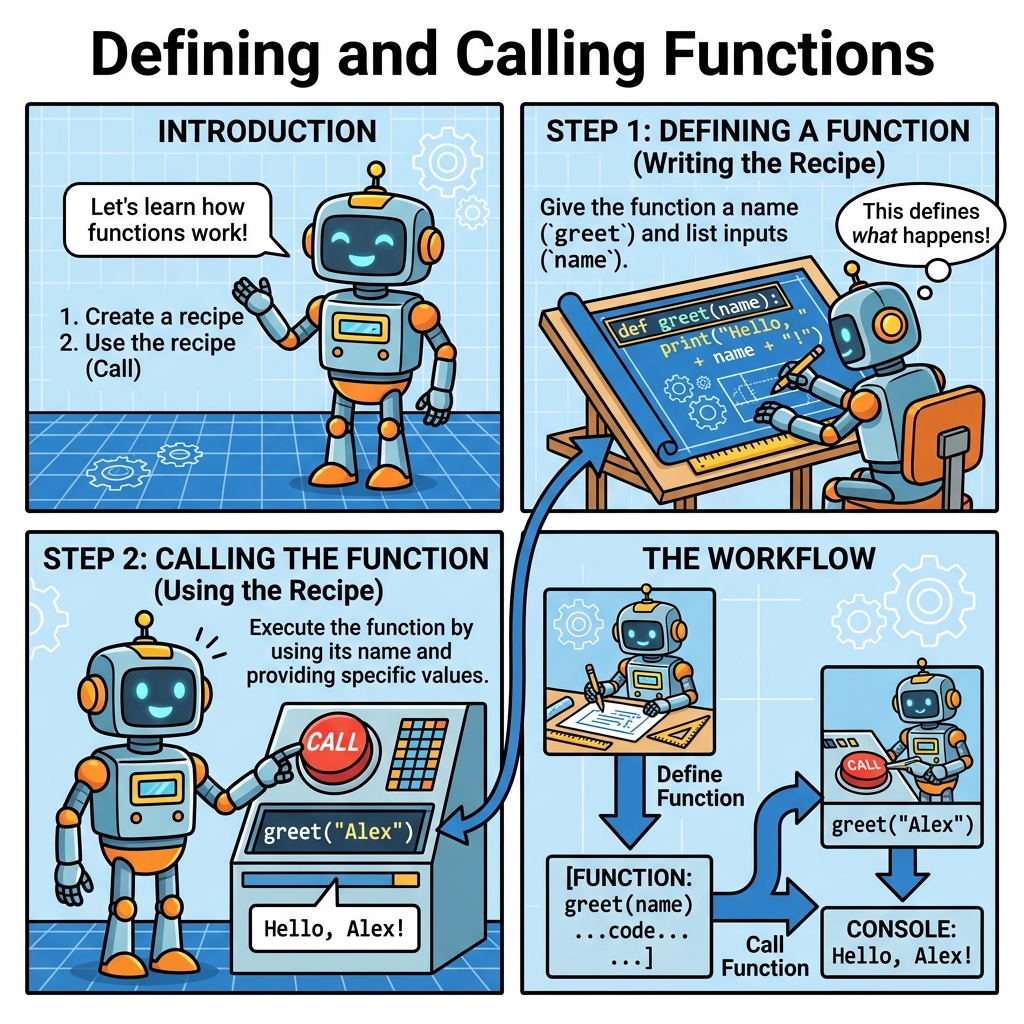
In programming, functions are fundamental building blocks that help you organize your code into reusable, manageable pieces. Think of functions as mini-machines: you define what they do, and then you can use them anytime without rewriting the same code. This lesson will guide you through the essentials of defining and calling functions in Python, a skill that is indispensable for writing clean, efficient programs.
What Is a Function?
A function is a named sequence of statements that performs a specific task. Once defined, you can "call" the function anywhere in your code to execute its task. Functions help avoid repetition and make your code easier to read, debug, and maintain.
💡 Why Use Functions?
Imagine writing a program where you have to repeat the same calculations or actions multiple times. Functions let you write that code once and reuse it, reducing errors and saving time.
Defining a Function
In Python, you define a function using the def keyword, followed by the function name, parentheses (), and a colon :. The code block inside the function is indented.
Basic syntax:
def function_name():
    # code block
    pass
Here’s a step-by-step breakdown:
deftells Python you are defining a function.function_nameis the identifier you choose for your function (follow variable naming rules).()holds parameters, if any (we’ll discuss parameters soon).:signals the start of the function body.- The indented lines underneath form the function body — the statements to run when the function is called.
📌 Deep Dive: Defining a Simple Function
def greet():
print("Hello, welcome to Python functions!")At this point, the function greet exists in your program, but it hasn't done anything yet because we haven't called it.
Calling a Function
To run the code inside a function, you need to call it by writing its name followed by parentheses.
Example:
greet()This executes the code inside greet, producing:
📌 Deep Dive: Calling a Function
def greet():
    print("Hello, welcome to Python functions!")

greet()Function Names: Best Practices
Function names should be descriptive and follow these guidelines:
- Use lowercase letters and underscores to separate words (snake_case).
- Start with a letter or underscore, not a number.
- Avoid using Python keywords (like
def,if,else).
💡 Naming Tip
Choose function names that express the action or purpose, e.g., calculate_area, show_message, or get_user_input.
Functions with Parameters
Functions often need inputs to work with. These inputs are called parameters or arguments. You define parameters inside the parentheses in the function declaration.
Example:
def greet_user(name):
    print(f"Hello, {name}! Welcome to Python.")
Here, name is a parameter that the function expects when called.
📌 Deep Dive: Function with Parameters
def greet_user(name):
    print(f"Hello, {name}! Welcome to Python.")

greet_user("Alice")
greet_user("Bob")Hello, Bob! Welcome to Python.
When you call greet_user, you provide an argument inside the parentheses. The function then uses this argument within its code.
Multiple Parameters
You can define multiple parameters by separating them with commas in the function definition.
def add_numbers(a, b):
    print(a + b)
Calling it:
add_numbers(5, 3) # Outputs 8📌 Deep Dive: Function with Multiple Parameters
def add_numbers(a, b):
    print(a + b)

add_numbers(5, 3)
add_numbers(10, 20)30
Return Values from Functions
Functions can also return values back to the caller instead of just printing them. The return statement is used for this purpose.
Example:
def square(number):
    return number * number
Calling and using the return value:
result = square(4)
print(result)  # Outputs 16
📌 Deep Dive: Returning Values
def square(number):
    return number * number

result = square(4)
print(result)Using return lets you capture the output for further use, such as storing in variables or using in expressions.
Functions Without Return Statement
If a function does not explicitly return a value, it returns None by default.
⚠️ Remember
Functions that only print results but don’t return them cannot be used in expressions or assigned meaningfully to variables.
Example:
def greet():
    print("Hi there!")

x = greet()
print(x)  # Outputs None
Parameters vs Arguments Explained
It’s important to distinguish between parameters and arguments:
- Parameters are the variable names in the function definition.
- Arguments are the actual values you pass into the function when calling it.
| Term | Explanation |
|---|---|
| Parameter | Variable listed inside the parentheses in function definition (def add(a, b): - a and b are parameters) |
| Argument | Actual value passed to the function when calling it (add(5, 3) - 5 and 3 are arguments) |
Why Functions Are So Important
Functions allow you to:
- Make your code modular and easier to manage.
- Reuse code without rewriting it.
- Break complex problems into smaller, simpler pieces.
- Test and debug smaller sections of code independently.
Common Pitfalls When Defining and Calling Functions
- Indentation Errors: Python requires consistent indentation inside function bodies. Forgetting indentation leads to syntax errors.
- Calling Before Defining: You must define a function before calling it, otherwise Python will raise a
NameError. - Wrong Number of Arguments: Calling a function with too few or too many arguments causes errors. Make sure the arguments match the parameters.
- Forgetting Parentheses When Calling: Writing
greetinstead ofgreet()refers to the function object, but doesn’t run it.
⚠️ Common Error Example
Calling a function without parentheses:
def greet():
    print("Hi!")

greet  # This does nothing, no output
greet()  # Correct call, outputs "Hi!"
Summary: Steps to Use Functions
- Define the function with
def, a name, optional parameters, and an indented code block. - Call the function by writing its name followed by parentheses and providing arguments if required.
- Use return statements to send data back to the caller when needed.
Mastering functions early on will set you up for success as you build more complex Python programs.
💡 Quick Tip
Try writing small functions that perform simple tasks and call them multiple times with different inputs to see how reusable and powerful they can be!
Quick Knowledge Check
Test what you just learned
Question 1 of 2
What keyword do you use to define a function in Python?
Question 2 of 2
What happens if you call a function without parentheses?
Loading results...