When you start programming in Python, you'll quickly realize that functions are one of the most essential building blocks of your code. Functions allow you to group reusable pieces of logic, making your programs cleaner, more modular, and easier to maintain. But to make functions truly flexible and powerful, you need to understand arguments and parameters.
In this lesson, we'll embark on a comprehensive journey through arguments and parameters — learning what they are, how they differ, their types, and how Python uses them to pass data into functions. By the end, you'll be able to confidently define your own functions with parameters and call them with the appropriate arguments.
What Are Parameters and Arguments?
These two terms often cause confusion, but they serve distinct purposes in the world of functions.
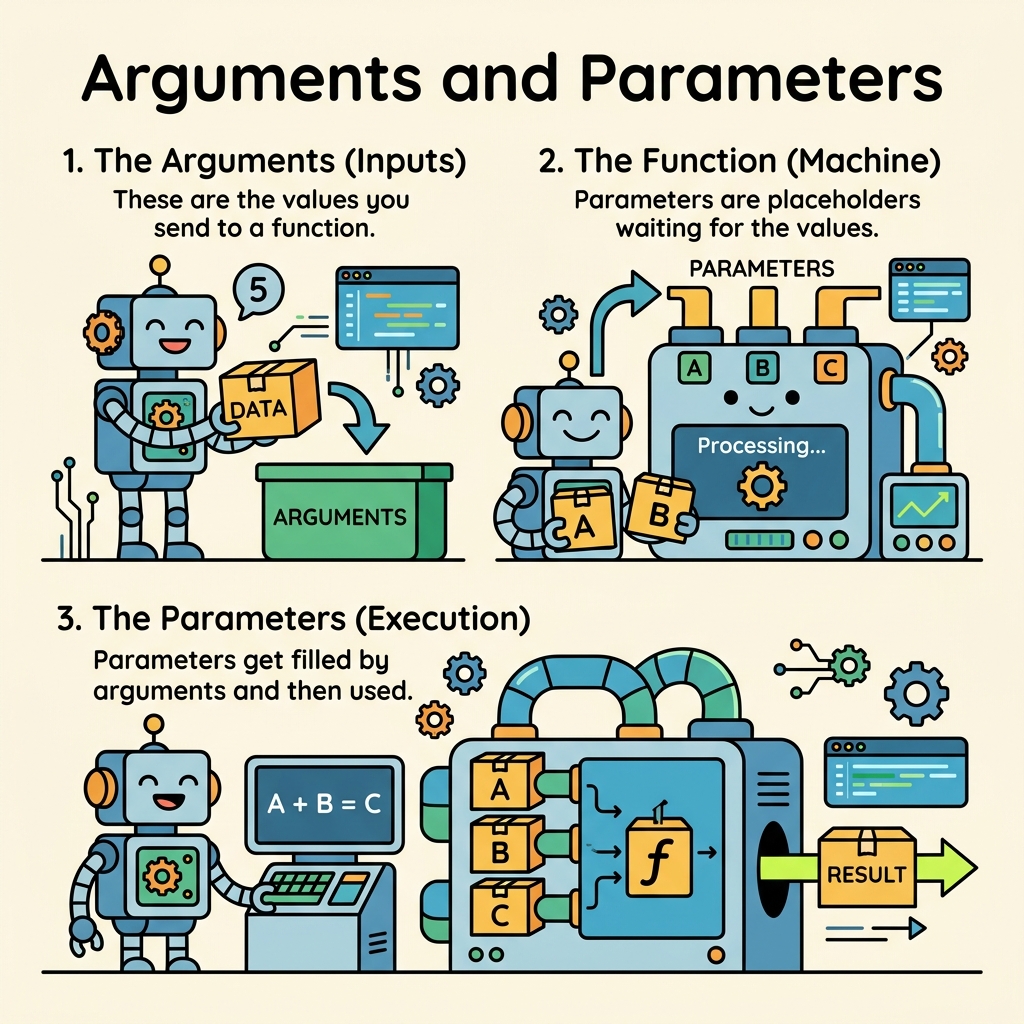
- Parameters are the variables listed in a function’s definition. They act as placeholders for the values the function expects to receive.
- Arguments are the actual values you pass to the function when you call it.
Think of parameters as the function’s “input sockets” and arguments as the “plugs” you connect to those sockets to provide data.
💡 Key Insight
Parameters exist when defining a function; arguments exist when calling or invoking that function.
📌 Deep Dive: Basic Function with Parameters and Arguments
def greet(name):  # 'name' is the parameter
    print(f"Hello, {name}!")

greet("Alice")  # "Alice" is the argument
greet("Bob") # "Bob" is the argumentHello, Bob!
Why Do We Need Parameters?
Without parameters, every function would be hard-coded to do only one specific task, limiting its reuse. Parameters make functions flexible by allowing them to operate on different inputs each time they are called.
Imagine a function to calculate the area of a rectangle. If the function had no parameters, it could only calculate the area for one fixed size:
📌 Deep Dive: Function Without Parameters (Not Flexible)
def fixed_area():
    length = 5
    width = 3
    return length * width

print(fixed_area()) # Always returns 15This function is limited — it always returns the same result. But by introducing parameters, you can make it work for any rectangle size:
📌 Deep Dive: Function With Parameters
def area(length, width):
    return length * width

print(area(5, 3))  # 15
print(area(10, 4)) # 40
print(area(7, 2)) # 1440
14
How Arguments are Passed to Parameters
When you call a function, Python assigns the values you provide (the arguments) to the corresponding parameters in the function’s definition. The simplest way is positional arguments, where the first argument matches the first parameter, the second matches the second, and so on.
For example:
📌 Deep Dive: Positional Arguments
def describe_pet(animal_type, pet_name):
    print(f"I have a {animal_type} named {pet_name}.")

describe_pet("dog", "Buddy")  # animal_type='dog', pet_name='Buddy'
describe_pet("cat", "Whiskers")I have a cat named Whiskers.
Because Python matches arguments to parameters by position here, swapping their order changes the meaning:
⚠️ Be Careful With Argument Order
Calling describe_pet("Buddy", "dog") will produce confusing output, because "Buddy" will be assigned as the animal type.
Keyword Arguments for Clarity
Python allows you to specify arguments using the parameter names explicitly, making your function calls clearer and independent of argument order. These are called keyword arguments.
Example:
📌 Deep Dive: Keyword Arguments
describe_pet(pet_name="Buddy", animal_type="dog")
describe_pet(animal_type="cat", pet_name="Whiskers")I have a cat named Whiskers.
This approach increases readability and reduces errors related to argument order.
Default Parameter Values
Functions can also have parameters with default values. These parameters become optional during function calls. If the argument is omitted, the default value is used.
This is helpful when you want to provide a common or typical value but allow customization when needed.
📌 Deep Dive: Default Parameters
def describe_pet(pet_name, animal_type="dog"):
    print(f"I have a {animal_type} named {pet_name}.")

describe_pet("Buddy")                  # Uses default animal_type='dog'
describe_pet("Whiskers", animal_type="cat")I have a cat named Whiskers.
💡 Best Practice
Place parameters with default values after those without defaults in your function definition to avoid syntax errors.
Types of Arguments in Python
Python supports several argument types that increase the flexibility of functions:
- Positional arguments: Matched based on their order.
- Keyword arguments: Passed by explicitly specifying the parameter name.
- Default arguments: Parameters with default values.
- Variable-length arguments: Allow functions to accept an arbitrary number of arguments, using
*argsand**kwargs.
Variable-length Positional Arguments (*args)
When you don’t know beforehand how many positional arguments a function might receive, use *args. This collects extra positional arguments into a tuple.
📌 Deep Dive: Using *args
def make_pizza(size, *toppings):
    print(f"
Making a {size}-inch pizza with the following toppings:")
    for topping in toppings:
        print(f"- {topping}")

make_pizza(12, "pepperoni", "mushrooms", "green peppers")
make_pizza(8, "cheese")- pepperoni
- mushrooms
- green peppers
Making an 8-inch pizza with the following toppings:
- cheese
Variable-length Keyword Arguments (**kwargs)
Similarly, if you want to accept any number of keyword arguments, use **kwargs. This collects extra keyword arguments into a dictionary.
📌 Deep Dive: Using **kwargs
def build_profile(first, last, **user_info):
    profile = {}
    profile['first_name'] = first
    profile['last_name'] = last
    for key, value in user_info.items():
        profile[key] = value
    return profile

user_profile = build_profile('albert', 'einstein', location='princeton', field='physics')
print(user_profile)💡 Remember
Parameter order when using *args and **kwargs matters: regular parameters first, then *args, and finally **kwargs.
Summary: Arguments vs Parameters at a Glance
| Term | Description |
|---|---|
| Parameter | Variable in a function definition that accepts a value. |
| Argument | Actual value passed to a function when calling it. |
| Positional Argument | Passed based on order; matches parameters by position. |
| Keyword Argument | Passed by explicitly naming the parameter. |
| Default Parameter | Parameter with a default value, making it optional. |
*args | Collects extra positional arguments as a tuple. |
**kwargs | Collects extra keyword arguments as a dictionary. |
Common Pitfalls to Avoid
- Mixing positional and keyword arguments incorrectly: Positional arguments must come before keyword arguments in function calls.
- Mutable default arguments: Avoid using mutable objects like lists or dictionaries as default parameter values because they can retain changes between calls.
- Incorrect argument counts: Calling a function with too few or too many arguments (unless using
*argsor**kwargs) causes errors.
⚠️ Warning: Mutable Default Arguments
Using a list or dictionary as a default parameter can lead to unexpected behavior because the default is only evaluated once when the function is defined.
📌 Deep Dive: Mutable Default Argument Pitfall
def add_item(item, item_list=[]):
    item_list.append(item)
    return item_list

print(add_item("apple"))  # ['apple']
print(add_item("banana")) # ['apple', 'banana'] - unexpected!['apple', 'banana']
To fix this, use None as the default and create a new list inside the function:
📌 Deep Dive: Correct Approach to Mutable Defaults
def add_item(item, item_list=None):
    if item_list is None:
        item_list = []
    item_list.append(item)
    return item_list

print(add_item("apple"))  # ['apple']
print(add_item("banana")) # ['banana'] - now correct['banana']
Practice Makes Perfect
Try writing your own functions using different types of parameters and arguments. Experiment with mixing positional and keyword arguments, setting default values, and handling variable-length arguments. This hands-on practice will solidify your understanding and prepare you for more advanced Python programming.
Remember, mastering arguments and parameters is a fundamental step toward writing clean, reusable, and maintainable code.
Quick Knowledge Check
Test what you just learned
Question 1 of 2
What is the difference between a parameter and an argument in Python functions?
Question 2 of 2
Which of the following function calls uses keyword arguments correctly?
Loading results...