When programming in Python, errors and unexpected situations inevitably arise. Python’s built-in exceptions cover a vast range of common errors — like ValueError, TypeError, and KeyError. But what if your application encounters a unique problem that doesn’t quite fit these categories? This is where custom exceptions come into play.
Custom exceptions empower you to create meaningful, descriptive error types tailored specifically to your program’s domain or logic. This makes your code easier to debug, maintain, and extend, as errors communicate exactly what went wrong.
The Philosophy Behind Custom Exceptions
Imagine you are building a banking application. A generic Exception or even a ValueError might tell you something went wrong, but it won’t specify why. Did the withdrawal fail because of insufficient funds? Or was it due to a network issue? Custom exceptions let you define distinct error classes like InsufficientFundsError or TransactionTimeoutError, making problem diagnosis straightforward.
💡 Why use custom exceptions?
They help create self-documenting code, improve error handling clarity, and allow targeted exception management with specific except clauses.
How to Define a Custom Exception in Python
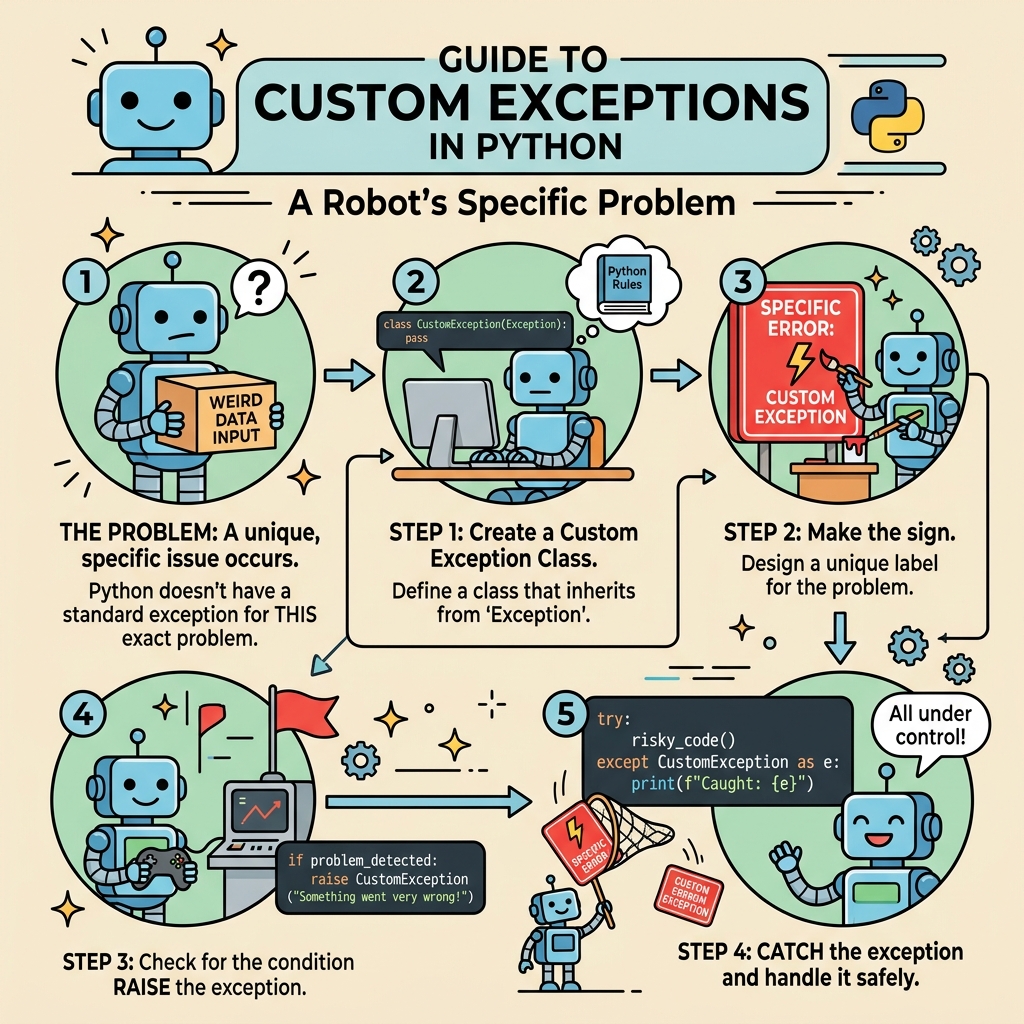
Creating your own exception class is simple: define a new class that inherits from Python’s built-in Exception class (or one of its subclasses). By convention, exception class names end with Error to clearly indicate their role.
📌 Deep Dive: Basic Custom Exception
class MyCustomError(Exception):
    """Exception raised for a specific custom error condition."""
    pass

# Usage example
def check_value(x):
    if x < 0:
        raise MyCustomError("Negative value is not allowed")

try:
    check_value(-10)
except MyCustomError as e:
print(f"Caught an error: {e}")In this snippet:
MyCustomErrorinherits fromException.- The
passstatement means we don’t add any extra attributes or methods yet — it behaves like a normal exception. - We raise the exception with a custom error message when the condition
x < 0occurs.
Adding More Detail to Your Exceptions
Often, you want your exception to carry more information than just a message. For example, you might want to store an error code, the invalid value, or other relevant context.
To do this, override the __init__ method of your exception class to accept additional arguments and store them as instance attributes.
📌 Deep Dive: Custom Exception with Attributes
class ValidationError(Exception):
    def __init__(self, message, value):
        super().__init__(message)  # Initialize base Exception with message
        self.value = value         # Store the invalid value

def validate_age(age):
    if age < 0 or age > 120:
        raise ValidationError("Invalid age provided", age)

try:
    validate_age(-5)
except ValidationError as e:
print(f"Validation failed: {e}, Value: {e.value}")By storing the invalid value in the exception, the error handler can react more intelligently or provide detailed feedback to the user.
Where to Place Custom Exceptions in Your Project?
For maintainability, define your custom exceptions in a dedicated module or package, often named exceptions.py. This practice keeps your code organized and makes it easier to import and reuse exceptions across different parts of your application.
💡 Best Practice
Keep your exception classes simple and focused. Avoid complex logic inside exceptions. Their primary role is to signal an error, not to process data.
Handling Multiple Custom Exceptions
Large applications may define many custom exceptions. You can catch them individually or group them by creating a common parent exception. This allows flexible error handling strategies.
| Exception Class | Description |
|---|---|
AppError | Base class for all app-specific errors |
DatabaseError(AppError) | Errors related to database operations |
NetworkError(AppError) | Errors related to network issues |
TimeoutError(NetworkError) | Specific timeout errors |
Example usage:
📌 Deep Dive: Exception Inheritance and Catching
class AppError(Exception):
    pass

class DatabaseError(AppError):
    pass

class NetworkError(AppError):
    pass

class TimeoutError(NetworkError):
    pass

def perform_query():
    # Simulate a network timeout
    raise TimeoutError("Request timed out")

try:
    perform_query()
except TimeoutError as e:
    print(f"Caught timeout: {e}")
except NetworkError:
    print("Caught a network-related error")
except AppError:
print("Caught a generic application error")Notice how Python’s exception matching works from most specific to most general. This ordering allows precise or broad exception handling as needed.
Raising Custom Exceptions Properly
Use the raise statement followed by an instance of your exception or the exception class itself with arguments. This is essential to trigger your custom error at the right moment.
Example:
📌 Deep Dive: Raising Exceptions
class LoginError(Exception):
    pass

def login(user, password):
    if user != "admin" or password != "secret":
        raise LoginError("Invalid username or password")

try:
    login("guest", "1234")
except LoginError as err:
print(f"Login failed: {err}")Best Practices for Custom Exceptions
- Name your exceptions clearly: Use descriptive names ending with
Errorto indicate their purpose. - Keep exceptions focused: They should signal errors, not contain business logic.
- Document your exceptions: Use docstrings to explain when they are raised.
- Use inheritance wisely: Group related exceptions under a common base class for flexible handling.
- Don’t catch exceptions you can’t handle: Catch only those exceptions you can meaningfully respond to or recover from.
⚠️ Avoid Overusing Custom Exceptions
While custom exceptions are powerful, creating too many trivial ones can clutter your code and confuse developers. Use them where they add clarity and expressiveness.
Summary
Custom exceptions in Python are a vital tool for writing robust, maintainable code. By defining your own error classes, you make your programs communicate failures clearly and enable precise error handling strategies. Starting from simple subclassing of Exception, you can add attributes, build hierarchies, and organize your exceptions thoughtfully.
Keep in mind this balanced approach: use custom exceptions to clarify and enhance error reporting, but avoid unnecessary complexity. With these principles, your Python projects will be easier to debug and scale.
Quick Knowledge Check
Test what you just learned
Question 1 of 2
What is the correct way to create a custom exception in Python?
Question 2 of 2
Why might you add additional attributes to a custom exception class?
Loading results...