Welcome to this comprehensive guide on Creating Tuples in Python! Tuples are one of the fundamental data structures you’ll encounter as a Python programmer. They allow you to store multiple items in a single variable, just like lists, but with an important twist: tuples are immutable, meaning once created, their contents cannot be changed. This property makes tuples ideal for storing fixed collections of data.
In this lesson, we will explore everything you need to know about creating tuples, from basic syntax to advanced nuances. By the end, you will confidently create tuples in various ways and understand when and why to use them effectively.
What Are Tuples?
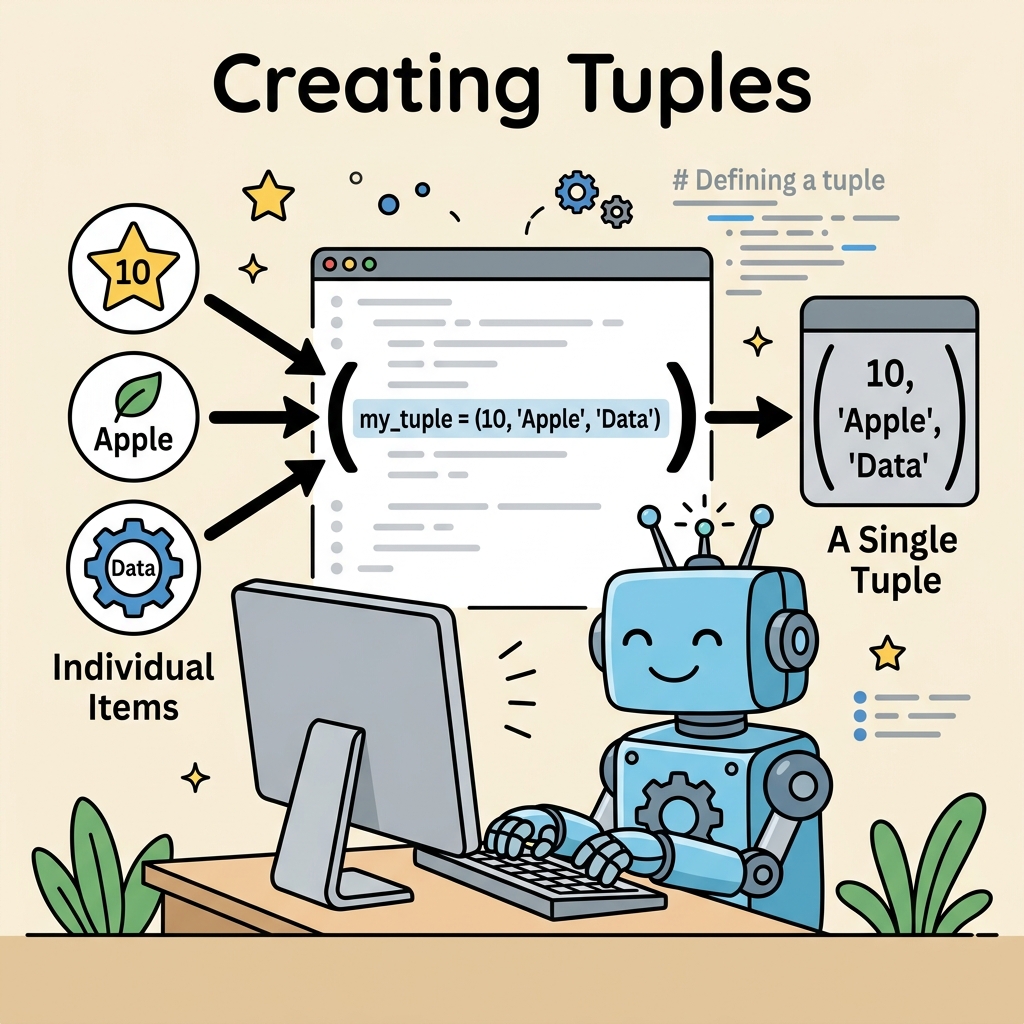
A tuple is an ordered collection of values enclosed in parentheses (). Each value inside a tuple is called an element. Tuples can contain elements of different data types — strings, integers, floats, booleans, or even other tuples.
Because they are immutable, tuples provide a safe way to group data that should not be accidentally modified. This can help prevent bugs in your programs and also allows Python to optimize their performance.
Basic Syntax for Creating Tuples
The most straightforward way to create a tuple is to place comma-separated values inside parentheses:
📌 Deep Dive: Simple Tuple Creation
my_tuple = (10, 20, 30)
print(my_tuple)
print(type(my_tuple))Here, my_tuple holds three integers. Notice the parentheses wrapping the values and the commas separating them.
Important:
It’s the commas that define a tuple, not just the parentheses. Parentheses are used mainly for readability or to avoid ambiguity in expressions.
Creating Tuples Without Parentheses
Python allows you to create tuples simply by separating values with commas, even without parentheses:
📌 Deep Dive: Tuple Without Parentheses
coordinates = 50, 100, 150
print(coordinates)
print(type(coordinates))This is called tuple packing, where Python automatically groups the comma-separated values into a tuple.
Creating Single-Element Tuples
One of the most common pitfalls when creating tuples is making a single-element tuple. Simply putting one value in parentheses doesn’t create a tuple; it’s interpreted as just that value wrapped in parentheses.
⚠️ Single-Element Tuple Gotcha
To create a tuple with one element, you must add a trailing comma after the element. Without the comma, Python treats it as the original data type, not a tuple.
📌 Deep Dive: Single-Element Tuple
single_tuple = (42,)
not_a_tuple = (42)

print(type(single_tuple))
print(type(not_a_tuple))Notice the comma makes all the difference. The first variable single_tuple is a tuple, while not_a_tuple remains an integer.
Creating Tuples Using the tuple() Constructor
Besides using literals, Python provides a built-in tuple() function that converts other iterable objects into tuples.
Common iterables you might convert include lists, strings, or even ranges.
📌 Deep Dive: Using tuple() to Create Tuples
list_data = [1, 2, 3, 4]
tuple_from_list = tuple(list_data)

string_data = "hello"
tuple_from_string = tuple(string_data)

print(tuple_from_list)
print(tuple_from_string)Using tuple() is useful when you want to ensure data is immutable, for example, converting a list to a tuple before passing it to a function that should not modify it.
Tuples Containing Mixed Data Types
Tuples can hold items of different types simultaneously. This flexibility allows you to group related but different kinds of data together.
📌 Deep Dive: Mixed-Type Tuple
person = ("Alice", 30, 5.6, True)
print(person)
print(type(person))This tuple stores a string, an integer, a float, and a boolean value together, which could represent a person's name, age, height, and employment status.
Comparing Tuples and Lists
Both tuples and lists are used to store collections of items. However, the key difference is that tuples are immutable and lists are mutable.
Here is a quick comparison:
| Attribute | Tuple | List |
|---|---|---|
| Syntax | Parentheses or commas: (1, 2, 3) or 1, 2, 3 | Square brackets: [1, 2, 3] |
| Mutability | Immutable (cannot change after creation) | Mutable (can add, remove, or modify elements) |
| Use Case | Fixed collections, keys in dictionaries | Dynamic collections, changing data |
| Performance | Faster and consumes less memory | Slower due to flexibility |
Why Use Tuples?
Tuples offer several practical benefits:
- Immutability: They protect data from accidental changes.
- Hashable: Tuples can be used as keys in dictionaries because they are hashable, unlike lists.
- Performance: Tuples are slightly faster and use less memory than lists.
- Semantic clarity: Using a tuple signals that the data is fixed and should not change.
For example, coordinates (latitude, longitude) are better represented as a tuple because they usually do not change during execution.
Using Tuple Unpacking for Multiple Assignments
One powerful feature of tuples is unpacking — assigning each element of a tuple to a separate variable in a single statement.
📌 Deep Dive: Tuple Unpacking
point = (4, 5)
x, y = point

print("x =", x)
print("y =", y)This makes your code cleaner and more readable when working with tuples.
Creating Nested Tuples
Tuples can contain other tuples as elements, allowing you to construct complex, hierarchical data structures.
📌 Deep Dive: Nested Tuples
nested_tuple = ((1, 2), (3, 4), (5, 6))
print(nested_tuple)

for sub_tuple in nested_tuple:
print(sub_tuple)Nested tuples are useful for representing matrices, coordinate pairs, or any grouped data within groups.
Common Mistakes to Avoid When Creating Tuples
- Forgetting the comma in single-element tuples: Always include a trailing comma to create a tuple with one element.
- Expecting mutability: You cannot add, remove, or change items in a tuple once created.
- Misusing parentheses: Parentheses are optional in many cases, but using them improves readability.
⚠️ Remember: If you need a collection that can change over time, use a list instead of a tuple.
Summary
Creating tuples in Python is straightforward but understanding the nuances is essential for writing clean and efficient code.
- Tuples are created by placing comma-separated values inside parentheses or by just separating values with commas.
- Single-element tuples require a trailing comma.
- The
tuple()constructor converts iterables into tuples. - Tuples can hold mixed data types and nested tuples.
- Tuples are immutable, making them suitable for fixed data and as dictionary keys.
Practice creating tuples in various ways to get comfortable with their syntax and behavior. In the next lesson, we will explore how to access and manipulate tuple elements (without mutation!).
Quick Knowledge Check
Test what you just learned
Question 1 of 2
How do you correctly create a single-element tuple containing the integer 5?
Question 2 of 2
What will tuple("abc") produce?
Loading results...