When learning Python, mastering the flow of your program is essential. Sometimes, you need to control loops and conditional structures more precisely than just running from start to finish. That’s where the break, continue, and pass statements come in. These three keywords help you manipulate control flow inside loops and blocks, making your code cleaner, more efficient, and easier to understand.
In this lesson, we'll explore each of these statements in depth, understand when and why to use them, and see practical examples that bring them to life. By the end, you’ll confidently control loop execution and handle placeholder code with finesse.
The Power Trio: Break, Continue, and Pass
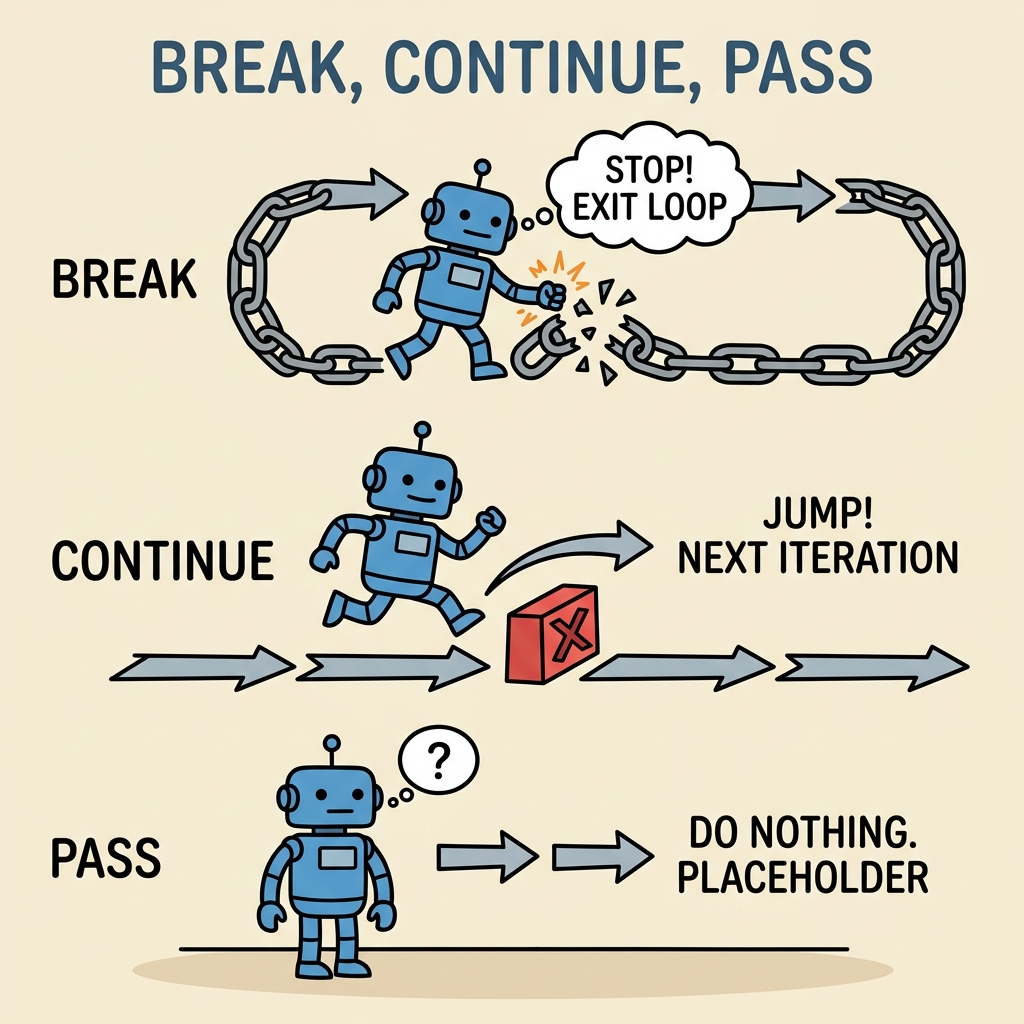
Before diving into each statement, let’s get a quick overview of what they do:
- break: Immediately exits the current loop (for or while), skipping any remaining iterations.
- continue: Skips the rest of the current loop iteration and moves directly to the next iteration.
- pass: A no-operation statement — it does nothing but acts as a placeholder in your code where a statement is syntactically required.
1. The break Statement: Loop Exit Button
Imagine you’re searching for something in a list, and as soon as you find it, you want to stop looking further. The break statement lets you do exactly that — it terminates the nearest enclosing loop immediately.
Here’s a practical example:
📌 Deep Dive: Using break in a for Loop
numbers = [1, 3, 5, 7, 9, 10, 11]
for num in numbers:
    if num == 10:
        print("Found 10, stopping the search.")
        break
    print(f"Checked number: {num}")
print("Loop ended.")Notice how once num equals 10, the break statement stops the loop immediately; the code never checks 11.
💡 Why use break?
It’s useful when the rest of the loop becomes irrelevant after a condition is met — saving time and resources.
Where can break be used?
- Inside
forloops - Inside
whileloops
Attempting to use break outside a loop results in a SyntaxError.
2. The continue Statement: Skip and Keep Going
Sometimes, you want to skip the current iteration of a loop but continue looping afterwards. That’s when continue shines. It tells Python, “Skip the rest of this iteration and move on to the next one.”
Let’s see how it works in practice:
📌 Deep Dive: Using continue to Skip Even Numbers
for i in range(1, 10):
    if i % 2 == 0:
        continue  # Skip even numbers
print(i)Here, whenever i is even, the continue statement skips the print and jumps right to the next iteration.
💡 Use case for continue:
When you want to ignore certain cases inside a loop but still complete all iterations.
3. The pass Statement: The Empty Placeholder
Sometimes in Python, you have to write code blocks where no action is needed yet — maybe because you’re planning to add code later or because the syntax requires a statement. The pass statement does nothing but keeps your code syntactically correct.
It’s like saying “do nothing here, but don’t skip this block.”
📌 Deep Dive: Using pass to Create Empty Blocks
def future_function():
    pass  # To be implemented later

for i in range(3):
    if i == 2:
        pass  # Placeholder for future code
    else:
print(i)Without pass, Python raises an IndentationError because empty blocks are not allowed.
⚠️ Important:
Don't confuse pass with continue or break. pass does nothing and doesn’t affect loop flow.
Comparing break, continue, and pass
To clarify their differences, here’s a side-by-side comparison:
| Statement | Effect |
|---|---|
break | Exits the nearest enclosing loop immediately. |
continue | Skips the rest of the current loop iteration and proceeds with the next iteration. |
pass | Does nothing; acts as a placeholder where a statement is syntactically required. |
How break and continue Interact With Nested Loops
Python supports nested loops — loops inside loops. Both break and continue affect only the innermost loop where they appear.
📌 Deep Dive: Nested Loop Behavior
for i in range(1, 4):
    for j in range(1, 4):
        if j == 2:
            break  # Exits inner loop only
        print(f"i={i}, j={j}")
print("Inner loop ended.")When j equals 2, break stops the inner loop but the outer loop continues.
Common Practical Uses and Tips
- Searching in loops: Use
breakto stop once the item is found. - Filtering data: Use
continueto skip unwanted data without cluttering logic. - Creating scaffolding code: Use
passto define classes, functions, or loops you’ll implement later.
⚠️ Avoid Overusing break and continue
While powerful, excessive use can make your loops harder to read and debug. Consider restructuring your logic or using functions for clarity.
Summary: When to Use Each
breakwhen you want to exit a loop early.continuewhen you want to skip the current iteration but keep looping.passwhen you need a placeholder to keep your code syntactically correct.
Mastering these three statements empowers you to write more flexible and efficient Python loops and control structures.
💡 Quick Tip:
Think of break as the emergency stop, continue as the “skip this step,” and pass as the “I'll fill this in later” sign in your code.
Practice Makes Perfect
Try writing small programs using these statements to solidify your understanding. For example:
- Create a loop that prints numbers 1 to 10 but stops if the number is greater than 5.
- Write a loop that prints all numbers between 1 and 20, but skips multiples of 3.
- Define a function that you plan to implement later using
pass.
Experimenting with these will boost your confidence in controlling flow in Python.
Quick Knowledge Check
Test what you just learned
Question 1 of 2
Which statement immediately exits the nearest loop when executed?
Question 2 of 2
What does the pass statement do in Python?
Loading results...