When you start programming in Python, you quickly learn about variables, lists, and strings. But what if you want to store data that pairs one piece of information with another? For example, a person's name and their phone number? This is where dictionaries come to the rescue. Dictionaries are one of Python’s most powerful and versatile data structures, enabling you to store and manage data in key-value pairs.
Think of a dictionary as a real-world dictionary: you look up a word (the key) and find its definition (the value). In Python, dictionaries work the same way, but with much more flexibility and power.
What is a Dictionary?
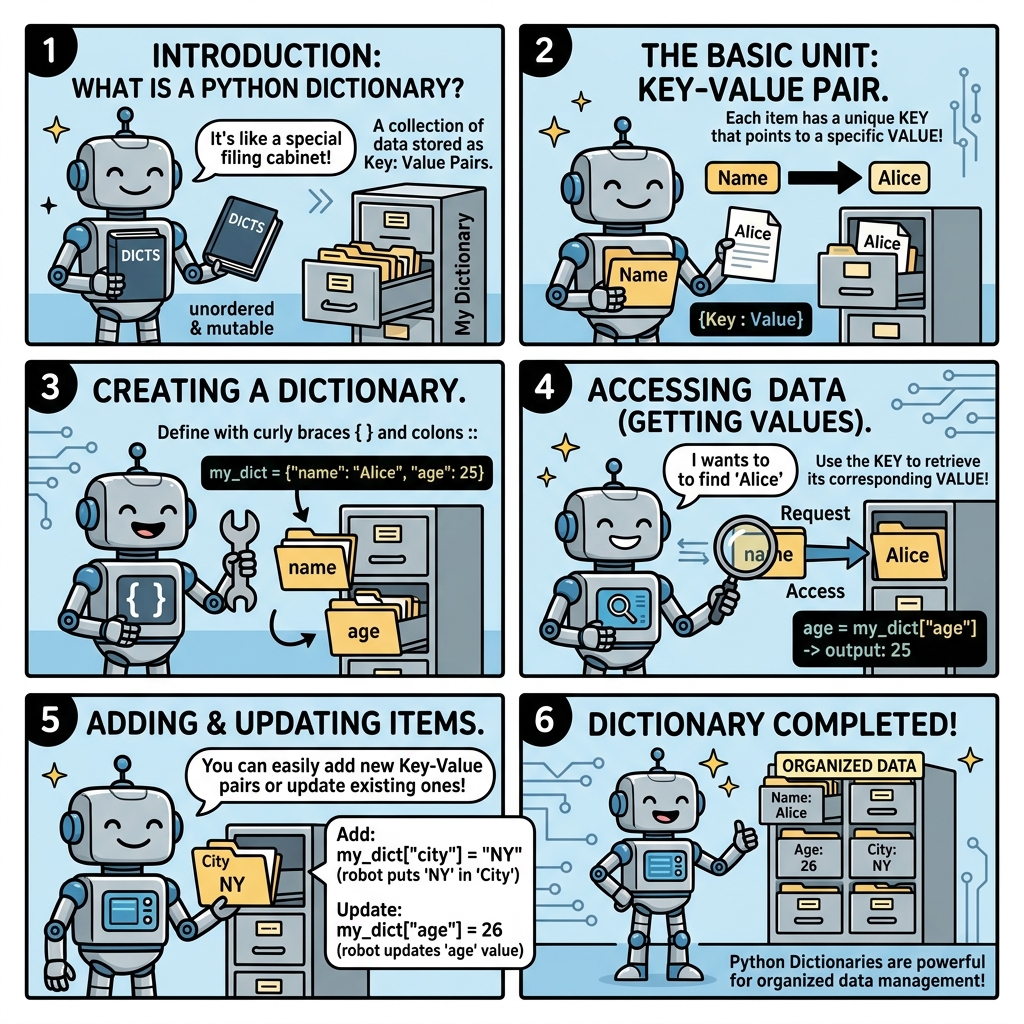
A dictionary in Python is an unordered collection of items. Each item is a pair made up of a key and a value. You can think of it as a map or associative array in other programming languages.
- Keys must be unique and immutable (strings, numbers, or tuples that contain immutable elements).
- Values can be of any data type and can be duplicated.
Dictionaries are defined with {} braces, and the key-value pairs are separated by commas. The key and value within each pair are separated by a colon.
📌 Deep Dive: Creating a Simple Dictionary
phone_book = {
    "Alice": "123-4567",
    "Bob": "987-6543",
    "Charlie": "555-1212"
}Accessing Values
Once you have a dictionary, you can access values by their keys using square brackets [] or the .get() method.
Accessing via square brackets is straightforward but can cause errors if the key does not exist. Using .get() is safer because it lets you specify a default value if the key isn't found.
📌 Deep Dive: Retrieving Data
print(phone_book["Alice"])      # Output: 123-4567

# Using .get() method
print(phone_book.get("Bob"))       # Output: 987-6543
print(phone_book.get("David"))     # Output: None
print(phone_book.get("David", "Not Found")) # Output: Not Found987-6543
None
Not Found
💡 Why Use .get()?
Using .get() prevents your program from crashing when you try to access a key that may not exist. It's a safer way to retrieve values from dictionaries.
Adding and Updating Items
Dictionaries are mutable, so you can add new key-value pairs or update existing ones simply by assigning a value to a key.
📌 Deep Dive: Adding & Updating Entries
# Adding a new entry
phone_book["David"] = "222-3333"

# Updating an existing entry
phone_book["Alice"] = "111-2222"

print(phone_book)Removing Items from a Dictionary
To remove key-value pairs, Python provides several methods:
del dict[key]: Deletes the key and its value.dict.pop(key): Removes the key and returns the value.dict.popitem(): Removes and returns the last inserted key-value pair (Python 3.7+ keeps insertion order).
📌 Deep Dive: Removing Entries
# Using del
del phone_book["Charlie"]

# Using pop
removed_number = phone_book.pop("Bob")

print(phone_book)
print("Removed:", removed_number)Removed: 987-6543
⚠️ Be Careful When Deleting Keys
If you try to delete a key that does not exist using del or pop() without a default, Python will raise a KeyError. Always check if the key exists or use safe methods.
Dictionary Methods You Should Know
Dictionaries come with powerful built-in methods to help you work with keys and values efficiently.
| Method | Description |
|---|---|
keys() | Returns a view object of all keys. |
values() | Returns a view object of all values. |
items() | Returns a view object of key-value pairs as tuples. |
clear() | Removes all items from the dictionary. |
update(other_dict) | Updates dictionary with key-value pairs from another dictionary or iterable. |
setdefault(key, default) | Returns the value if key exists; otherwise inserts key with default value. |
Iterating Through Dictionaries
Looping through dictionaries is common when processing data. You can iterate over keys, values, or both.
📌 Deep Dive: Looping Over a Dictionary
# Loop over keys
for name in phone_book.keys():
    print(name)

# Loop over values
for number in phone_book.values():
    print(number)

# Loop over key-value pairs
for name, number in phone_book.items():
print(f"{name}: {number}")David
111-2222
222-3333
Alice: 111-2222
David: 222-3333
Dictionary Comprehensions: Creating Dictionaries on the Fly
Just like list comprehensions, Python supports dictionary comprehensions, which let you create dictionaries in a single, concise statement.
📌 Deep Dive: Dictionary Comprehension
squares = {x: x*x for x in range(1, 6)}

print(squares)This technique is incredibly useful for transforming or filtering data while building dictionaries.
Keys Must Be Immutable: What Does That Mean?
Dictionary keys must be immutable types, which means they cannot be changed after creation. This includes types like strings, numbers, and tuples (if the tuple only contains immutable elements).
Mutable types like lists or other dictionaries cannot be keys. Attempting to use a list or dictionary as a key will raise a TypeError.
⚠️ Keys Are Immutable
Using mutable objects like lists or dictionaries as keys is not allowed because keys must remain constant to ensure the dictionary’s internal hashing mechanism works correctly.
How Dictionaries Work Under the Hood
Dictionaries use a hash table internally, which provides very fast lookup, insertion, and deletion operations — typically O(1) time complexity.
When you use a key to access a dictionary, Python computes a hash of the key, which points to the location where the value is stored. This is why keys must be immutable and hashable; otherwise, the hash value could change, breaking the dictionary’s integrity.
When to Use Dictionaries?
Dictionaries shine in many scenarios:
- When you want to associate unique keys with values — like lookup tables.
- When you want fast access to data, avoiding slow linear searches.
- Storing JSON-like data structures.
- Counting occurrences (frequency counts) of items.
Examples of Real-World Uses
Let's look at some practical examples where dictionaries make code simpler and more readable.
📌 Deep Dive: Counting Word Frequencies
text = "apple banana apple orange banana apple"
words = text.split()

word_count = {}
for word in words:
    word_count[word] = word_count.get(word, 0) + 1

print(word_count)Without dictionaries, this task would be far more complex and less efficient.
Additional Tips & Tricks
- Use
into check if a key exists:if 'Alice' in phone_book: - Empty dictionary: Create an empty dictionary with
{}ordict(). - Copy dictionaries carefully: Use
copy()ordict()to avoid referencing the same object. - Nested dictionaries: Dictionaries can contain other dictionaries — useful for complex data.
📌 Deep Dive: Nested Dictionaries
users = {
    "alice": {"age": 25, "email": "alice@example.com"},
    "bob": {"age": 30, "email": "bob@example.com"}
}

print(users["alice"]["email"])A Quick Comparison: Lists vs Dictionaries
| Feature | List | Dictionary |
|---|---|---|
| Data Access | By index (integer) | By key (any immutable type) |
| Order | Ordered (since Python 3.7) | Ordered (since Python 3.7) |
| Duplicates | Allowed | Keys unique, values can duplicate |
| Use Case | Sequences of items | Associative mapping of keys to values |
| Performance Lookup | O(n) | O(1) average |
Understanding when to use lists vs dictionaries is foundational to writing efficient Python code.
Summary: Why Dictionaries Matter
Dictionaries are a cornerstone of Python programming. Their ability to store and retrieve data quickly using descriptive keys makes your code more intuitive and efficient. Whether you're building a phone book, counting items, or managing complex nested data, dictionaries are the tool of choice.
Mastering dictionaries will unlock many doors in your Python journey.
Quick Knowledge Check
Test what you just learned
Question 1 of 2
Which of the following types can be used as a key in a Python dictionary?
Question 2 of 2
What will happen if you try to access a dictionary key that does not exist using square brackets?
Loading results...