When learning Python, understanding how functions communicate results back to the part of your program that called them is essential. This communication is achieved through return values. Return values allow your functions to produce output, which you can then use elsewhere in your code, making your programs dynamic, reusable, and powerful.
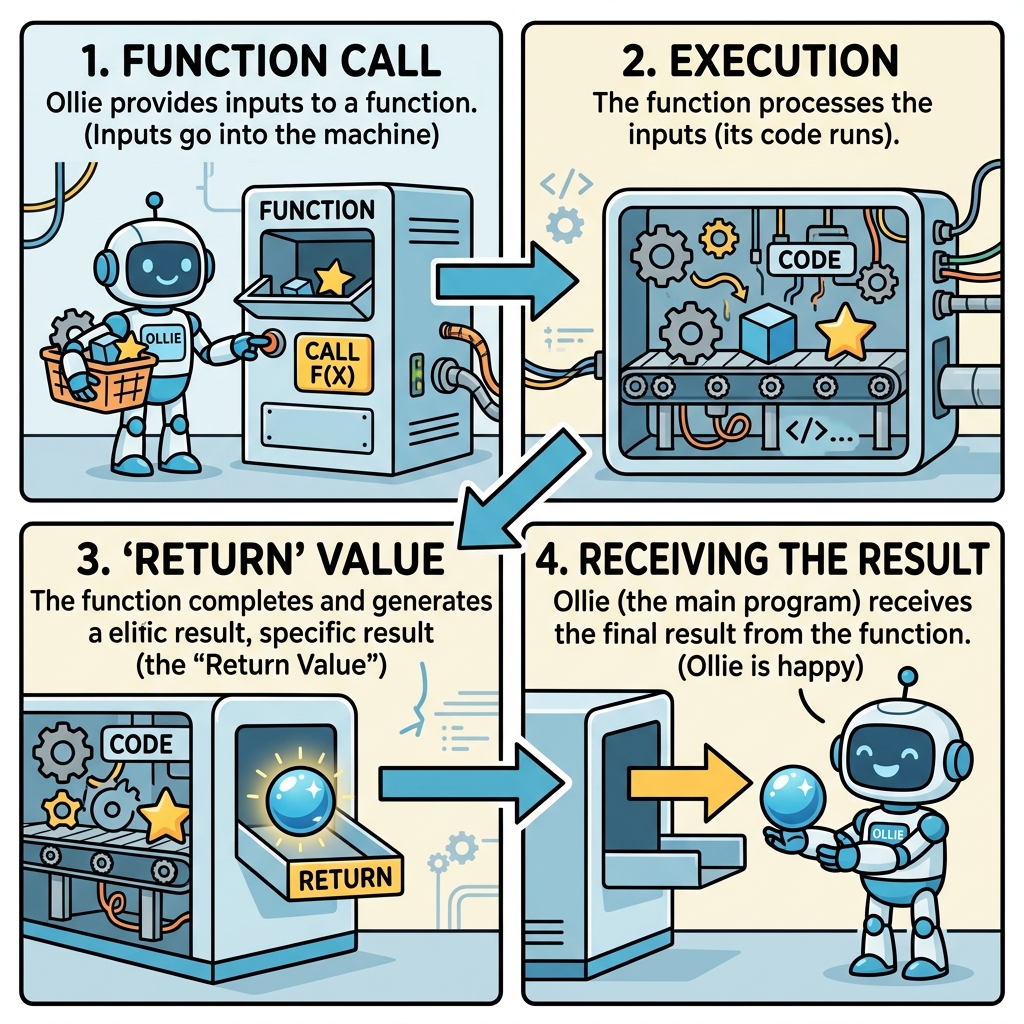
Think of a function as a machine: you feed it some input, it processes that input, and then hands you back a result. That result it hands you back is the return value. Without return values, functions would perform tasks but never share their outcomes — severely limiting what you can do.
What Exactly Is a Return Value?
A return value is the value a function sends back to where it was called. In Python, the return statement is used inside a function to specify what value should be returned. Once a function hits a return statement, it immediately sends that value back and exits.
Here’s the simplest example:
📌 Deep Dive: Basic Return Value
def greet():
    return "Hello, World!"

message = greet()
print(message)In this example, the function greet() returns a string. When we call greet(), it hands back "Hello, World!", which we capture in the variable message and then print.
Why Use Return Values?
Return values are invaluable for several reasons:
- Reusability: Functions can do a task and provide results without printing or modifying global variables, making them easy to reuse.
- Data Flow: They enable data to flow through your program, allowing functions to cooperate by passing results along.
- Modularity: Return values help keep your code organized by separating logic (the function) from output or further processing.
Without return values, your functions would only perform actions but never provide data back for other parts of your program to use.
How to Return Values in Python
The return statement syntax is straightforward:
return [expression]Here, [expression] can be any valid Python expression — a number, string, list, or even another function call. When Python executes the return statement, it evaluates the expression and sends that value out of the function.
If you omit the return statement entirely, or write return with no expression, the function returns a special value called None.
💡 Note on None
None is Python’s way of representing “no value” or “nothing.” It’s a unique object and not the same as 0, False, or an empty string.
Example: Function Without Return
📌 Deep Dive: No Explicit Return
def say_hello():
    print("Hello!")

result = say_hello()
print(result)Here, say_hello() prints a message but doesn’t explicitly return anything. When we assign its “result” to a variable and print it, we see None. This demonstrates the default return value of functions without a return.
Returning Multiple Values
Python allows functions to return multiple values at once, which is a powerful feature for many applications. When you return multiple values separated by commas, Python actually packs them into a tuple behind the scenes.
📌 Deep Dive: Multiple Return Values
def get_person_info():
    name = "Alice"
    age = 30
    return name, age

person_name, person_age = get_person_info()
print(person_name)
print(person_age)Here, get_person_info() returns two values: a name and an age. When calling the function, we unpack these values into two variables, making it simple to work with multiple pieces of related data.
Return vs Print: What’s the Difference?
It’s common for beginners to confuse return and print. Both are used in functions, but they serve fundamentally different purposes:
| Return | |
|---|---|
| Outputs a value to the caller of the function. | Outputs a value to the console or terminal. |
| Allows further processing of the returned value. | Just displays information; no value is passed back. |
| Stops function execution immediately. | Does not stop function execution. |
| Can return any data type, including complex objects. | Only prints string representation of objects. |
In practice, use return when you need the function to provide data for later use. Use print when you want to display information directly to the user or developer.
Common Return Value Patterns
Let’s explore some common ways to use return values effectively in your functions.
1. Returning Calculations
Functions often perform calculations and return the result.
📌 Deep Dive: Returning Calculations
def square(num):
    return num * num

result = square(5)
print(result)2. Returning Conditionals
Functions can return different values based on conditions inside the function.
📌 Deep Dive: Conditional Return
def is_even(number):
    if number % 2 == 0:
        return True
    else:
        return False

print(is_even(4))
print(is_even(5))3. Early Return to Simplify Logic
Sometimes you want to return early from a function if a certain condition is met, avoiding unnecessary processing.
📌 Deep Dive: Early Return
def divide(a, b):
    if b == 0:
        return "Error: Division by zero"
    return a / b

print(divide(10, 2))
print(divide(10, 0))What Happens After Return?
Once Python executes a return statement in a function, the function immediately ends — no further lines of code inside that function will run.
⚠️ Remember:
Any code after a return statement in the same block is unreachable and won’t execute.
Example:
📌 Deep Dive: Code After Return
def foo():
    return 42
    print("This line is never reached")

print(foo())Returning Complex Data Types
Return values aren’t limited to simple data types like numbers or strings. You can return lists, dictionaries, sets, or even custom objects.
📌 Deep Dive: Returning a Dictionary
def create_user(username, age):
    return {
        "username": username,
        "age": age,
        "status": "active"
    }

user = create_user("bob123", 25)
print(user)Using Return Values in Expressions
Because return values are just data, you can use them directly in expressions, assign them to variables, pass them as arguments to other functions, or chain functions together.
📌 Deep Dive: Return Values in Expressions
def multiply(a, b):
    return a * b

def add(a, b):
    return a + b

result = add(multiply(2, 3), 4)  # multiply(2,3) returns 6, then add(6,4) returns 10
print(result)Summary: Best Practices for Return Values
- Always return meaningful data: Your function should return data that the caller can use. Avoid returning
Noneunintentionally. - Be consistent: Functions that sometimes return data and sometimes don’t can confuse users of your code.
- Use multiple returns wisely: Returning multiple values is powerful, but be sure to unpack them clearly.
- Don’t misuse return for printing: Use
returnto pass data, andprintto display it. - Document what your function returns: Good documentation helps others understand your function’s output.
💡 Takeaway:
Mastering return values is a fundamental step in writing clean, effective Python functions that can be combined and reused throughout your programs.
Quick Knowledge Check
Test what you just learned
Question 1 of 2
What happens when a Python function reaches a return statement?
Question 2 of 2
If a function does not have a return statement, what value does it return by default?
Loading results...